> ## Documentation Index
> Fetch the complete documentation index at: https://docs.jitra.app/llms.txt
> Use this file to discover all available pages before exploring further.
# Managing Your Subscription
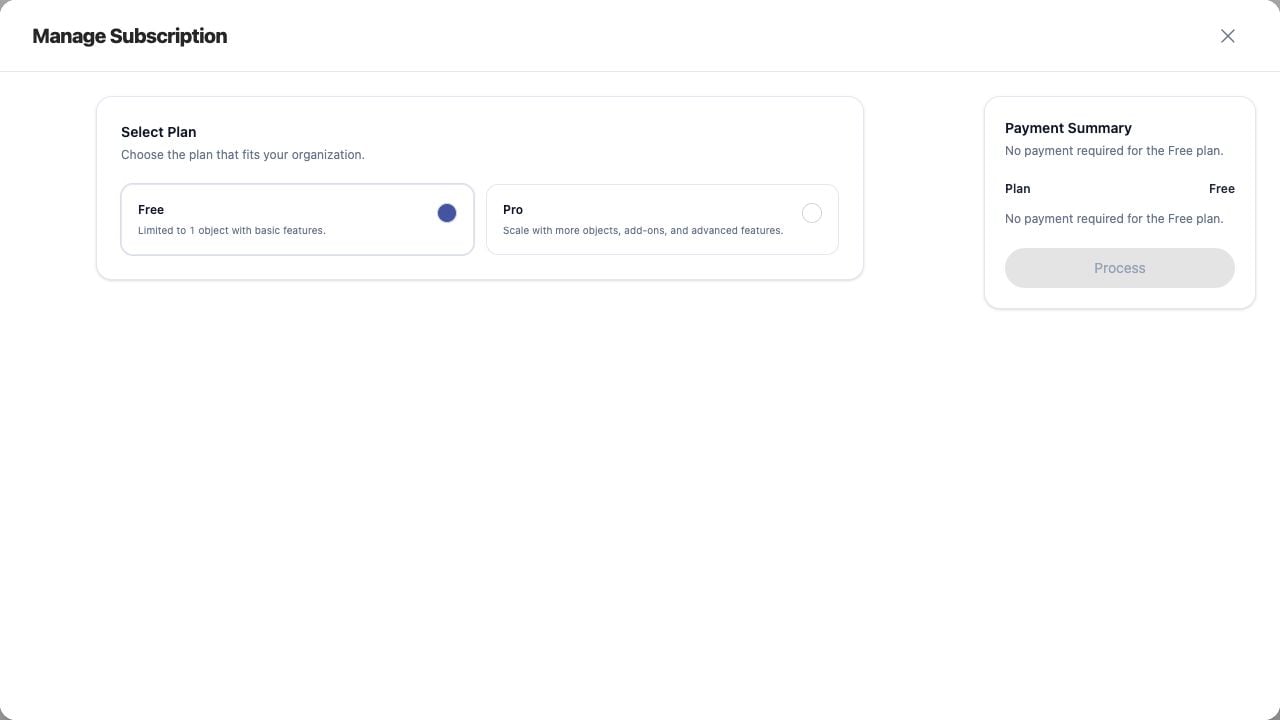
> Manage Subscription provides one place to review plan, quota, Storage, Integration, Fleet, and Payment Summary before applying changes.
Manage Subscription provides one place to review plan, quota, Storage, Integration, Fleet, and Payment Summary before applying changes.
## What to Check
* Select Plan
* Set New Quota
* Choose Storage retention
* Choose Integration and Fleet options
* Review Sub Total, Tax, and Total Due
## Current Jitra Workflow
Open Billing Overview and click Manage Subscription. Process remains disabled until a billable valid change is selected.
 ## Reviewing the Result
Confirm the saved or displayed information matches the intended Object, users, period, and Organization workflow.
## If the Issue Continues
Review required fields, access permissions, available data, and Organization limits. Contact an Organization administrator or Jitra support when the required control is unavailable.
## Reviewing the Result
Confirm the saved or displayed information matches the intended Object, users, period, and Organization workflow.
## If the Issue Continues
Review required fields, access permissions, available data, and Organization limits. Contact an Organization administrator or Jitra support when the required control is unavailable.