> ## Documentation Index
> Fetch the complete documentation index at: https://docs.jitra.app/llms.txt
> Use this file to discover all available pages before exploring further.
# Upgrading Your Subscription
> An upgrade increases plan capacity, Object quota, retention, Integration, or Fleet features and can create a payment due.
An upgrade increases plan capacity, Object quota, retention, Integration, or Fleet features and can create a payment due.
## What to Check
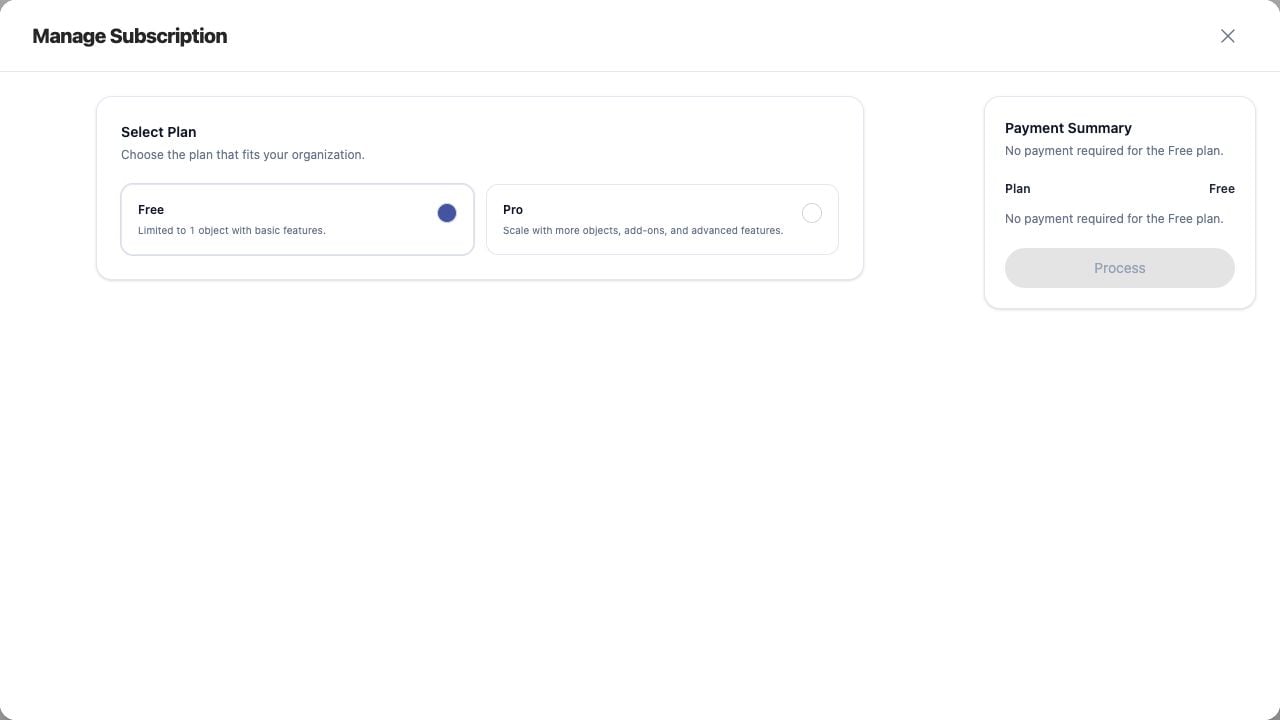
1. Open Manage Subscription.
2. Select the higher plan, quota, or add-on.
3. Review the Payment Summary and billing period.
4. Confirm approval and pricing.
5. Use Process when enabled.
## Current Jitra Workflow
Prices and available options are shown in the dialog and can change. Use the values displayed at the time of purchase.
 ## Reviewing the Result
Confirm the saved or displayed information matches the intended Object, users, period, and Organization workflow.
## If the Issue Continues
Review required fields, access permissions, available data, and Organization limits. Contact an Organization administrator or Jitra support when the required control is unavailable.
## Reviewing the Result
Confirm the saved or displayed information matches the intended Object, users, period, and Organization workflow.
## If the Issue Continues
Review required fields, access permissions, available data, and Organization limits. Contact an Organization administrator or Jitra support when the required control is unavailable.