> ## Documentation Index
> Fetch the complete documentation index at: https://docs.jitra.app/llms.txt
> Use this file to discover all available pages before exploring further.
# Understanding Roles and Permissions
> Roles group permissions so users receive only the Jitra capabilities required for their work.
Roles group permissions so users receive only the Jitra capabilities required for their work.
## What to Check
* Permissions are grouped by domains such as org, object, event, place, auth, report, share, and fleet.
* Read, Create, Update, and Delete can be granted separately.
* Select All and Select All By Group speed up selection.
* Least privilege reduces accidental or unauthorized changes.
## Current Jitra Workflow
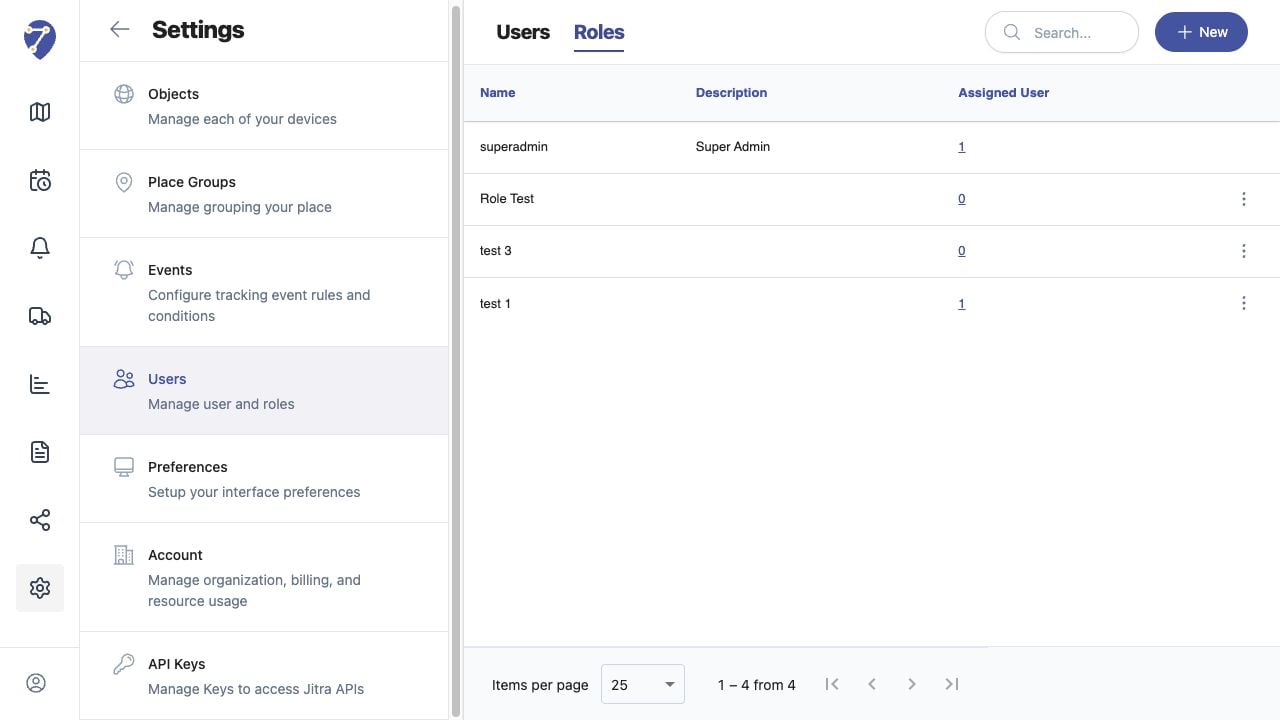
Open Settings > Users > Roles to review Role names and descriptions, then create or edit a Role to inspect permissions.
 ## Reviewing the Result
Confirm the saved or displayed information matches the intended Object, users, period, and Organization workflow.
## If the Issue Continues
Review required fields, access permissions, available data, and Organization limits. Contact an Organization administrator or Jitra support when the required control is unavailable.
## Reviewing the Result
Confirm the saved or displayed information matches the intended Object, users, period, and Organization workflow.
## If the Issue Continues
Review required fields, access permissions, available data, and Organization limits. Contact an Organization administrator or Jitra support when the required control is unavailable.