> ## Documentation Index
> Fetch the complete documentation index at: https://docs.jitra.app/llms.txt
> Use this file to discover all available pages before exploring further.
# Configuring Eco Driving Scoring
> Configure normalization, speeding bands, harsh-driving penalties, and excessive-idling thresholds for Eco Driving.
Eco Driving scoring is controlled by the Profile. Use thresholds that match the vehicle type and Organization policy.
## Choosing Normalization
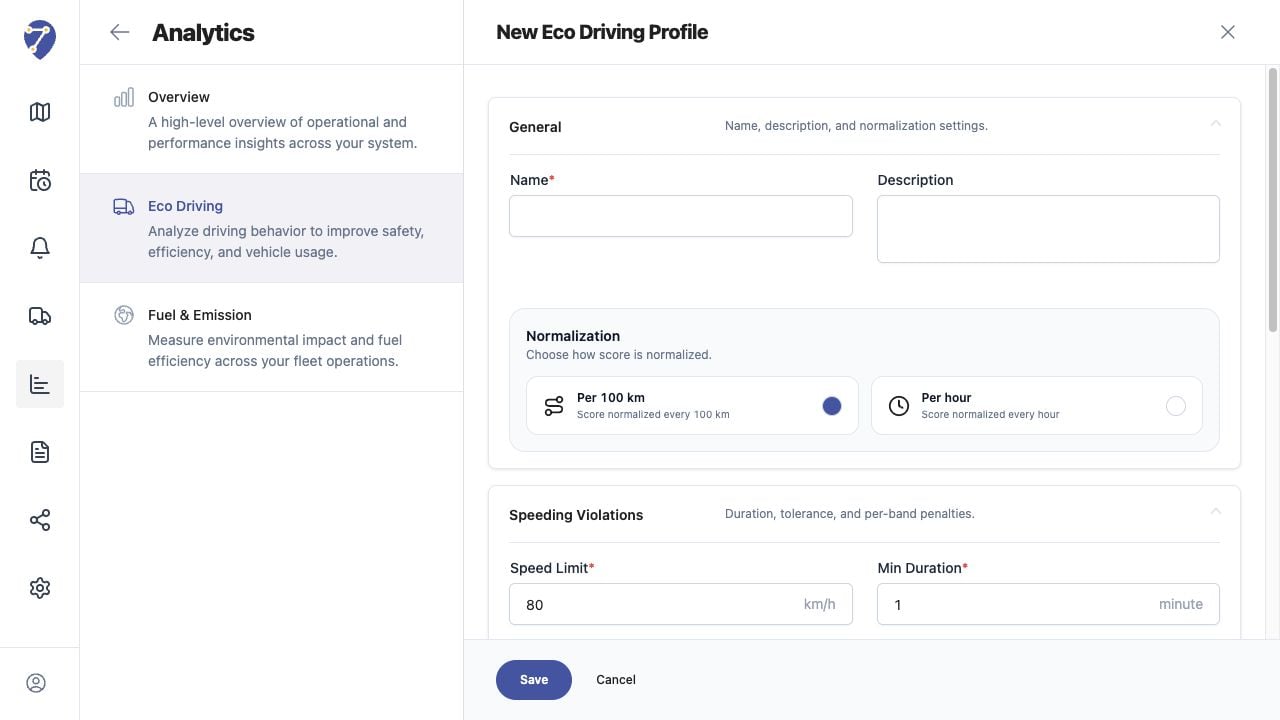
Select Per 100 km to compare behavior against distance, or Per hour to compare it against operating time.
 ## Configuring Speeding Violations
* Speed Limit
* Min Duration
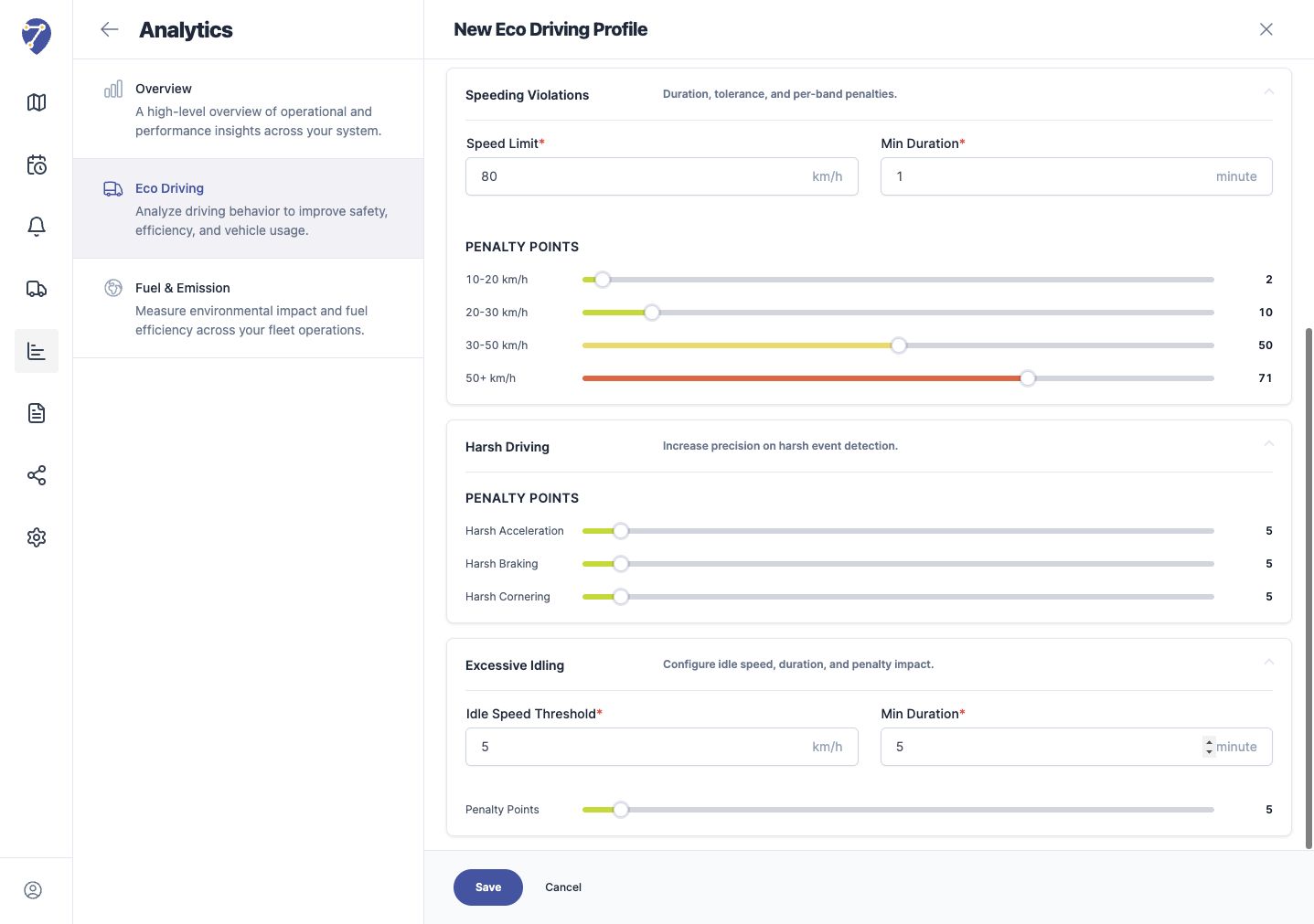
* penalty points for 10-20 km/h
* penalty points for 20-30 km/h
* penalty points for 30-50 km/h
* penalty points for 50+ km/h
## Configuring Harsh Driving
Set separate Penalty Points for Harsh Acceleration, Harsh Braking, and Harsh Cornering.
## Configuring Speeding Violations
* Speed Limit
* Min Duration
* penalty points for 10-20 km/h
* penalty points for 20-30 km/h
* penalty points for 30-50 km/h
* penalty points for 50+ km/h
## Configuring Harsh Driving
Set separate Penalty Points for Harsh Acceleration, Harsh Braking, and Harsh Cornering.
 ## Configuring Excessive Idling
Set Idle Speed Threshold, Min Duration, and Penalty Points. These values determine which stationary or low-speed periods contribute to the penalty.
## Validating the Configuration
Assign a small known Object set, load a known period, and compare Events and History before applying the Profile more widely.
## Configuring Excessive Idling
Set Idle Speed Threshold, Min Duration, and Penalty Points. These values determine which stationary or low-speed periods contribute to the penalty.
## Validating the Configuration
Assign a small known Object set, load a known period, and compare Events and History before applying the Profile more widely.