> ## Documentation Index
> Fetch the complete documentation index at: https://docs.jitra.app/llms.txt
> Use this file to discover all available pages before exploring further.
# Troubleshooting Missing Events and Notifications
> Check Event rules, Objects, trigger data, cooldowns, notification methods, and History when an expected Event is missing.
A missing Event can be caused by the rule configuration, incoming Object data, cooldown, or notification delivery. Check each stage in order.
## Check the Event Rule
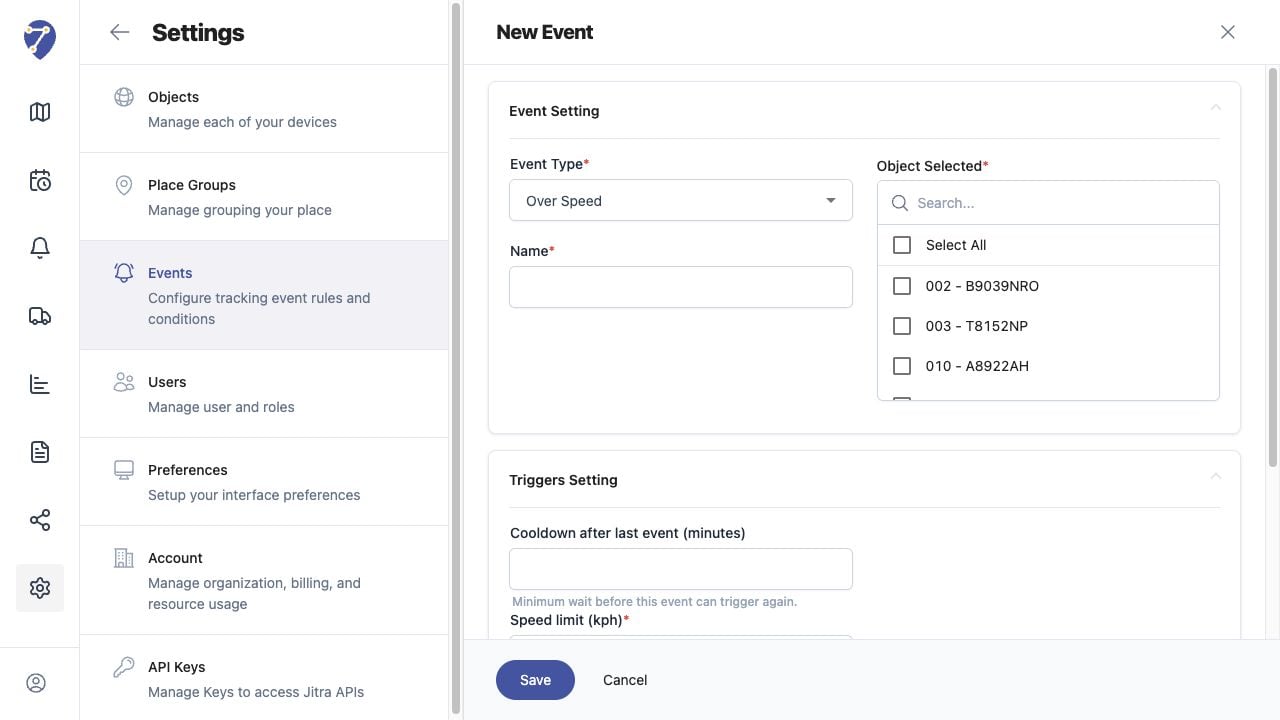
* Confirm the rule exists and its Active status is displayed in Settings > Events.
* Verify the Event Type matches the condition you expect.
* Confirm the correct Object is selected.
* Review all required fields in Triggers Setting.
## Check Trigger Data and Cooldown
Confirm the Object sent valid data that could satisfy the trigger. For speed or Sensor Events, verify the required value is present. For geofence Events, verify valid positions crossed the selected boundary. Make sure Cooldown after last event has elapsed.
 ## Check Notification Settings
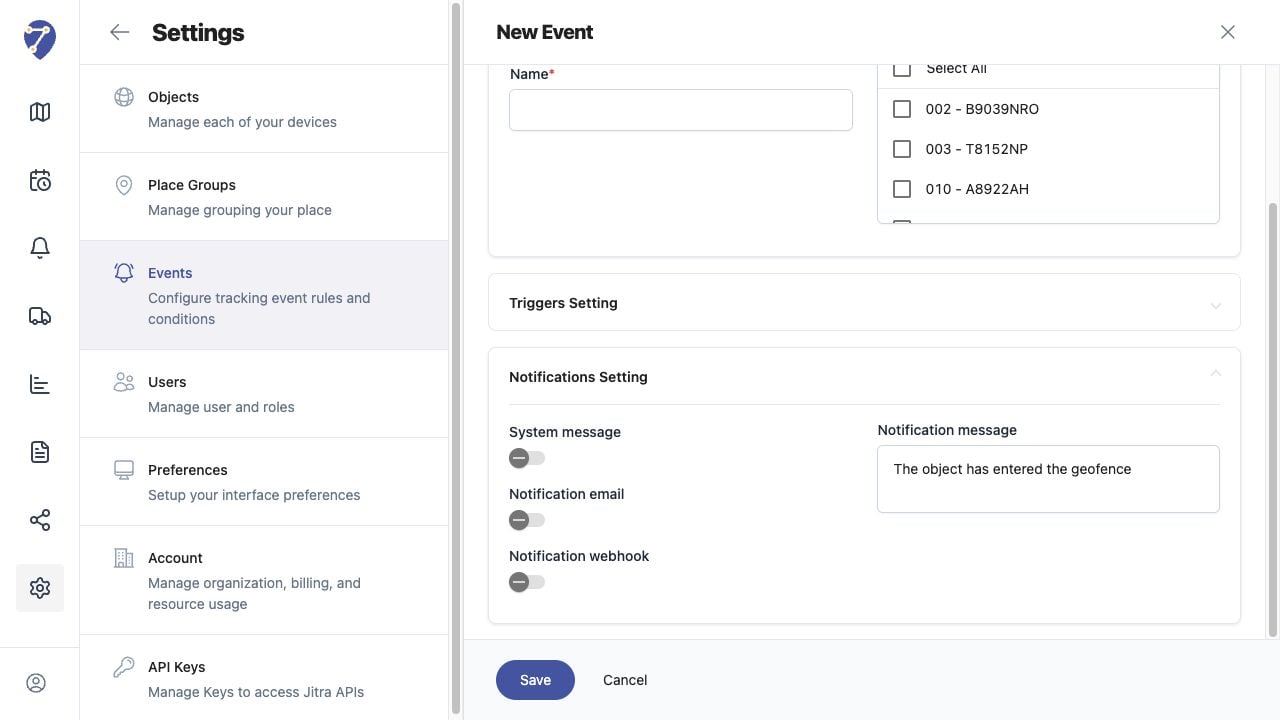
Confirm the intended option is enabled in Notifications Setting. Use System message for Event Notifications, and verify the Organization's email or webhook configuration when those delivery methods are used.
## Check Notification Settings
Confirm the intended option is enabled in Notifications Setting. Use System message for Event Notifications, and verify the Organization's email or webhook configuration when those delivery methods are used.
 ## Check Event Notifications and History
Search Event Notifications for the Object or message. Then load the Object and correct period in History and check the Events tab. An Event may exist even when an external delivery method did not arrive.
## Test One Change at a Time
Adjust one rule setting, wait for new Object data, and test again. This makes it easier to identify whether the problem is the trigger, Object data, cooldown, or notification delivery.
## Check Event Notifications and History
Search Event Notifications for the Object or message. Then load the Object and correct period in History and check the Events tab. An Event may exist even when an external delivery method did not arrive.
## Test One Change at a Time
Adjust one rule setting, wait for new Object data, and test again. This makes it easier to identify whether the problem is the trigger, Object data, cooldown, or notification delivery.