> ## Documentation Index
> Fetch the complete documentation index at: https://docs.jitra.app/llms.txt
> Use this file to discover all available pages before exploring further.
# Viewing Event Notifications
> Learn how to search Event Notifications and inspect an Event's Object, time, location, and details on the map.
Event Notifications provides a chronological list of System messages created by Event rules.
## Opening Event Notifications
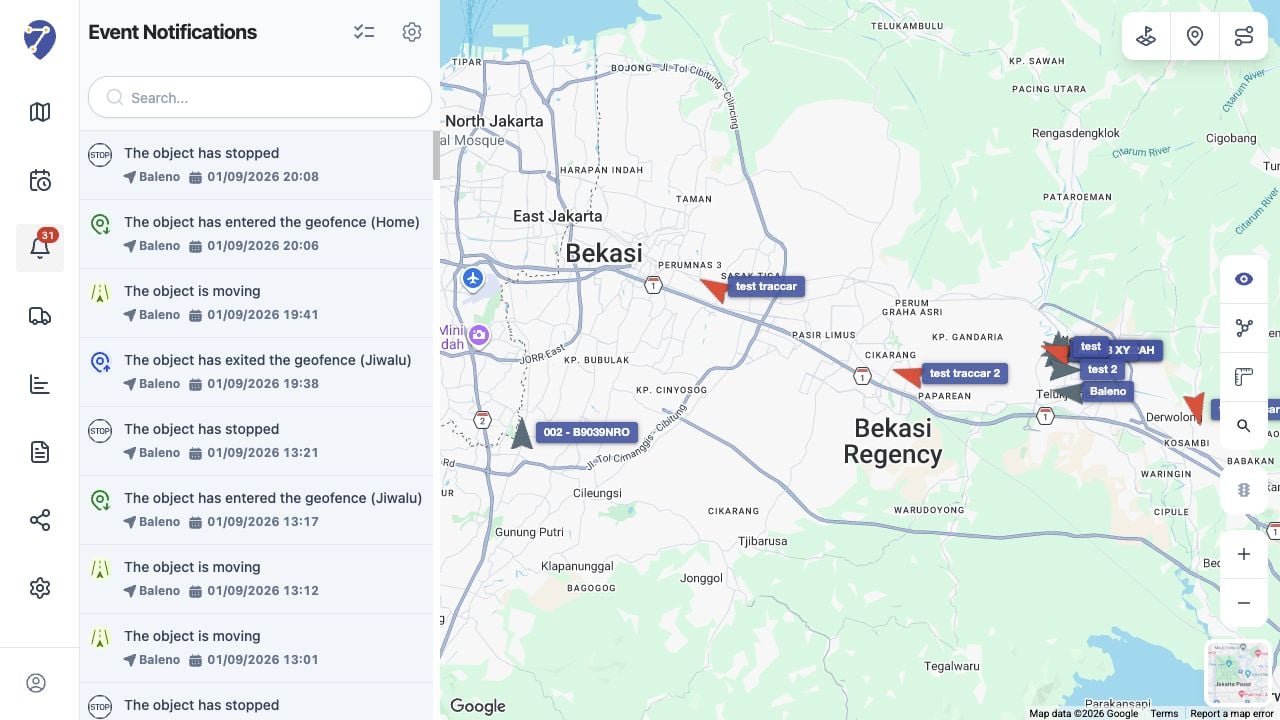
Select Event Notifications from the main navigation. The list shows the Event message, Object, and date and time. Use Search to narrow the visible entries.
 ## Opening an Event
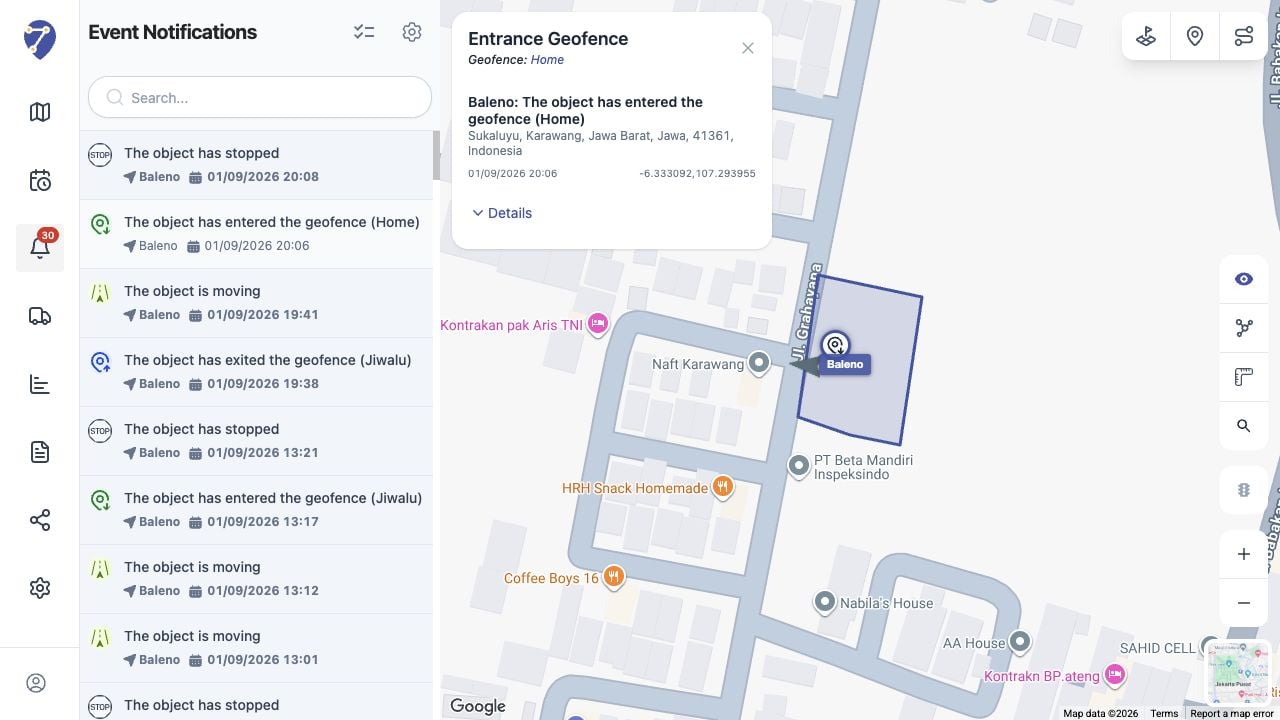
Select an entry to focus its location on the map and open the Event panel. The map can also show nearby Objects and route context.
## Reading Event Details
The panel shows the Event name, related Geofence when applicable, Object and message, address, timestamp, and coordinates. Expand Details when additional information is available.
## Opening an Event
Select an entry to focus its location on the map and open the Event panel. The map can also show nearby Objects and route context.
## Reading Event Details
The panel shows the Event name, related Geofence when applicable, Object and message, address, timestamp, and coordinates. Expand Details when additional information is available.
 ## If an Expected Notification Is Missing
Confirm System message is enabled on the rule, the correct Object is assigned, the trigger condition was met, and the cooldown period has elapsed.
## If an Expected Notification Is Missing
Confirm System message is enabled on the rule, the correct Object is assigned, the trigger condition was met, and the cooldown period has elapsed.