> ## Documentation Index
> Fetch the complete documentation index at: https://docs.jitra.app/llms.txt
> Use this file to discover all available pages before exploring further.
# Viewing Events in History
> Learn how to view recorded Events alongside an Object's route and selected History period in Jitra.
History lets you review Events together with an Object's stored positions and route for a selected period.
## Loading Object History
1. Open History.
2. Select an Object.
3. Choose the required period.
4. Click View.
## Opening the Events Tab
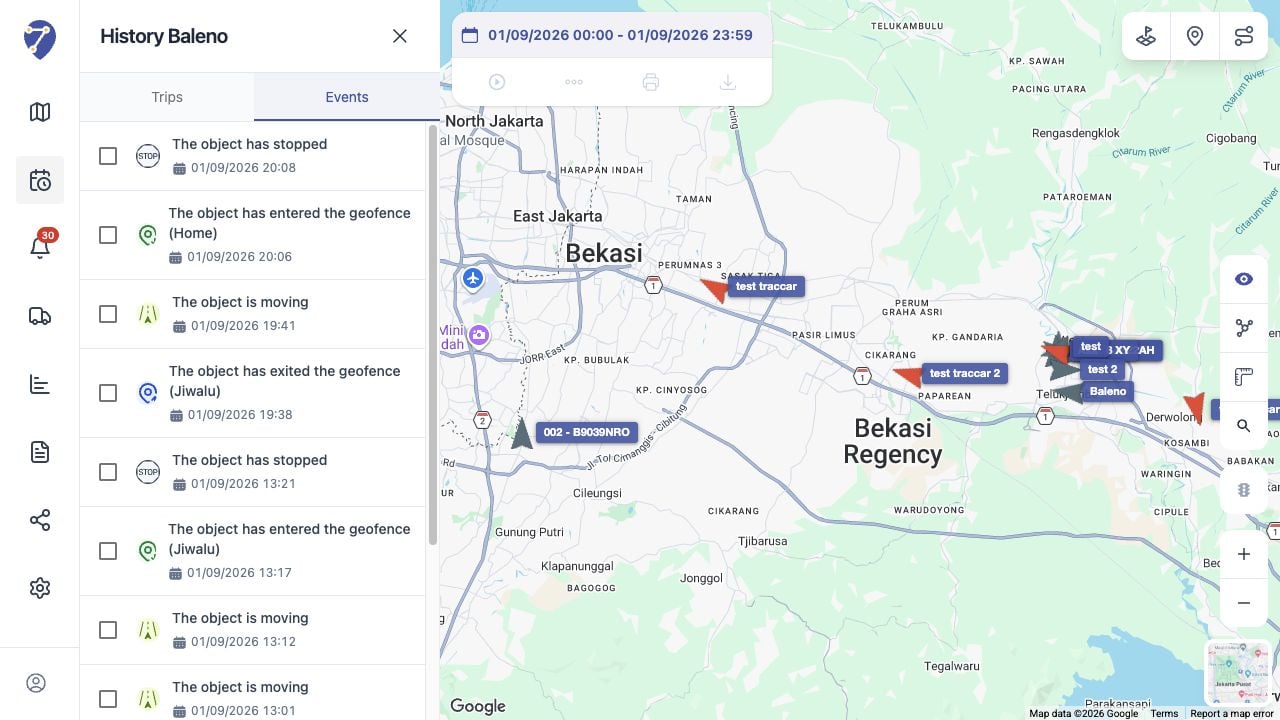
After History is loaded, open the Events tab. The list shows Events associated with the Object and period.
 ## Reviewing an Event
Use the Event type and time to relate the entry to the route and other History information. Change the period when the expected Event falls outside the current range.
## Comparing with Event Notifications
Event Notifications is useful for reviewing System messages across Objects. History is useful when you need to investigate Events within one Object's route and time range.
## Reviewing an Event
Use the Event type and time to relate the entry to the route and other History information. Change the period when the expected Event falls outside the current range.
## Comparing with Event Notifications
Event Notifications is useful for reviewing System messages across Objects. History is useful when you need to investigate Events within one Object's route and time range.