> ## Documentation Index
> Fetch the complete documentation index at: https://docs.jitra.app/llms.txt
> Use this file to discover all available pages before exploring further.
# Understanding Events and Notifications
> Learn the difference between Events and notifications, how to open Event Notifications, search notifications, and view Event location and telemetry details in Jitra.
An Event records a condition or activity detected by Jitra, while a notification informs a user that the Event occurred.
Examples include an Object starting to move, entering a Geofence, or leaving a Geofence.
## Opening Event Notifications
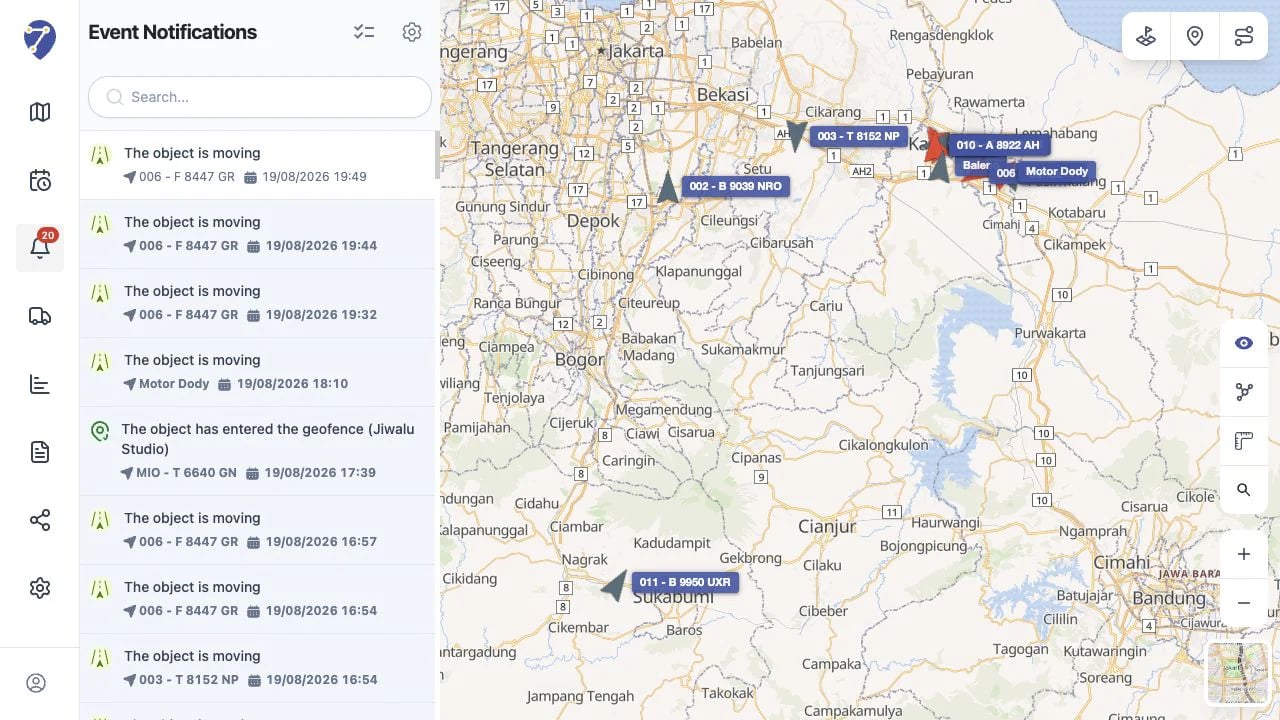
Click Event Notifications in the main Jitra menu. The badge on the icon shows the number of unread notifications.
The page lists recent notifications with the Event type, Object, and occurrence time.
 ## Searching Notifications
Use Search to find relevant notifications. This is useful when the list contains many Events from multiple Objects.
## Viewing Event Details
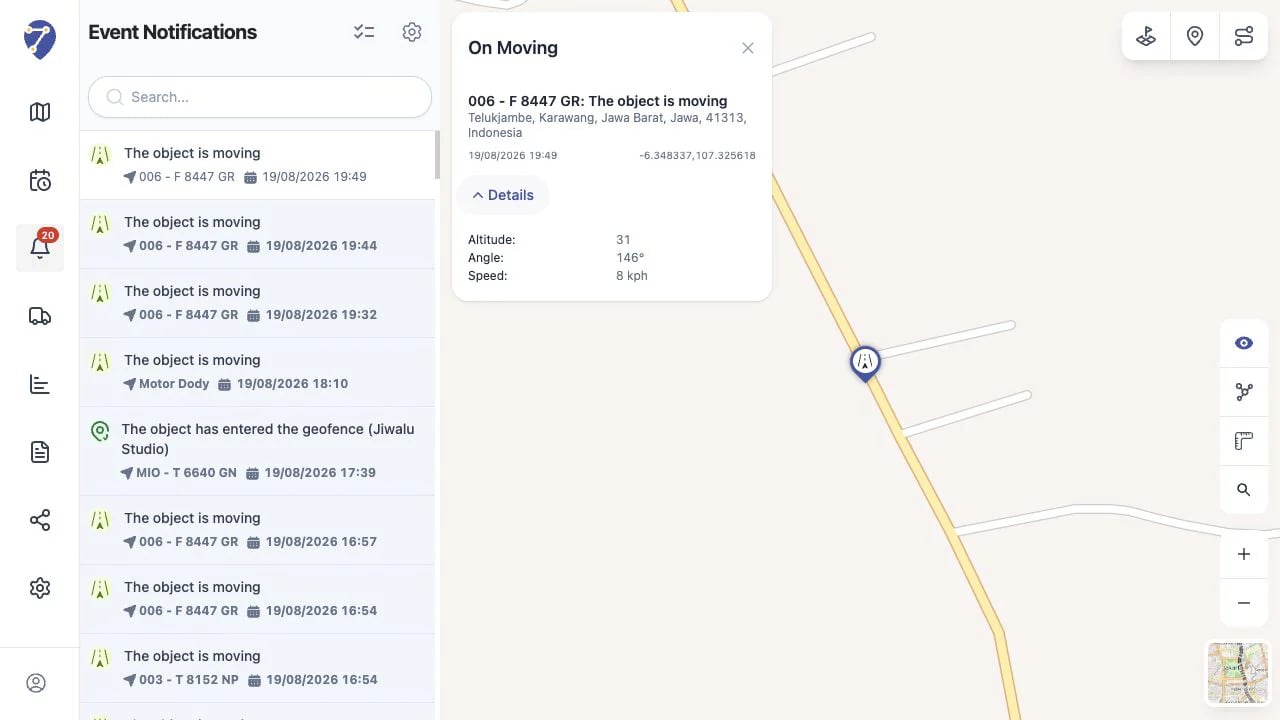
Click a notification to open its location on the map and view key information such as the Object name, Event message, address, time, and coordinates.
Click Details to show additional available data such as altitude, angle, and speed.
## Searching Notifications
Use Search to find relevant notifications. This is useful when the list contains many Events from multiple Objects.
## Viewing Event Details
Click a notification to open its location on the map and view key information such as the Object name, Event message, address, time, and coordinates.
Click Details to show additional available data such as altitude, angle, and speed.
 ## Marking Notifications as Read
Use Mark all as read to mark every notification in the list as read. The menu badge updates to reflect the remaining unread notifications.
## Events in History
Events for a specific Object and period are also available from the Events tab in History. Event Notifications is intended for recent alerts, while History is intended for reviewing an Object over a selected period.
## Why Is a Notification Missing?
A notification can only be created when its Event conditions are met and Jitra receives the required data. Event settings, assigned Objects, and user access can also affect which notifications are visible.
## Marking Notifications as Read
Use Mark all as read to mark every notification in the list as read. The menu badge updates to reflect the remaining unread notifications.
## Events in History
Events for a specific Object and period are also available from the Events tab in History. Event Notifications is intended for recent alerts, while History is intended for reviewing an Object over a selected period.
## Why Is a Notification Missing?
A notification can only be created when its Event conditions are met and Jitra receives the required data. Event settings, assigned Objects, and user access can also affect which notifications are visible.