> ## Documentation Index
> Fetch the complete documentation index at: https://docs.jitra.app/llms.txt
> Use this file to discover all available pages before exploring further.
# Configuring Coban Devices
> Configure a Coban GPS103-compatible GPS Device by SMS to send data to Jitra.
Coban devices using the GPS103 protocol connect to the Coban listener in Jitra. Because GPS103 devices are frequently rebranded, identify the exact model and compare its manual before sending commands.
## Recommended Configuration
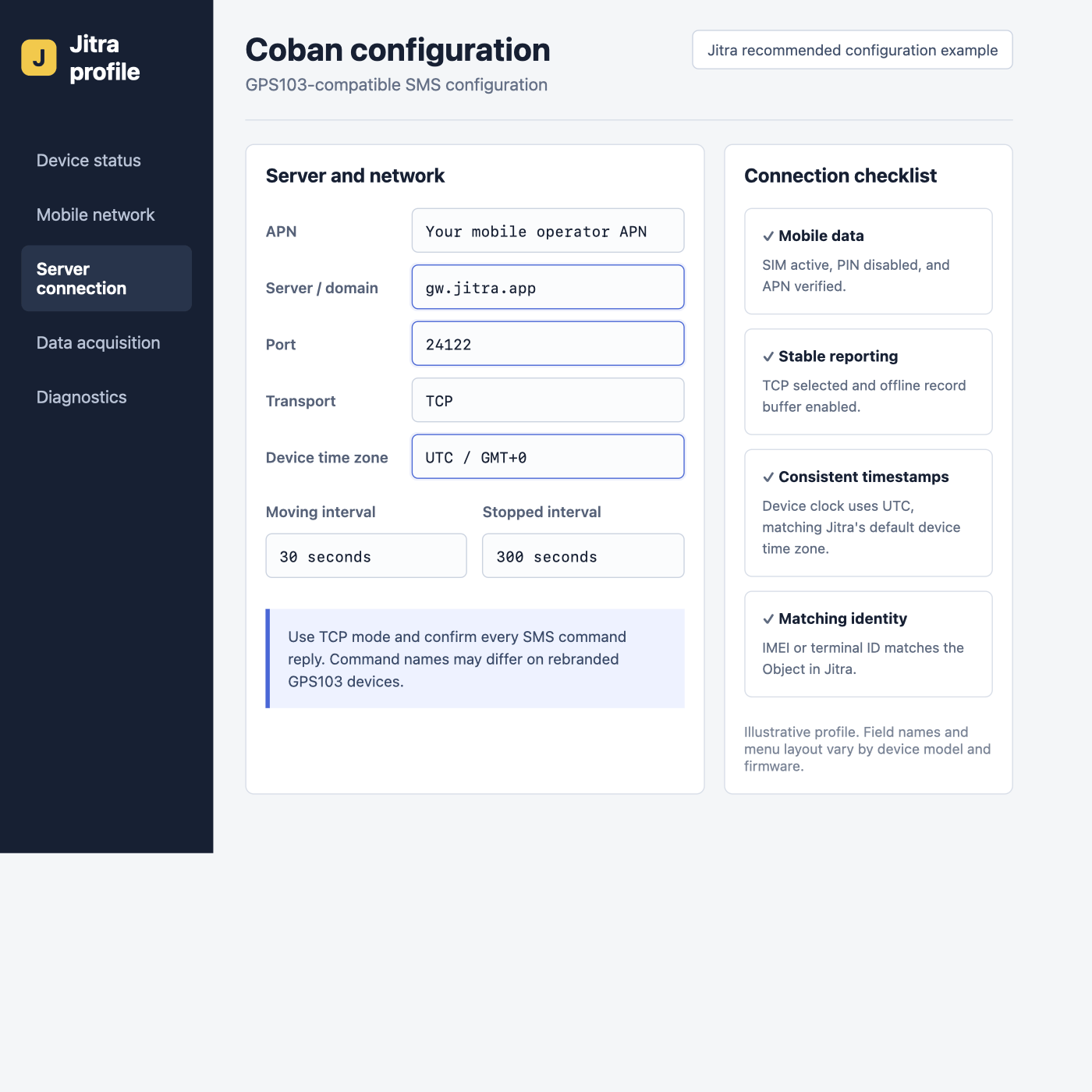 | Setting | Value |
| - | - |
| Server | `gw.jitra.app` |
| Port | `24122` |
| Transport | TCP |
| Protocol | GPS103 |
| Time zone | UTC / GMT+0 |
| Moving interval | 30 seconds when supported |
| Device ID | IMEI |
## Configure by SMS
The following sequence applies to common GPS103-A/B firmware using the factory password `123456`. Replace `` and optional credentials with values from the SIM operator.
```text theme={null}
begin123456
time zone123456 0
apn123456
up123456
adminip123456 gw.jitra.app 24122
gprs123456
```
Skip the `up` command when the APN does not require credentials. On firmware that provides a TCP/UDP switch, select TCP; some models use `UDP123456 0` for TCP mode. Use only the command documented for the exact model.
Initialization can reset existing authorization, alarm, and reporting settings. Read the current configuration first. Change the factory password after setup, then use the new password in future commands.
## Reporting Interval
GPS103 firmware often uses a `fix...` command, but the accepted format varies. Configure a 30-second moving interval only when the manual confirms the syntax. Avoid copying an interval command from another Coban or TK-series model.
## Verify in Jitra
Create the Object in **Settings > Objects > New**, select the matching Coban model, and enter its IMEI. Confirm a recent update on **Tracking**. If no data arrives, first verify that the device actually uses GPS103 rather than a visually identical clone protocol.
## Model References
* [Coban GPS103AB manufacturer-submitted user manual](https://fccid.io/2ATUKGPS103/User-Manual/User-manual-4517402)
* [Coban GPS103-A/B manual mirror](https://www.manualslib.com/manual/891364/Coban-Gps103-A.html)
The FCC-hosted document is the manufacturer-submitted manual for the referenced GPS103AB hardware. For another model or firmware, use the manual supplied with that device.
This documentation is built and hosted on [Mintlify](https://mintlify.com), a developer documentation platform.
| Setting | Value |
| - | - |
| Server | `gw.jitra.app` |
| Port | `24122` |
| Transport | TCP |
| Protocol | GPS103 |
| Time zone | UTC / GMT+0 |
| Moving interval | 30 seconds when supported |
| Device ID | IMEI |
## Configure by SMS
The following sequence applies to common GPS103-A/B firmware using the factory password `123456`. Replace `` and optional credentials with values from the SIM operator.
```text theme={null}
begin123456
time zone123456 0
apn123456
up123456
adminip123456 gw.jitra.app 24122
gprs123456
```
Skip the `up` command when the APN does not require credentials. On firmware that provides a TCP/UDP switch, select TCP; some models use `UDP123456 0` for TCP mode. Use only the command documented for the exact model.
Initialization can reset existing authorization, alarm, and reporting settings. Read the current configuration first. Change the factory password after setup, then use the new password in future commands.
## Reporting Interval
GPS103 firmware often uses a `fix...` command, but the accepted format varies. Configure a 30-second moving interval only when the manual confirms the syntax. Avoid copying an interval command from another Coban or TK-series model.
## Verify in Jitra
Create the Object in **Settings > Objects > New**, select the matching Coban model, and enter its IMEI. Confirm a recent update on **Tracking**. If no data arrives, first verify that the device actually uses GPS103 rather than a visually identical clone protocol.
## Model References
* [Coban GPS103AB manufacturer-submitted user manual](https://fccid.io/2ATUKGPS103/User-Manual/User-manual-4517402)
* [Coban GPS103-A/B manual mirror](https://www.manualslib.com/manual/891364/Coban-Gps103-A.html)
The FCC-hosted document is the manufacturer-submitted manual for the referenced GPS103AB hardware. For another model or firmware, use the manual supplied with that device.
This documentation is built and hosted on [Mintlify](https://mintlify.com), a developer documentation platform.