> ## Documentation Index
> Fetch the complete documentation index at: https://docs.jitra.app/llms.txt
> Use this file to discover all available pages before exploring further.
# Configuring Teltonika Devices
> Configure a Teltonika GPS Device in Teltonika Configurator to send data to Jitra.
Teltonika devices connect to Jitra through the Teltonika listener. This guide applies to models that use Codec 8, Codec 8 Extended, or Codec 16.
## Recommended Configuration
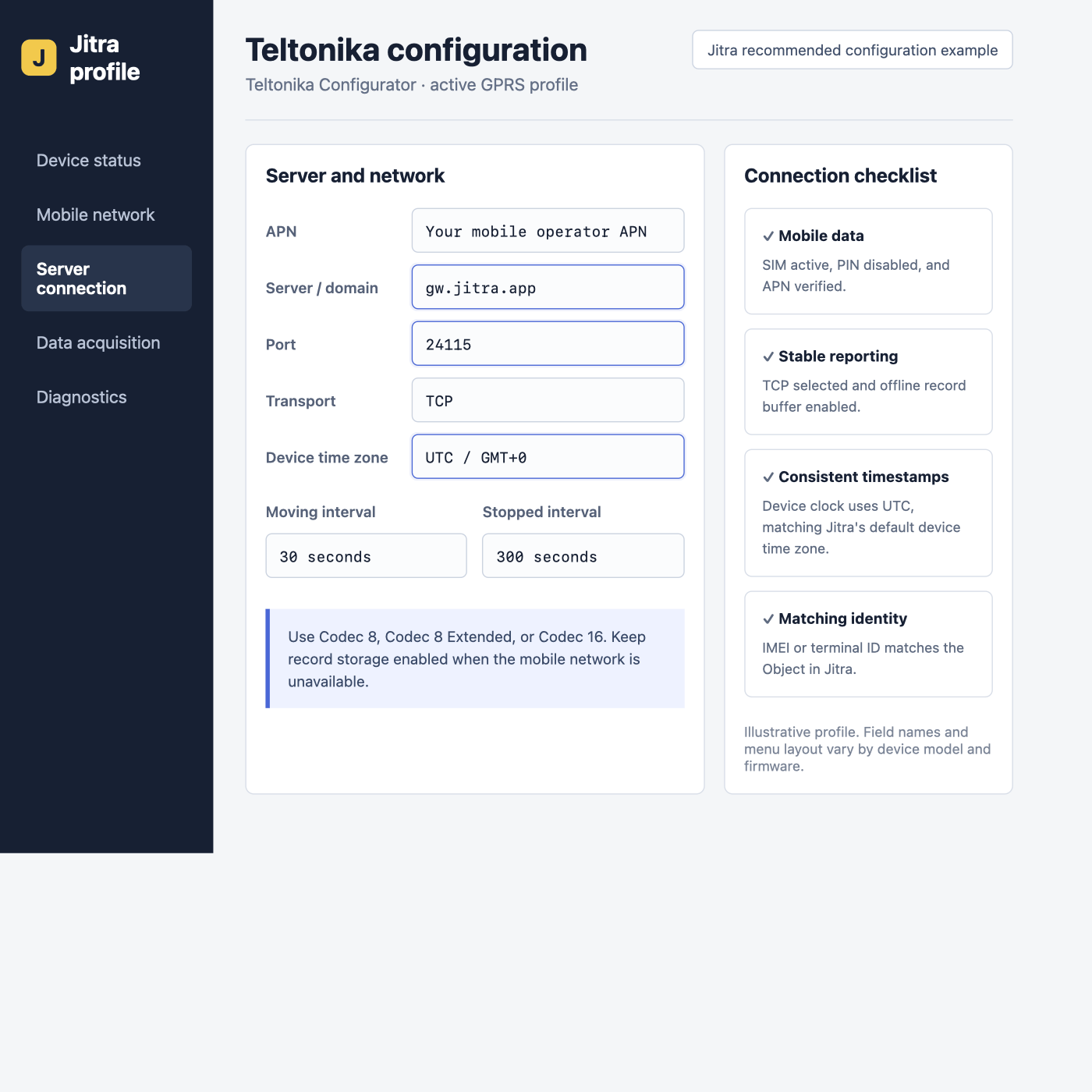 | Setting | Value |
| - | - |
| Domain | `gw.jitra.app` |
| Port | `24115` |
| Protocol | TCP |
| Codec | Codec 8, Codec 8 Extended, or Codec 16 |
| Device time zone | UTC / GMT+0 |
| Moving / stopped interval | 30 / 300 seconds |
| Device ID | IMEI |
## Configure with Teltonika Configurator
Connect the tracker over USB or Bluetooth and use the Teltonika Configurator version supported by the exact model and firmware. Read the current configuration before making changes.
Under **GPRS**, enter the mobile operator APN. Enter the APN username and password only when the operator requires them.
In the active server profile, set **Domain** to `gw.jitra.app`, **Port** to `24115`, and **Protocol** to **TCP**. Keep a supported Codec selected.
Use 30 seconds while moving and 300 seconds while stopped as a balanced starting point. Keep record storage enabled so the device can resend data after a network outage.
Write the configuration to the device, restart it, and confirm that the GPRS and server connection statuses are active.
Teltonika SMS parameter IDs commonly map `2001` to APN, `2002` to APN username, `2003` to APN password, `2004` to domain, `2005` to port, and `2006` to transport (`0` for TCP). Confirm the IDs in the exact model documentation before using SMS configuration.
## Verify in Jitra
Create the Object in **Settings > Objects > New**, select the exact Teltonika model, and enter its IMEI as the Device ID. On **Tracking**, confirm a recent update, valid coordinates, and timestamps without an offset.
## Official References
* [Teltonika Universal Device Test Guide](https://wiki.teltonika-gps.com/view/Universal_Device_Test_Guide)
* [Teltonika GPRS settings reference](https://wiki.teltonika-gps.com/view/FMC130_GPRS_settings)
* [Teltonika basic track and trace configuration](https://wiki.teltonika-gps.com/view/BASIC_TRACK_%26_TRACE)
This documentation is built and hosted on [Mintlify](https://mintlify.com), a developer documentation platform.
| Setting | Value |
| - | - |
| Domain | `gw.jitra.app` |
| Port | `24115` |
| Protocol | TCP |
| Codec | Codec 8, Codec 8 Extended, or Codec 16 |
| Device time zone | UTC / GMT+0 |
| Moving / stopped interval | 30 / 300 seconds |
| Device ID | IMEI |
## Configure with Teltonika Configurator
Connect the tracker over USB or Bluetooth and use the Teltonika Configurator version supported by the exact model and firmware. Read the current configuration before making changes.
Under **GPRS**, enter the mobile operator APN. Enter the APN username and password only when the operator requires them.
In the active server profile, set **Domain** to `gw.jitra.app`, **Port** to `24115`, and **Protocol** to **TCP**. Keep a supported Codec selected.
Use 30 seconds while moving and 300 seconds while stopped as a balanced starting point. Keep record storage enabled so the device can resend data after a network outage.
Write the configuration to the device, restart it, and confirm that the GPRS and server connection statuses are active.
Teltonika SMS parameter IDs commonly map `2001` to APN, `2002` to APN username, `2003` to APN password, `2004` to domain, `2005` to port, and `2006` to transport (`0` for TCP). Confirm the IDs in the exact model documentation before using SMS configuration.
## Verify in Jitra
Create the Object in **Settings > Objects > New**, select the exact Teltonika model, and enter its IMEI as the Device ID. On **Tracking**, confirm a recent update, valid coordinates, and timestamps without an offset.
## Official References
* [Teltonika Universal Device Test Guide](https://wiki.teltonika-gps.com/view/Universal_Device_Test_Guide)
* [Teltonika GPRS settings reference](https://wiki.teltonika-gps.com/view/FMC130_GPRS_settings)
* [Teltonika basic track and trace configuration](https://wiki.teltonika-gps.com/view/BASIC_TRACK_%26_TRACE)
This documentation is built and hosted on [Mintlify](https://mintlify.com), a developer documentation platform.