> ## Documentation Index
> Fetch the complete documentation index at: https://docs.jitra.app/llms.txt
> Use this file to discover all available pages before exploring further.
# Changing the GPS Device Assigned to an Object
> Understand the current limitation for changing an Object Device ID or GPS model and how to prepare a controlled replacement.
The current Object editor displays the GPS Device model and Device ID as the Object connection identity. These values are not available as editable fields after the Object is created.
## Confirming the Current Assignment
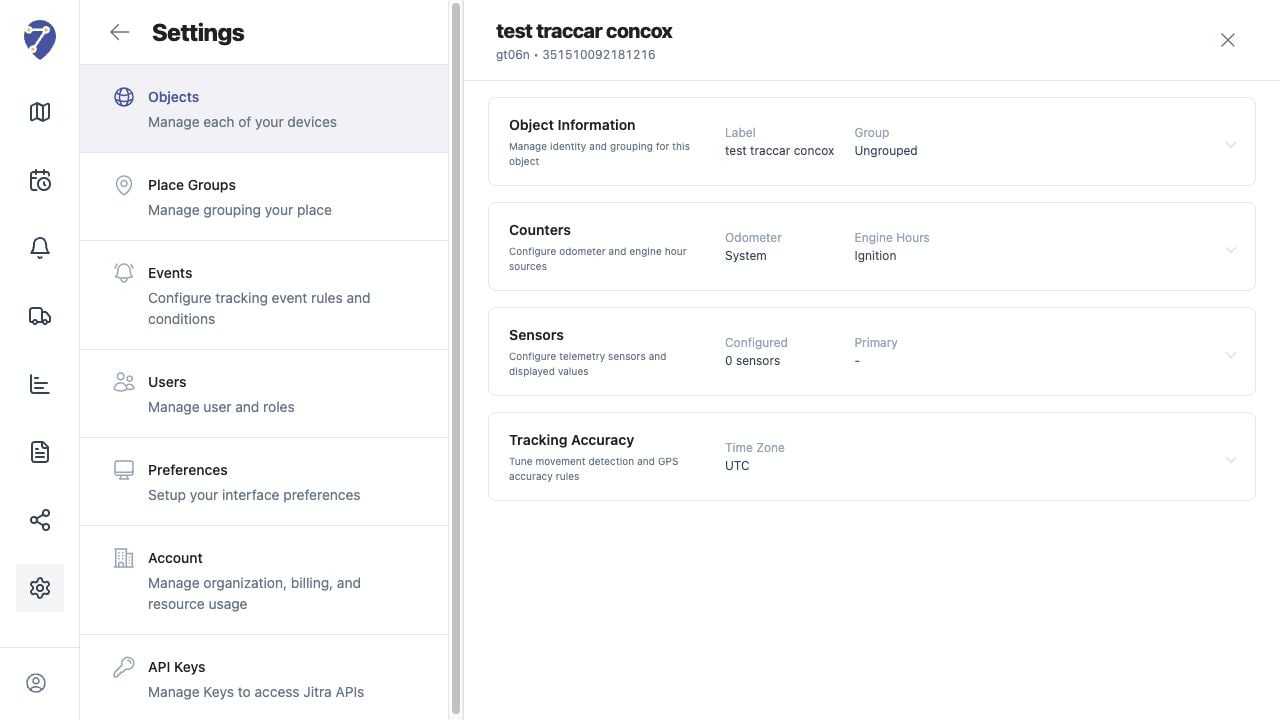
Open Settings, select Objects, then edit the Object. The GPS Device model and Device ID appear beneath the Object label in the header.
 ## Direct Changes Are Not Available
Object Information only allows changes to Label, Group, VIN, and Plate Number. It does not provide controls for changing the Device ID or GPS Device model.
## Preparing a Device Replacement
* Record the existing Object identity and operational settings.
* Confirm the model and Device ID of the replacement device.
* Review History, Events, Reports, sharing, and other workflows that depend on the current Object.
* Coordinate the replacement with an Organization administrator or Jitra support.
## Avoiding Data Association Problems
Do not reuse a Device ID on multiple Objects or delete the existing Object only to experiment with another device. An uncontrolled replacement can split tracking data between Objects or make earlier information difficult to access.
## Creating a Replacement Object
When a replacement has been approved, create a new Object with the correct GPS Device model and unique Device ID. Verify that it receives data before updating dependent workflows or removing the previous Object.
## Direct Changes Are Not Available
Object Information only allows changes to Label, Group, VIN, and Plate Number. It does not provide controls for changing the Device ID or GPS Device model.
## Preparing a Device Replacement
* Record the existing Object identity and operational settings.
* Confirm the model and Device ID of the replacement device.
* Review History, Events, Reports, sharing, and other workflows that depend on the current Object.
* Coordinate the replacement with an Organization administrator or Jitra support.
## Avoiding Data Association Problems
Do not reuse a Device ID on multiple Objects or delete the existing Object only to experiment with another device. An uncontrolled replacement can split tracking data between Objects or make earlier information difficult to access.
## Creating a Replacement Object
When a replacement has been approved, create a new Object with the correct GPS Device model and unique Device ID. Verify that it receives data before updating dependent workflows or removing the previous Object.