> ## Documentation Index
> Fetch the complete documentation index at: https://docs.jitra.app/llms.txt
> Use this file to discover all available pages before exploring further.
# Managing Object Sensors
> Learn how to add, edit, delete, export, and interpret telemetry Sensors configured for a Jitra Object.
Sensors convert telemetry parameters received from a GPS Device into values that can be displayed and used in Jitra.
## Opening Sensors
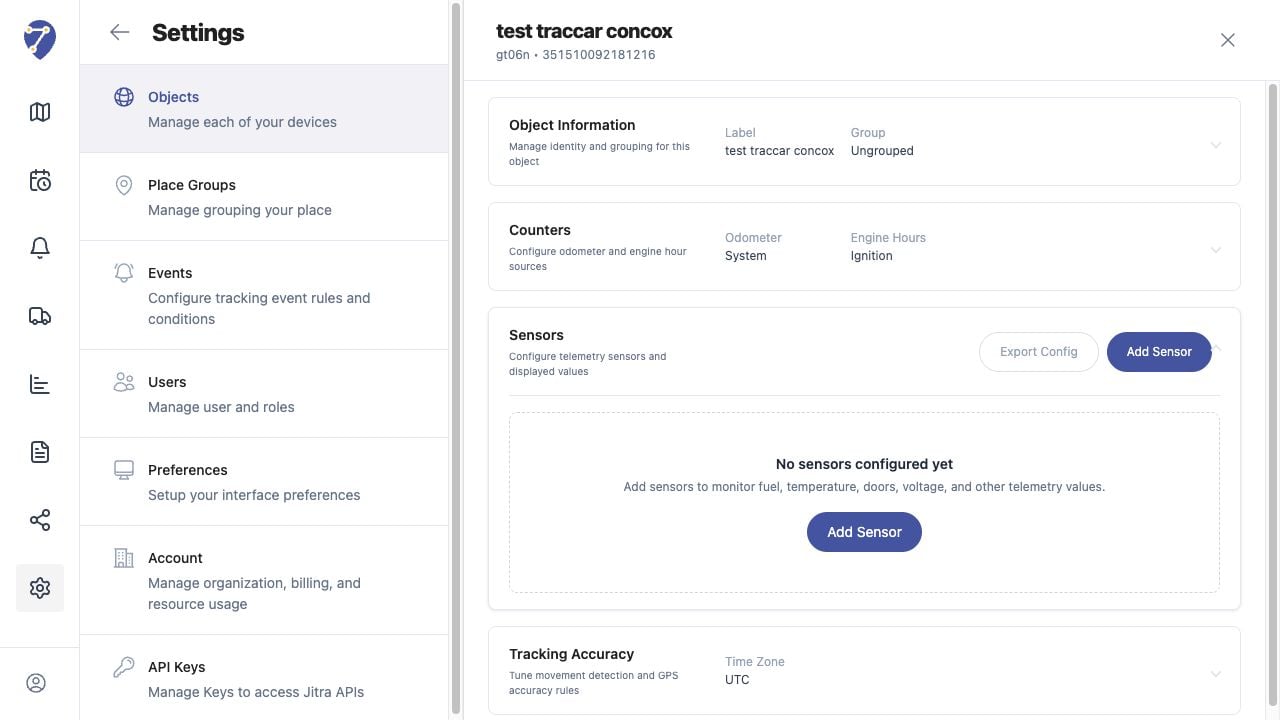
Open Settings, select Objects, edit an Object, then expand Sensors. The table shows the Sensor Name, Type, Source Parameter, Current Value, Unit, and available actions.
 ## Adding a Sensor
1. Click Add Sensor.
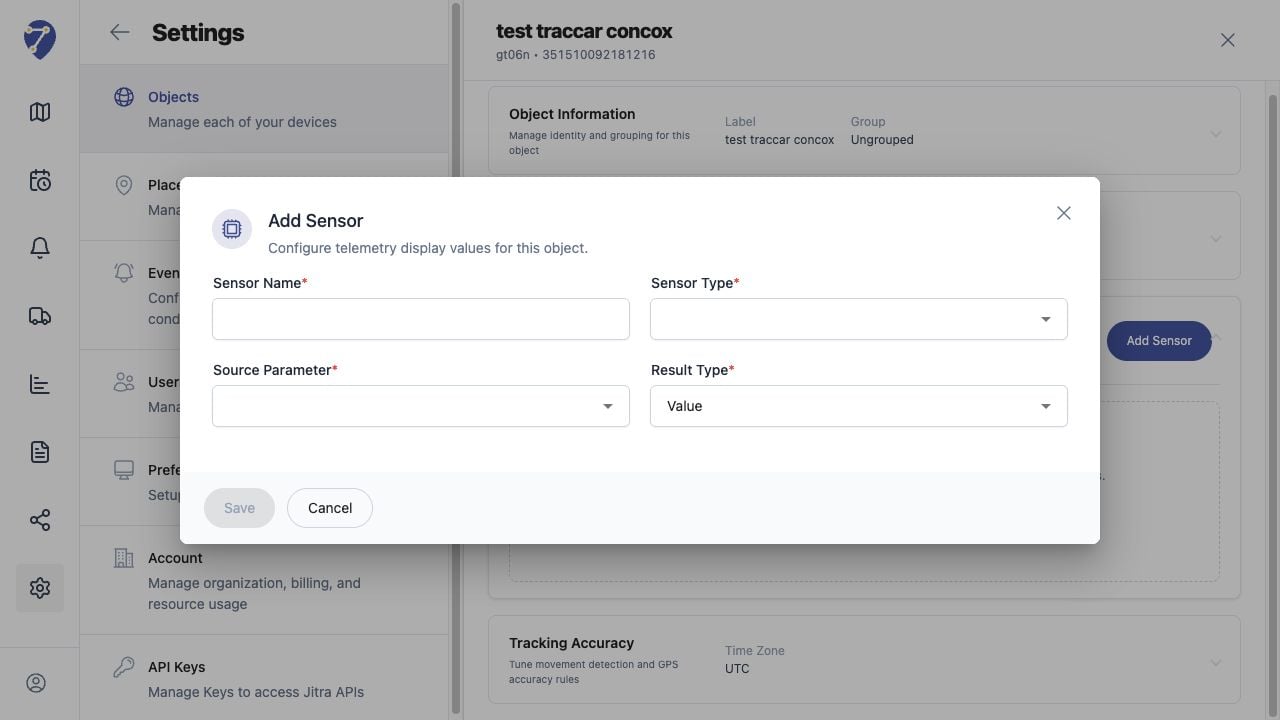
2. Enter a Sensor Name.
3. Select the Sensor Type.
4. Select the Source Parameter received from the GPS Device.
5. Choose the Result Type, then click Save.
## Adding a Sensor
1. Click Add Sensor.
2. Enter a Sensor Name.
3. Select the Sensor Type.
4. Select the Source Parameter received from the GPS Device.
5. Choose the Result Type, then click Save.
 ## Available Sensor Types
Available types include Battery Voltage, Digital Input, Digital Output, Engine Hours, Fuel Level, Fuel Consumption, GSM Signal, GPS Signal, Ignition, Odometer, Temperature, Humidity, Door Status, and Custom values.
## Editing or Deleting a Sensor
Use Edit Sensor to change a configured mapping. Use Delete Sensor only after confirming that the Sensor is no longer required by Object information, Events, Reports, or counter sources.
## Exporting and Importing Configuration
Export Config saves the Sensor configuration for reuse or backup. Import Config is available on the Objects page. Review imported mappings because source parameters can differ between GPS Device models.
## When a Sensor Has No Value
Confirm that the selected Source Parameter is present in messages from the GPS Device. A configured Sensor cannot display a current value when the device does not send that parameter.
## Available Sensor Types
Available types include Battery Voltage, Digital Input, Digital Output, Engine Hours, Fuel Level, Fuel Consumption, GSM Signal, GPS Signal, Ignition, Odometer, Temperature, Humidity, Door Status, and Custom values.
## Editing or Deleting a Sensor
Use Edit Sensor to change a configured mapping. Use Delete Sensor only after confirming that the Sensor is no longer required by Object information, Events, Reports, or counter sources.
## Exporting and Importing Configuration
Export Config saves the Sensor configuration for reuse or backup. Import Config is available on the Objects page. Review imported mappings because source parameters can differ between GPS Device models.
## When a Sensor Has No Value
Confirm that the selected Source Parameter is present in messages from the GPS Device. A configured Sensor cannot display a current value when the device does not send that parameter.