> ## Documentation Index
> Fetch the complete documentation index at: https://docs.jitra.app/llms.txt
> Use this file to discover all available pages before exploring further.
# Understanding Objects in Jitra
> Learn what an Object represents in Jitra and how its GPS Device, identity, counters, sensors, and tracking settings work together.
An Object represents the asset you monitor in Jitra. It connects a label and operational settings to data received from a GPS Device.
## Opening the Objects Page
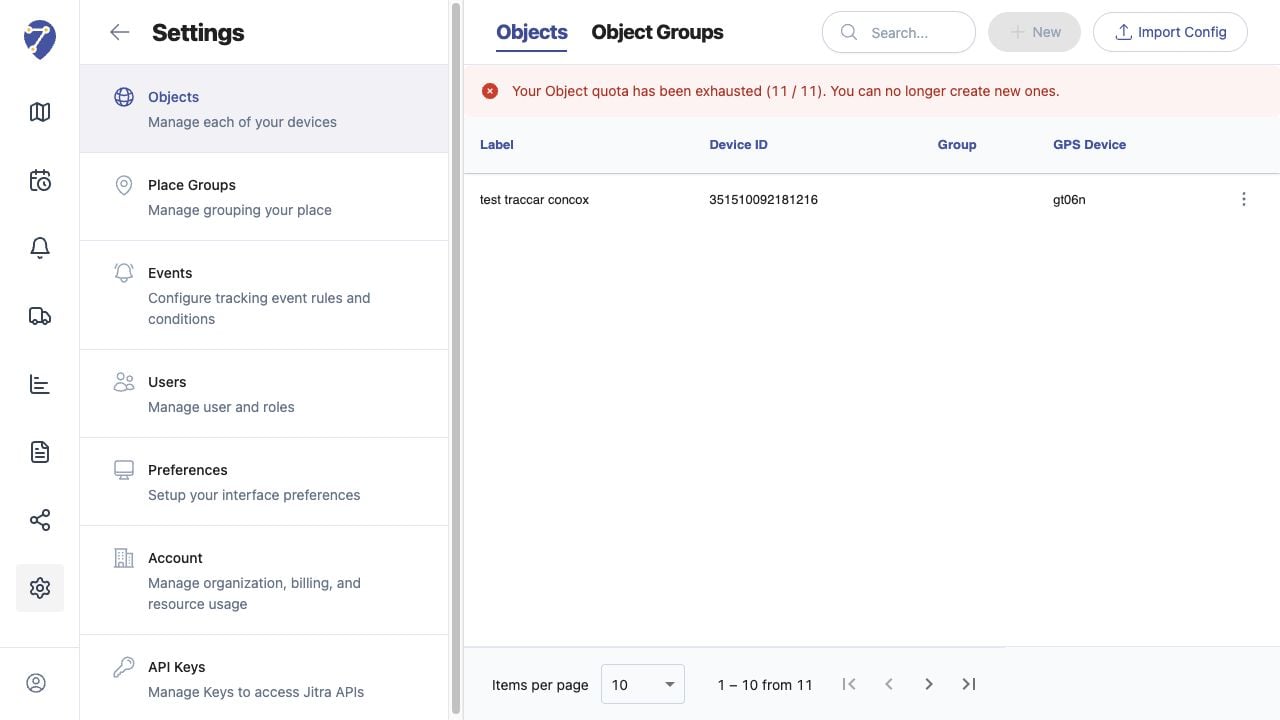
Open Settings, select Objects, then open the Objects tab. The table shows each Object's Label, Device ID, Group, and GPS Device model.
 ## Information Stored for an Object
* Label, Group, VIN, and Plate Number
* GPS Device model and Device ID
* Odometer and Engine Hours counters
* configured telemetry Sensors
* Tracking Accuracy and movement rules
## Understanding the Settings Sections
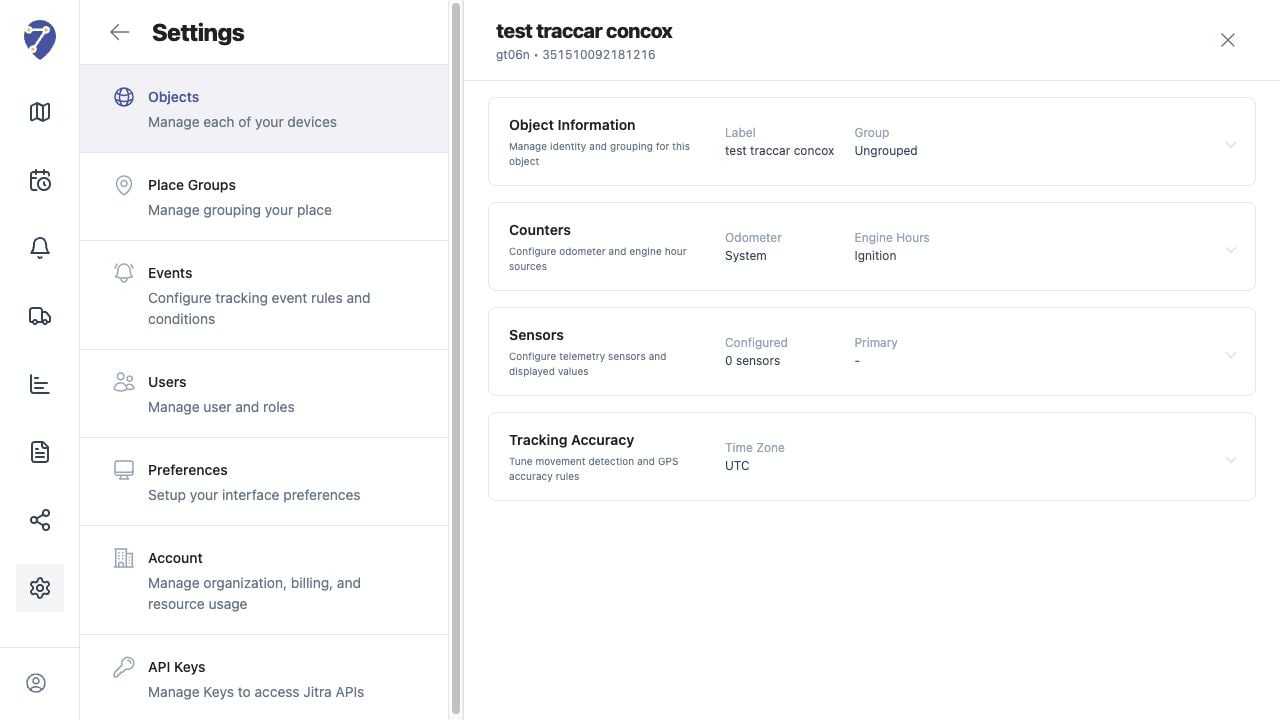
Open the action menu for an Object and select Edit. Jitra groups its editable settings into Object Information, Counters, Sensors, and Tracking Accuracy.
## Information Stored for an Object
* Label, Group, VIN, and Plate Number
* GPS Device model and Device ID
* Odometer and Engine Hours counters
* configured telemetry Sensors
* Tracking Accuracy and movement rules
## Understanding the Settings Sections
Open the action menu for an Object and select Edit. Jitra groups its editable settings into Object Information, Counters, Sensors, and Tracking Accuracy.
 ## How Objects Receive Data
The Device ID associates incoming GPS messages with the Object. Tracking, History, Events, Reports, and Sensor values can only use data that Jitra successfully receives and recognizes for that Object.
## Object Limits
The Objects page displays the number of Objects used and the Organization limit. A new Object cannot be added when the available limit has been reached.
## How Objects Receive Data
The Device ID associates incoming GPS messages with the Object. Tracking, History, Events, Reports, and Sensor values can only use data that Jitra successfully receives and recognizes for that Object.
## Object Limits
The Objects page displays the number of Objects used and the Organization limit. A new Object cannot be added when the available limit has been reached.