> ## Documentation Index
> Fetch the complete documentation index at: https://docs.jitra.app/llms.txt
> Use this file to discover all available pages before exploring further.
# Creating a Report
> Create a Report by choosing the calculation that matches the operational question, then supply its required scope.
Create a Report by choosing the calculation that matches the operational question, then supply its required scope.
## What to Check
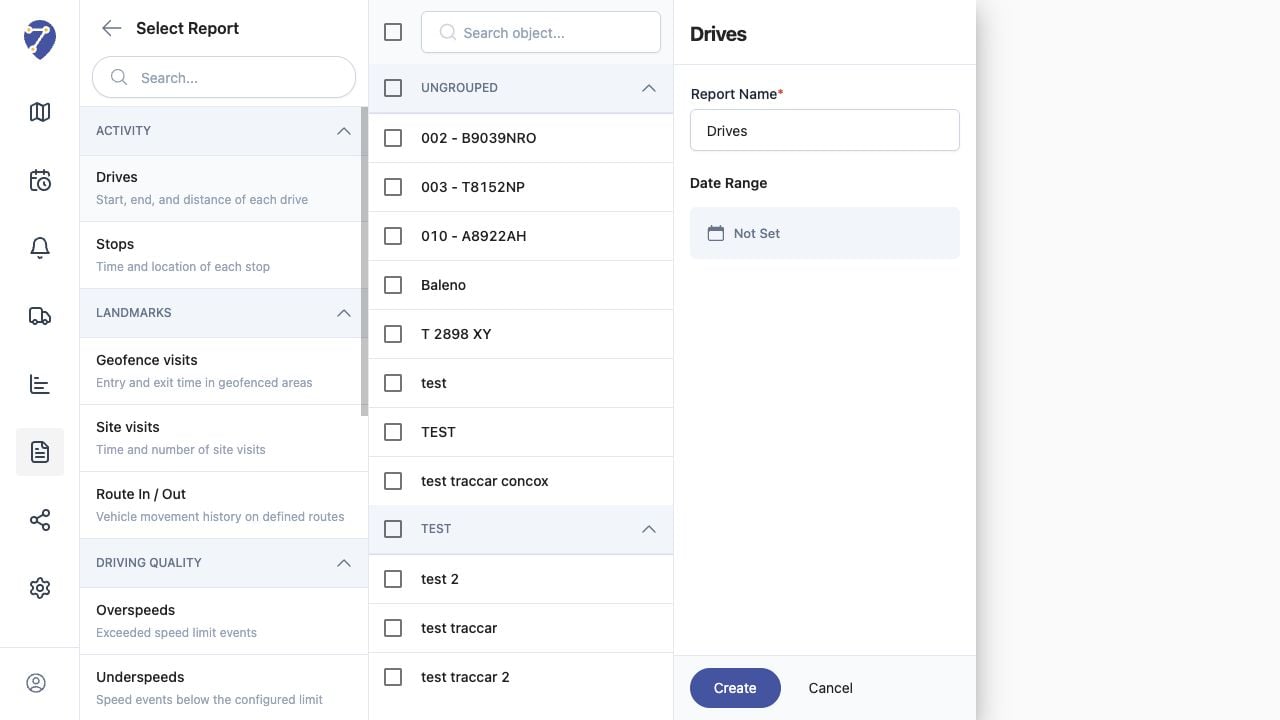
1. Open Reports and click the plus button.
2. Select a Report type.
3. Select one or more Objects.
4. Enter Report Name and Date Range.
5. Click Create.
## Current Jitra Workflow
The creation view shows report types, Object selection, Report Name, and Date Range together. Required options can vary by type.
 ## Reviewing the Result
Confirm the saved or displayed information matches the intended Object, users, period, and Organization workflow.
## If the Issue Continues
Review required fields, access permissions, available data, and Organization limits. Contact an Organization administrator or Jitra support when the required control is unavailable.
## Reviewing the Result
Confirm the saved or displayed information matches the intended Object, users, period, and Organization workflow.
## If the Issue Continues
Review required fields, access permissions, available data, and Organization limits. Contact an Organization administrator or Jitra support when the required control is unavailable.