> ## Documentation Index
> Fetch the complete documentation index at: https://docs.jitra.app/llms.txt
> Use this file to discover all available pages before exploring further.
# Troubleshooting Missing Sensor Data
> A configured Sensor remains empty when its source parameter is absent, incompatible, or transformed incorrectly.
A configured Sensor remains empty when its source parameter is absent, incompatible, or transformed incorrectly.
## What to Check
* Confirm the device sent recent data.
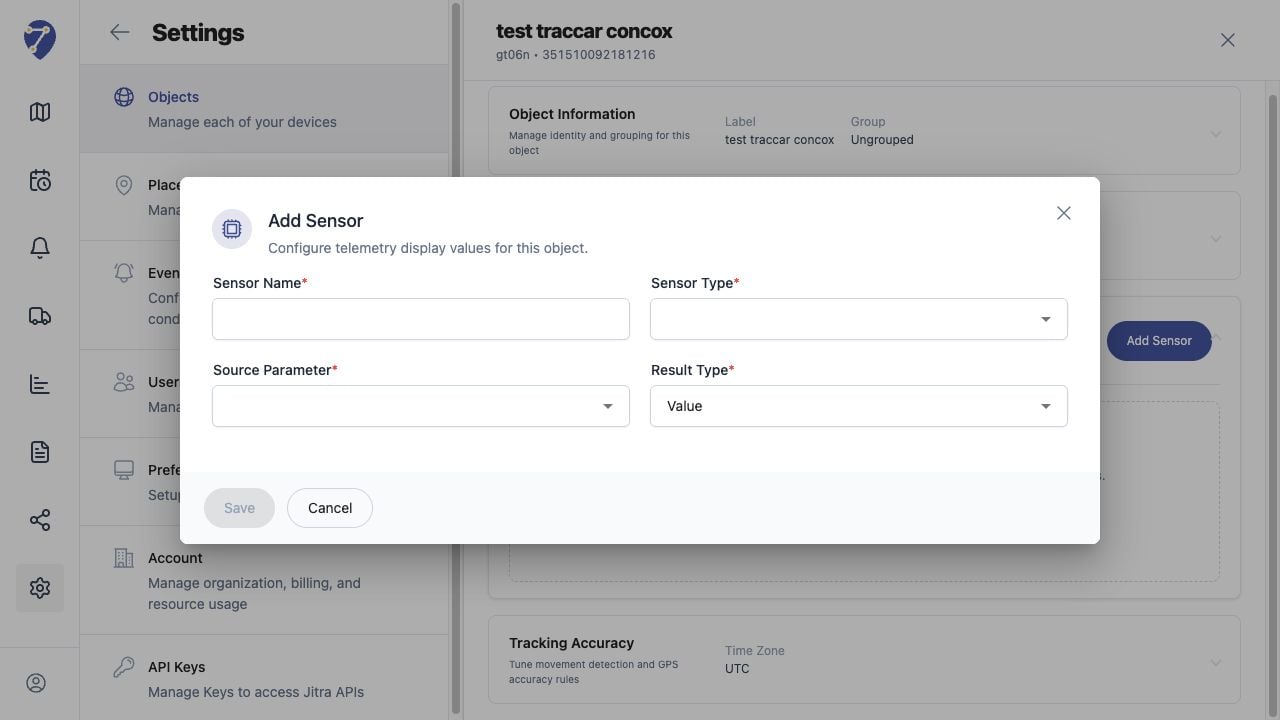
* Verify the exact Source Parameter.
* Review scaling, result mode, conditions, and Unit.
* Compare the configured mapping with raw device information.
* Check the GPS Device model and firmware configuration.
## Current Jitra Workflow
Edit the Sensor without changing unrelated Object settings, then wait for a new message containing the parameter.
 ## Reviewing the Result
Confirm the saved or displayed information matches the intended Object, users, period, and Organization workflow.
## If the Issue Continues
Review required fields, access permissions, available data, and Organization limits. Contact an Organization administrator or Jitra support when the required control is unavailable.
## Reviewing the Result
Confirm the saved or displayed information matches the intended Object, users, period, and Organization workflow.
## If the Issue Continues
Review required fields, access permissions, available data, and Organization limits. Contact an Organization administrator or Jitra support when the required control is unavailable.