> ## Documentation Index
> Fetch the complete documentation index at: https://docs.jitra.app/llms.txt
> Use this file to discover all available pages before exploring further.
# Understanding Fuel Sensors
> Fuel Sensors translate a compatible fuel-level or fuel-consumption parameter into a useful quantity or percentage.
Fuel Sensors translate a compatible fuel-level or fuel-consumption parameter into a useful quantity or percentage.
## What to Check
* Identify the hardware and source parameter.
* Confirm whether the raw value is litres, percentage, voltage, or pulses.
* Apply calibration or conditions appropriate to the tank.
* Validate readings at several known fuel levels.
## Current Jitra Workflow
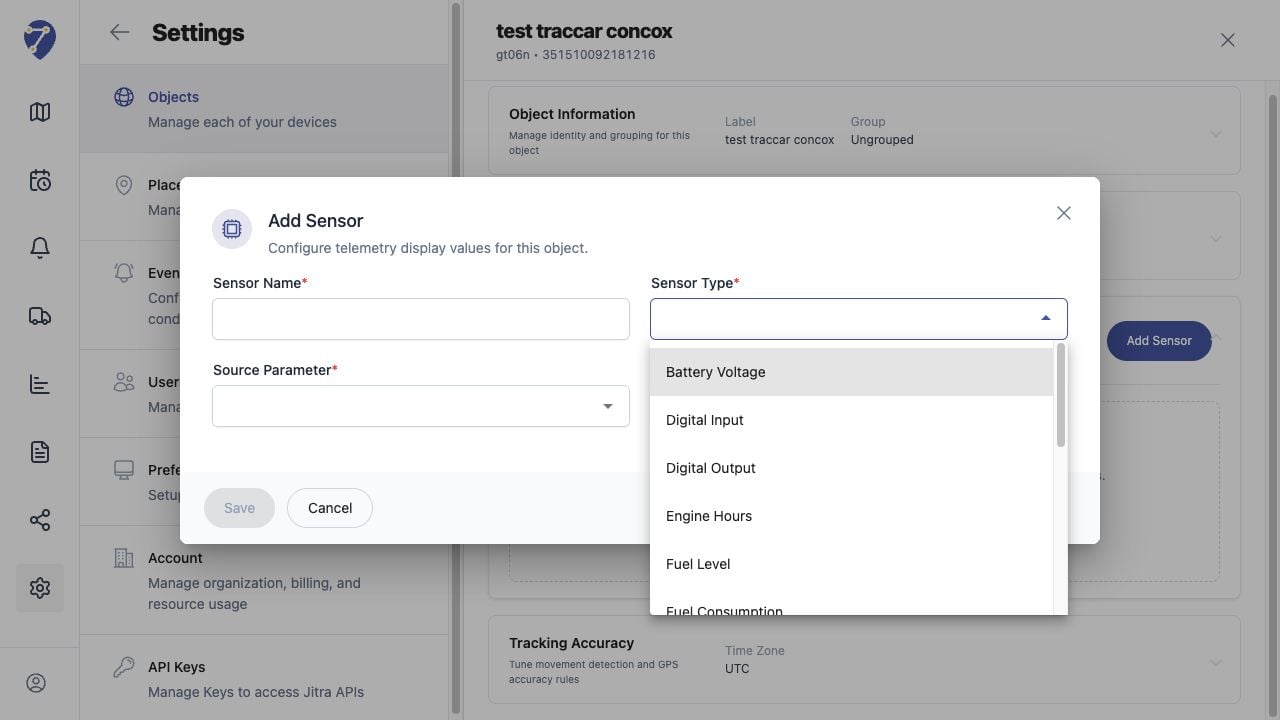
Configure Fuel Sensors from the Object's Sensors section; Jitra cannot infer tank calibration from an unknown raw parameter.
 ## Reviewing the Result
Confirm the saved or displayed information matches the intended Object, users, period, and Organization workflow.
## If the Issue Continues
Review required fields, access permissions, available data, and Organization limits. Contact an Organization administrator or Jitra support when the required control is unavailable.
## Reviewing the Result
Confirm the saved or displayed information matches the intended Object, users, period, and Organization workflow.
## If the Issue Continues
Review required fields, access permissions, available data, and Organization limits. Contact an Organization administrator or Jitra support when the required control is unavailable.