> ## Documentation Index
> Fetch the complete documentation index at: https://docs.jitra.app/llms.txt
> Use this file to discover all available pages before exploring further.
# Understanding GPS Device Telemetry
> GPS Device telemetry includes position, time, speed, heading, connection, and optional hardware parameters contained in incoming messages.
GPS Device telemetry includes position, time, speed, heading, connection, and optional hardware parameters contained in incoming messages.
## What to Check
* Available fields depend on device model and protocol.
* Device configuration controls reporting frequency.
* Network delivery affects when data reaches Jitra.
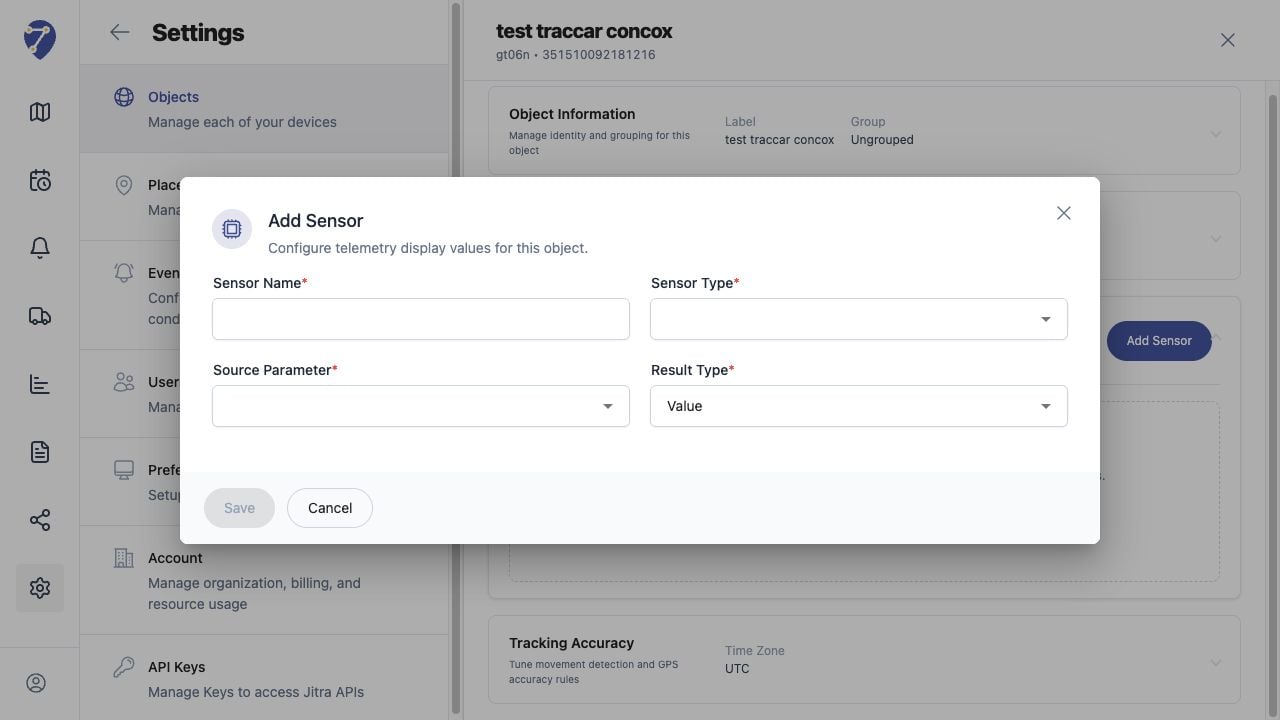
* Sensors expose optional parameters in a readable form.
## Current Jitra Workflow
Confirm the Object uses the correct GPS Device model and Device ID before configuring telemetry Sensors.
 ## Reviewing the Result
Confirm the saved or displayed information matches the intended Object, users, period, and Organization workflow.
## If the Issue Continues
Review required fields, access permissions, available data, and Organization limits. Contact an Organization administrator or Jitra support when the required control is unavailable.
## Reviewing the Result
Confirm the saved or displayed information matches the intended Object, users, period, and Organization workflow.
## If the Issue Continues
Review required fields, access permissions, available data, and Organization limits. Contact an Organization administrator or Jitra support when the required control is unavailable.