> ## Documentation Index
> Fetch the complete documentation index at: https://docs.jitra.app/llms.txt
> Use this file to discover all available pages before exploring further.
# Understanding Voltage
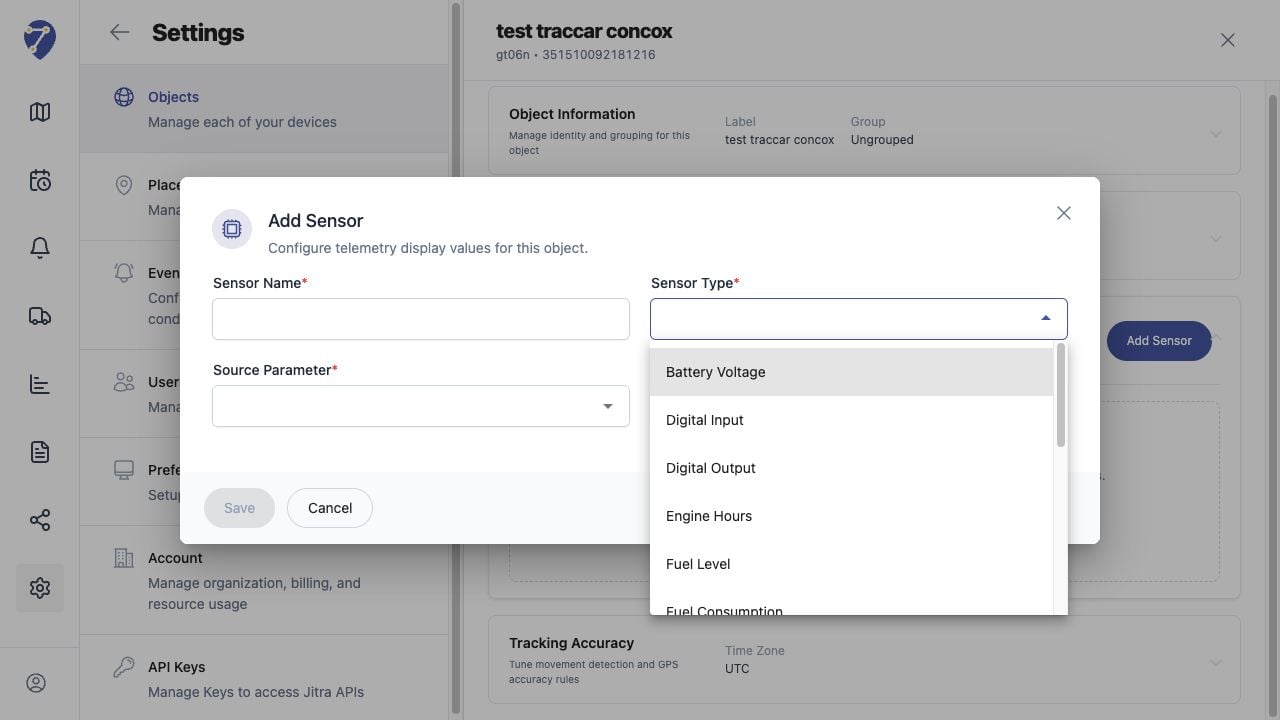
> Voltage Sensors display electrical values reported by compatible device inputs, commonly external power or battery voltage.
Voltage Sensors display electrical values reported by compatible device inputs, commonly external power or battery voltage.
## What to Check
* Confirm which voltage parameter the device sends.
* Use the correct scaling or multiplier.
* Set the displayed Unit consistently.
* Define thresholds only after observing normal values.
## Current Jitra Workflow
Use new telemetry to compare the raw parameter with the displayed voltage.
 ## Reviewing the Result
Confirm the saved or displayed information matches the intended Object, users, period, and Organization workflow.
## If the Issue Continues
Review required fields, access permissions, available data, and Organization limits. Contact an Organization administrator or Jitra support when the required control is unavailable.
## Reviewing the Result
Confirm the saved or displayed information matches the intended Object, users, period, and Organization workflow.
## If the Issue Continues
Review required fields, access permissions, available data, and Organization limits. Contact an Organization administrator or Jitra support when the required control is unavailable.