> ## Documentation Index
> Fetch the complete documentation index at: https://docs.jitra.app/llms.txt
> Use this file to discover all available pages before exploring further.
# Object Status Does Not Match the Actual Condition
> Object status is calculated from received GPS, speed, ignition, connection, and configured interpretation rather than direct observation.
Object status is calculated from received GPS, speed, ignition, connection, and configured interpretation rather than direct observation.
## What to Check
* Compare status timestamp with the current time.
* Verify Ignition and speed telemetry.
* Review Stop Detection Method and speed thresholds.
* Check Sensor result conditions.
* Confirm the device sends the required parameter.
## Current Jitra Workflow
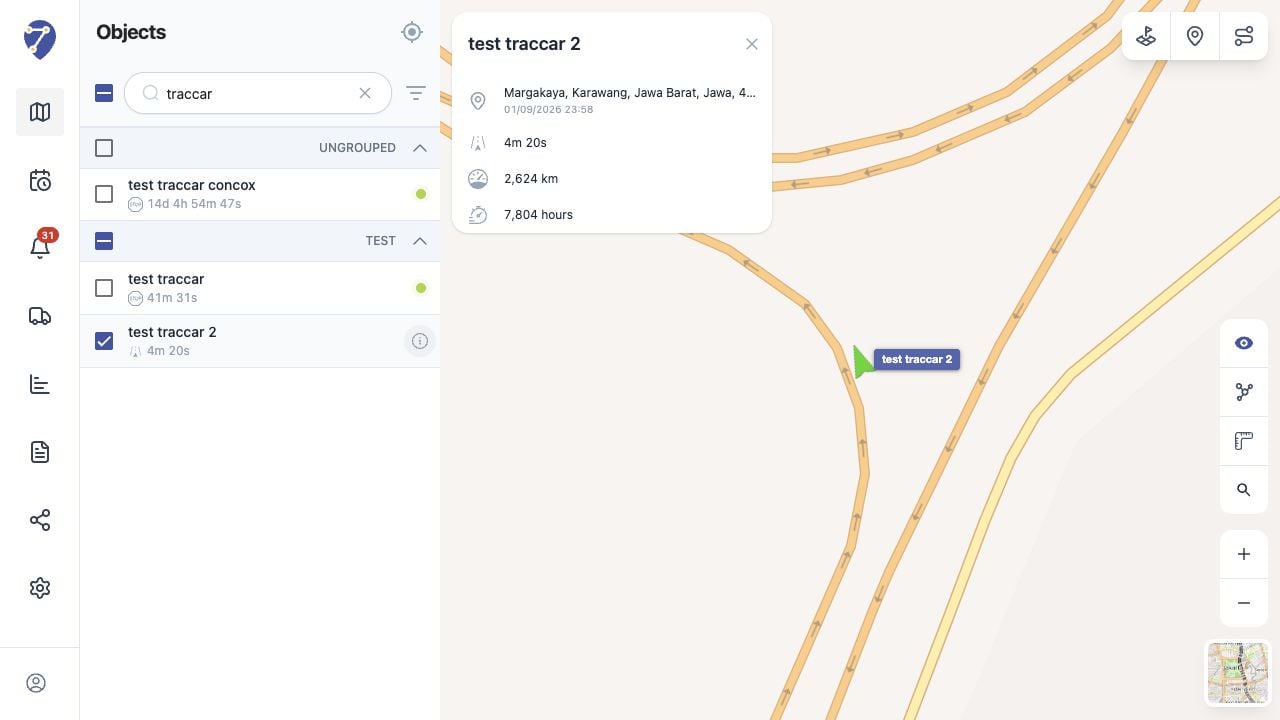
Use Tracking details, Object Sensors, and History together to identify which input produced the status.
 ## Reviewing the Result
Confirm the saved or displayed information matches the intended Object, users, period, and Organization workflow.
## If the Issue Continues
Review required fields, access permissions, available data, and Organization limits. Contact an Organization administrator or Jitra support when the required control is unavailable.
## Reviewing the Result
Confirm the saved or displayed information matches the intended Object, users, period, and Organization workflow.
## If the Issue Continues
Review required fields, access permissions, available data, and Organization limits. Contact an Organization administrator or Jitra support when the required control is unavailable.