> ## Documentation Index
> Fetch the complete documentation index at: https://docs.jitra.app/llms.txt
> Use this file to discover all available pages before exploring further.
# Verification Email Is Not Received
> A missing verification email can be delayed, filtered, addressed incorrectly, or blocked by email delivery configuration.
A missing verification email can be delayed, filtered, addressed incorrectly, or blocked by email delivery configuration.
## What to Check
* Confirm the exact email address.
* Check spam, quarantine, and mail rules.
* Wait before requesting another message.
* Allow the Jitra sender domain according to policy.
* Ask an administrator or support to confirm account and delivery state.
## Current Jitra Workflow
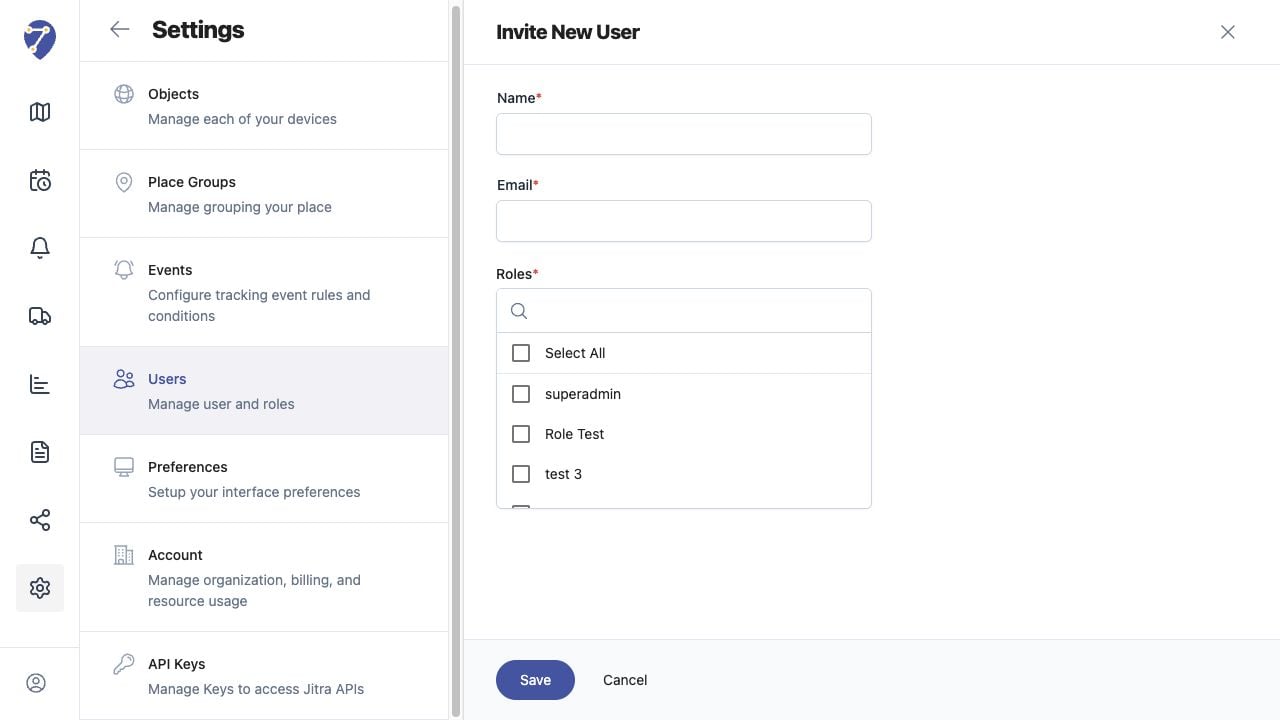
Invite New User creates an invitation. Confirm the user appears with Invited status, then check the recipient address and email delivery path.
 ## Reviewing the Result
Confirm the saved or displayed information matches the intended Object, users, period, and Organization workflow.
## If the Issue Continues
Review required fields, access permissions, available data, and Organization limits. Contact an Organization administrator or Jitra support when the required control is unavailable.
## Reviewing the Result
Confirm the saved or displayed information matches the intended Object, users, period, and Organization workflow.
## If the Issue Continues
Review required fields, access permissions, available data, and Organization limits. Contact an Organization administrator or Jitra support when the required control is unavailable.