
Garages represent internal workshops or external service vendors used by Fleet Vehicles and Maintenance Records.

What to Check

  • Name and Type
  • Phone and Email
  • Address and City
  • Geofence and PIC Name
  • Notes

Current Jitra Workflow

Open Fleet > Garages, click New, complete Information and Location & Contact, then click Save.
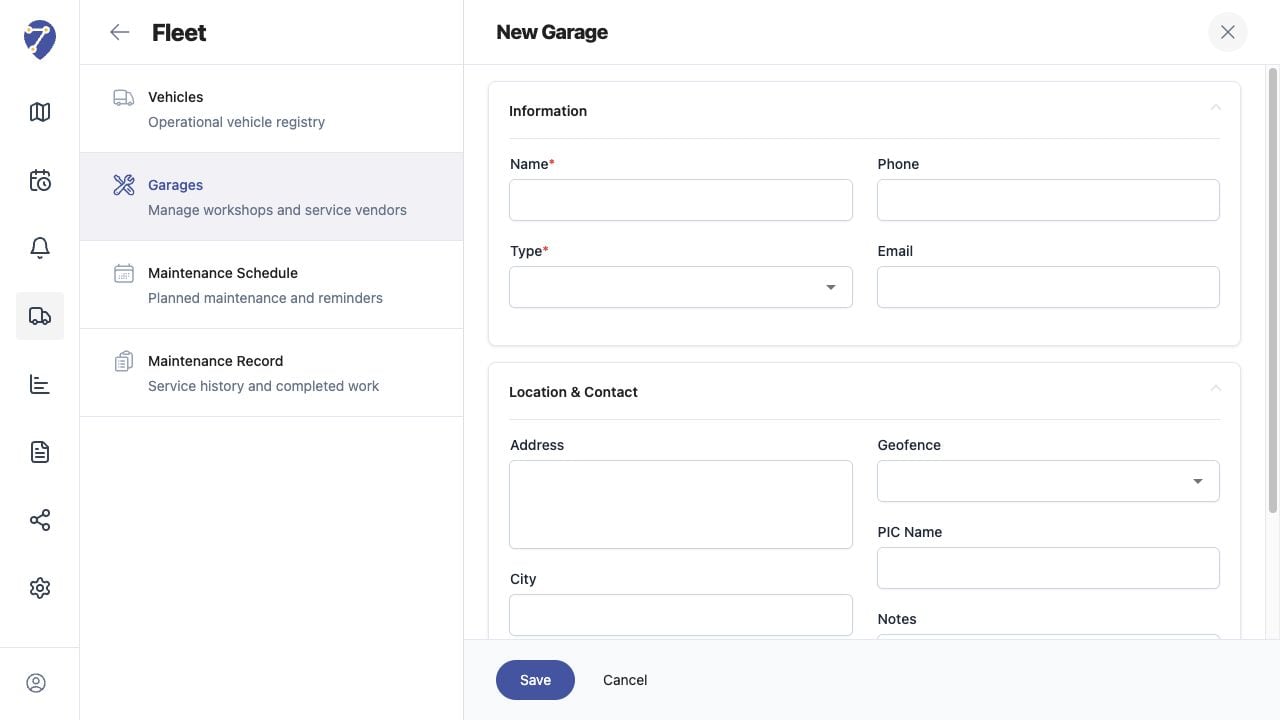
Managing Garages screen on Jitra staging

Reviewing the Result

Confirm the saved or displayed information matches the intended Object, users, period, and Organization workflow.

If the Issue Continues

Review required fields, access permissions, available data, and Organization limits. Contact an Organization administrator or Jitra support when the required control is unavailable.