
Jitra displays the latest information for each Object based on data received from its GPS Device. A summary is available in the Objects panel, while more complete information can be opened in the Object details panel.

Information in the Objects Panel

On the Tracking page, each Object row can show:
  • the Object name or label
  • a status indicator
  • the current status duration
  • the latest speed when the Object is moving
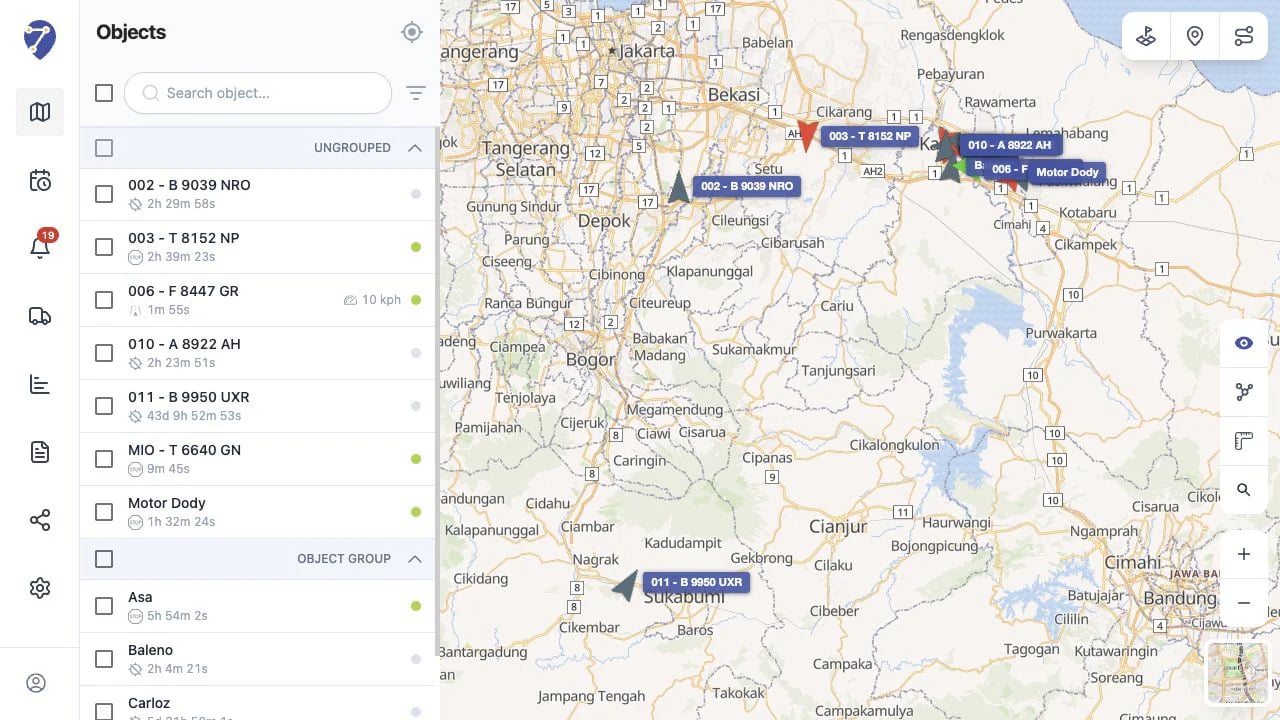
The status duration shows how long the Object has remained Moving, Stopped, Idle, or Offline.
Jitra Tracking page overview

Opening Object Details

Click an Object marker on the map, or point to an Object row and click its information button. Jitra opens the details panel for the selected Object and focuses the map on its location.

Information in Object Details

Available information can include:
  • the latest location or address
  • the time the latest data was received
  • status and status duration
  • odometer
  • engine hours
  • other telemetry supported by the GPS Device
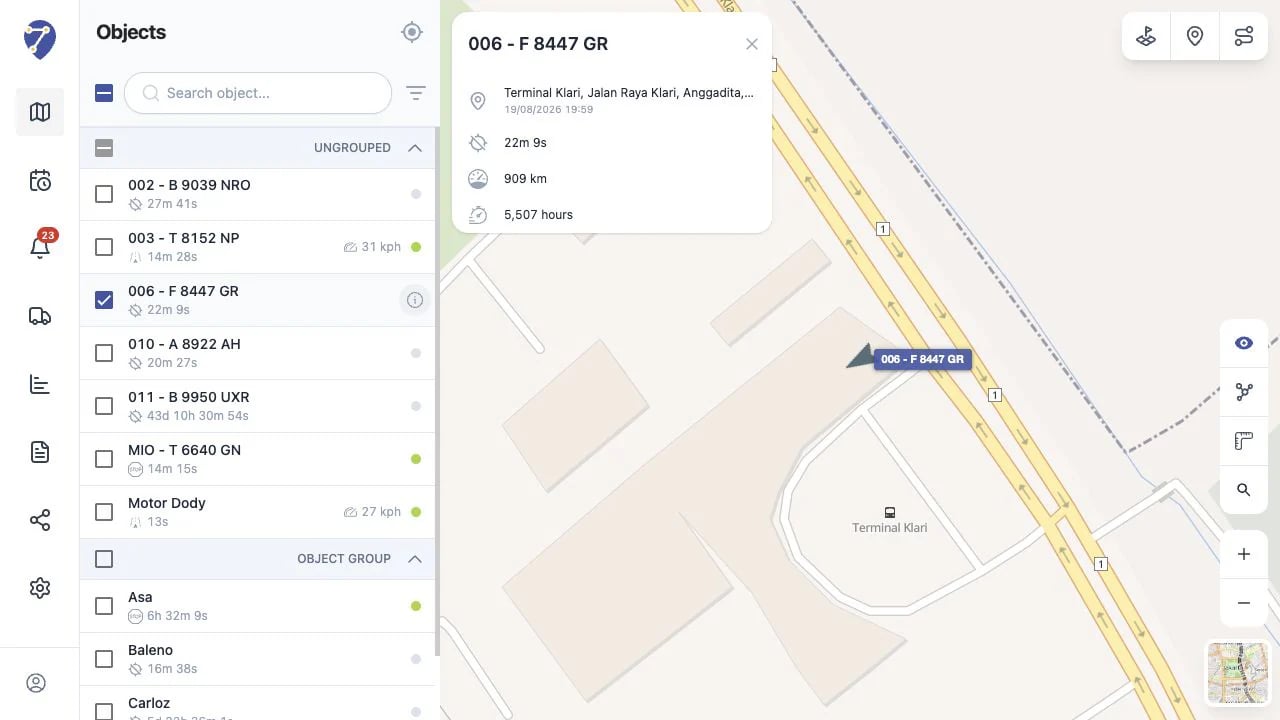
Object details panel on Jitra Tracking

Understanding the Update Time

The update time shows when Jitra last received data from the GPS Device. Object information is not updated manually and changes only when new data is received. When an Object is Offline, the displayed information is the last data received and may not represent the Object’s current condition.

Why Is Some Information Unavailable?

Some fields may be missing or unchanged when the GPS Device does not send that data, a sensor has not been configured, or the device is disconnected.