
A GPS Device cannot send usable tracking data until power, network, server, protocol, model, and Device ID settings all match.

What to Check

  • Check device power and installation.
  • Check SIM, data service, APN, and signal.
  • Verify server address and port.
  • Confirm GPS Device model and unique Device ID in Jitra.
  • Review device logs or vendor configuration.

Current Jitra Workflow

Open Settings > Objects and verify the Object’s GPS Device model and Device ID. Wait for a new valid message after correcting device settings.
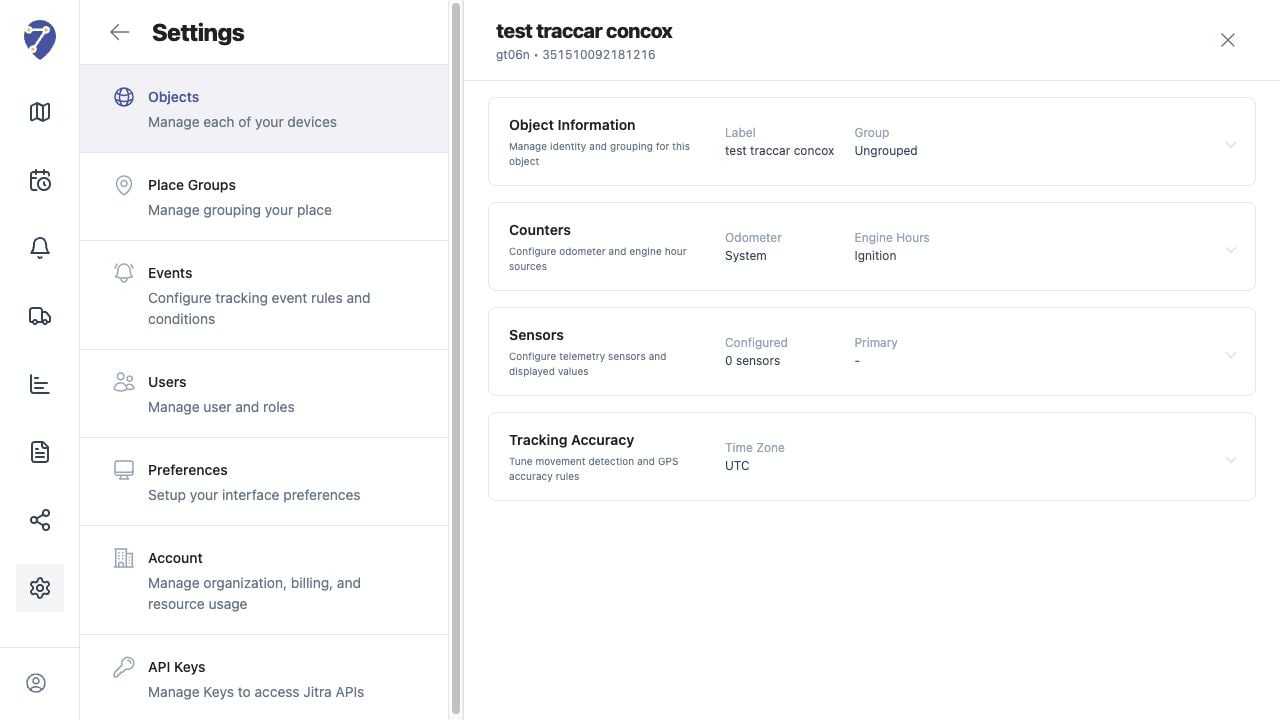
GPS Device Is Not Connected screen on Jitra staging

Reviewing the Result

Confirm the saved or displayed information matches the intended Object, users, period, and Organization workflow.

If the Issue Continues

Review required fields, access permissions, available data, and Organization limits. Contact an Organization administrator or Jitra support when the required control is unavailable.