
Offline means Jitra has not received a recent connection or position that satisfies the current status rules.

What to Check

  • Read the last connection age.
  • Check device power and network.
  • Confirm the correct Object and Device ID.
  • Review the configured reporting interval.
  • Check whether weak data is being rejected.

Current Jitra Workflow

Use Tracking details and History to find the last received data, then troubleshoot the device connection from that timestamp.
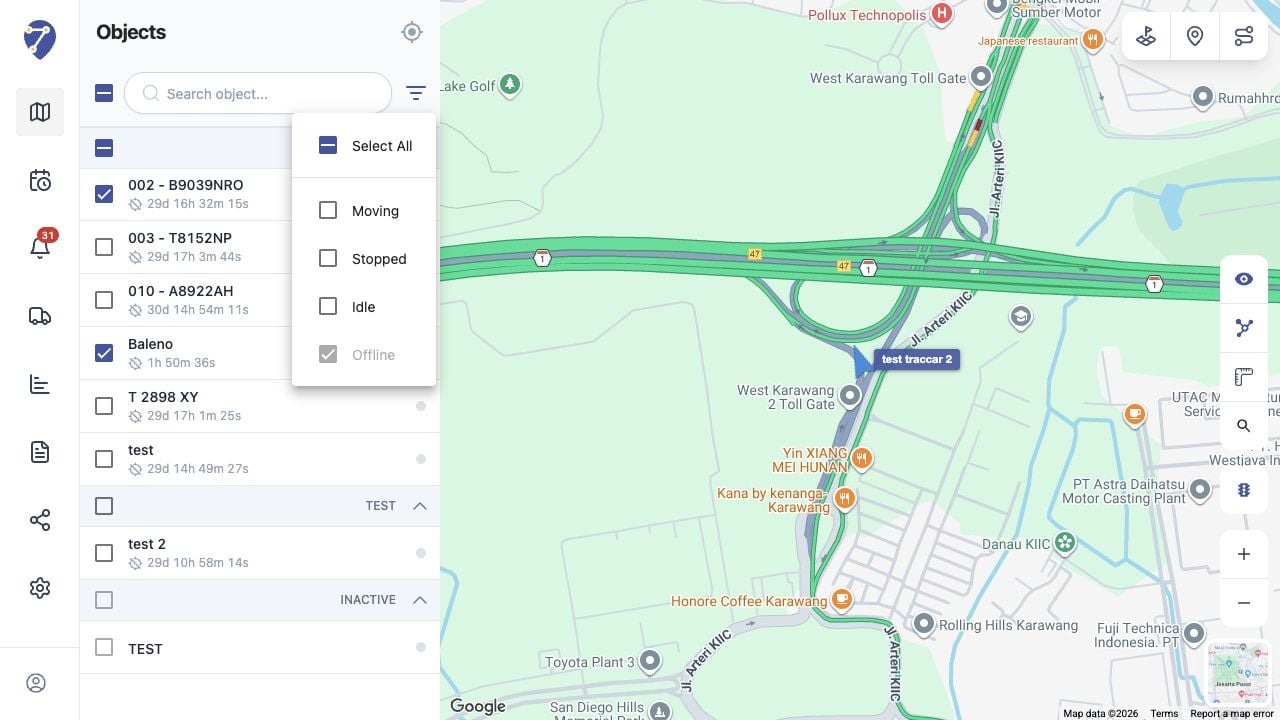
Object Shows as Offline screen on Jitra staging

Reviewing the Result

Confirm the saved or displayed information matches the intended Object, users, period, and Organization workflow.

If the Issue Continues

Review required fields, access permissions, available data, and Organization limits. Contact an Organization administrator or Jitra support when the required control is unavailable.