
Reports turn stored Object data into structured summaries for activity, Places, driving quality, eco driving, fuel, and emissions.

What to Check

  • Activity: Drives and Stops
  • Landmarks: Geofence visits, Site visits, and Route In / Out
  • Driving Quality: Overspeeds, Underspeeds, and Idle Analysis
  • Eco Driving and Fuel & Emission report types

Current Jitra Workflow

Open Reports and click the plus button to browse report types. Existing reports remain in the left panel for repeated review.
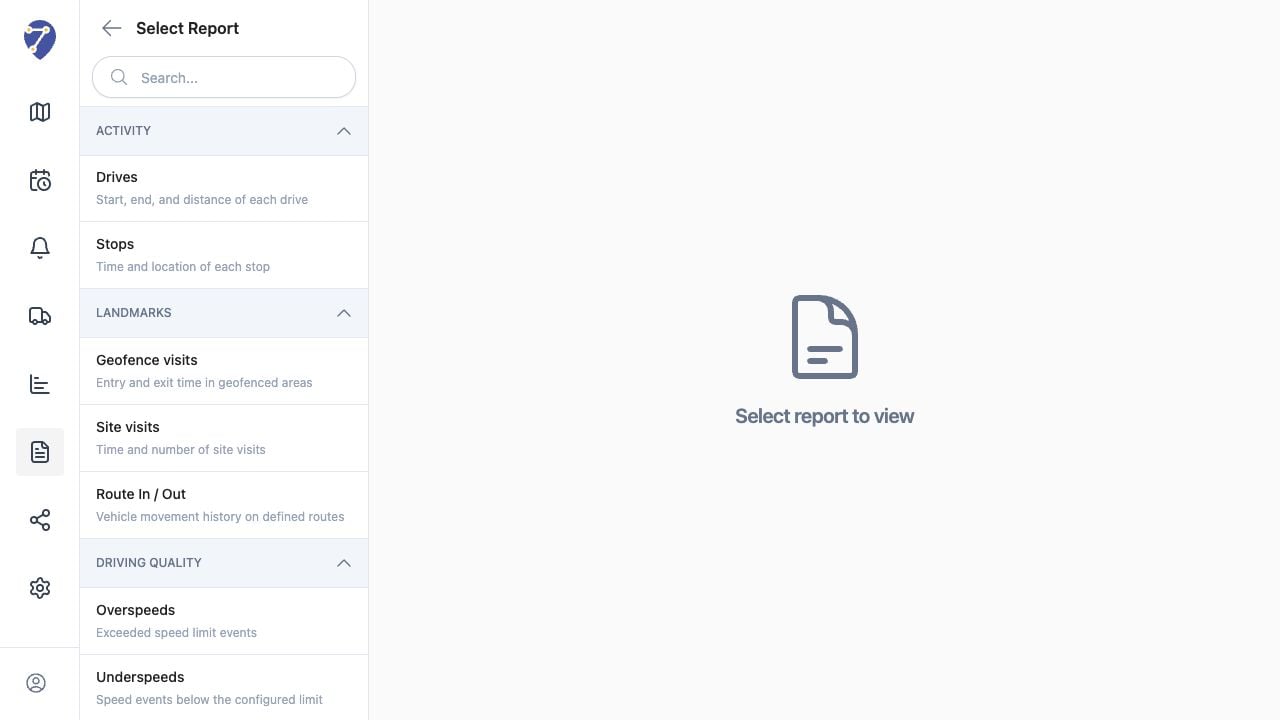
Understanding Reports in Jitra staging

Reviewing the Result

Confirm the saved or displayed information matches the intended Object, users, period, and Organization workflow.

If the Issue Continues

Review required fields, access permissions, available data, and Organization limits. Contact an Organization administrator or Jitra support when the required control is unavailable.