
Opening the Measure Tool
Click Measure on the right side of the map. Select Distance or Area in the Measuring panel.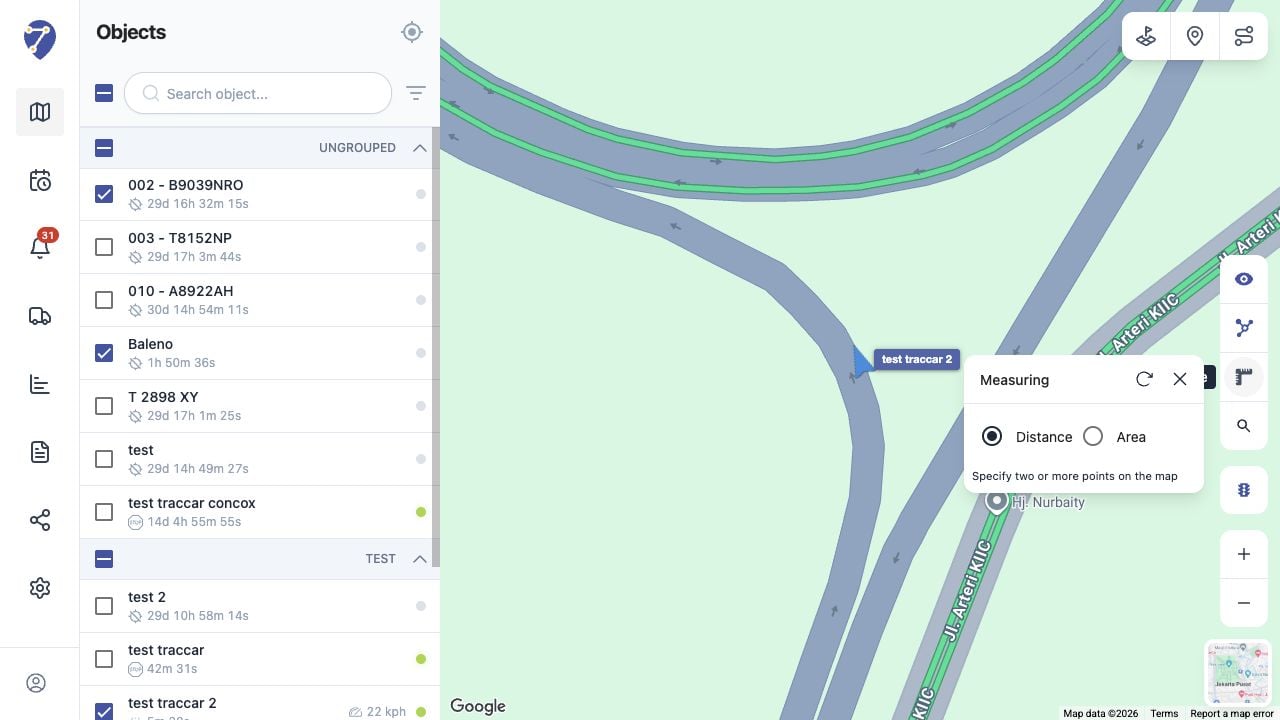
Measuring Distance
- Select Distance.
- Click the map to place the starting point.
- Add two or more points along the route you want to measure.
- Read the calculated distance shown by the tool.
Measuring Area
- Select Area.
- Place at least three points around the boundary.
- Complete the shape to display the calculated area.