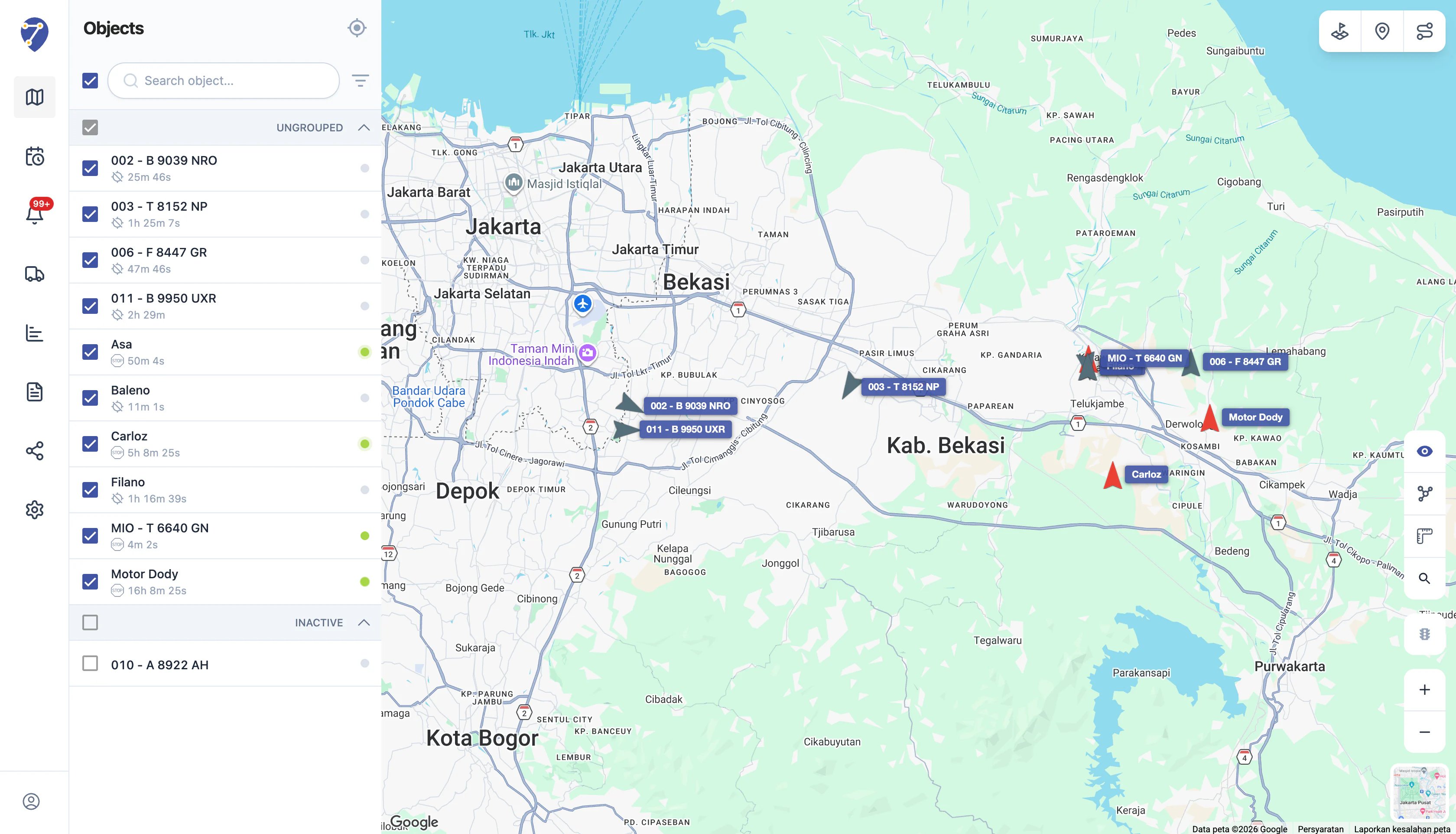
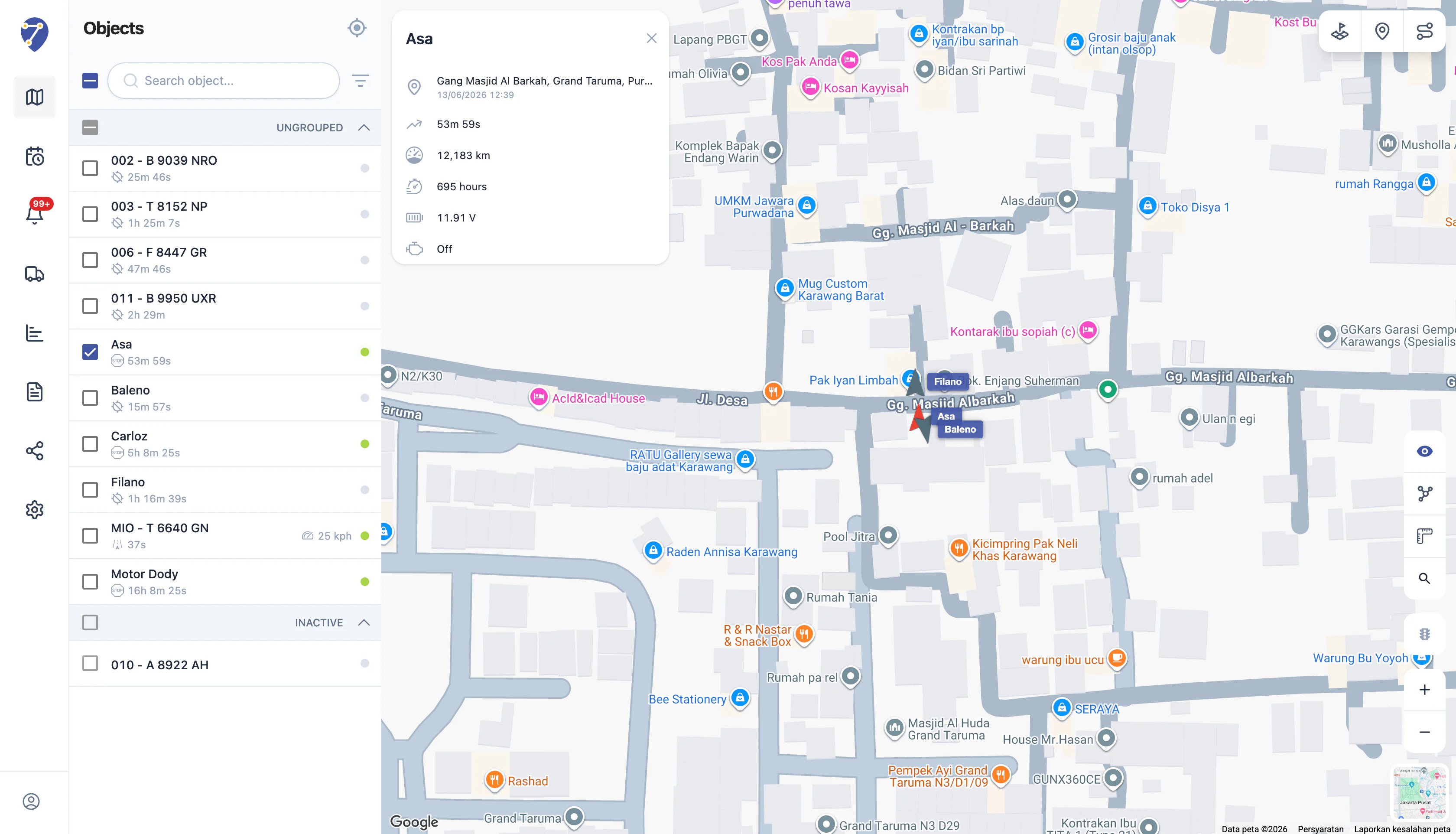
What Is Real-Time Tracking?
Real-Time Tracking is the process of monitoring the location and activity of an Object using the most recent data received from a GPS Device. Whenever a GPS Device sends new data to Jitra, the associated Object information is automatically updated, allowing users to view the latest conditions through the Tracking page. The information available includes more than just vehicle location. Users can also view operational information such as:- Object status
- Last update time
- Speed
- Odometer
- Engine hours
- Battery voltage
- Sensor data
- Other device information
How Does Real-Time Tracking Work?
At a high level, Real-Time Tracking works as follows: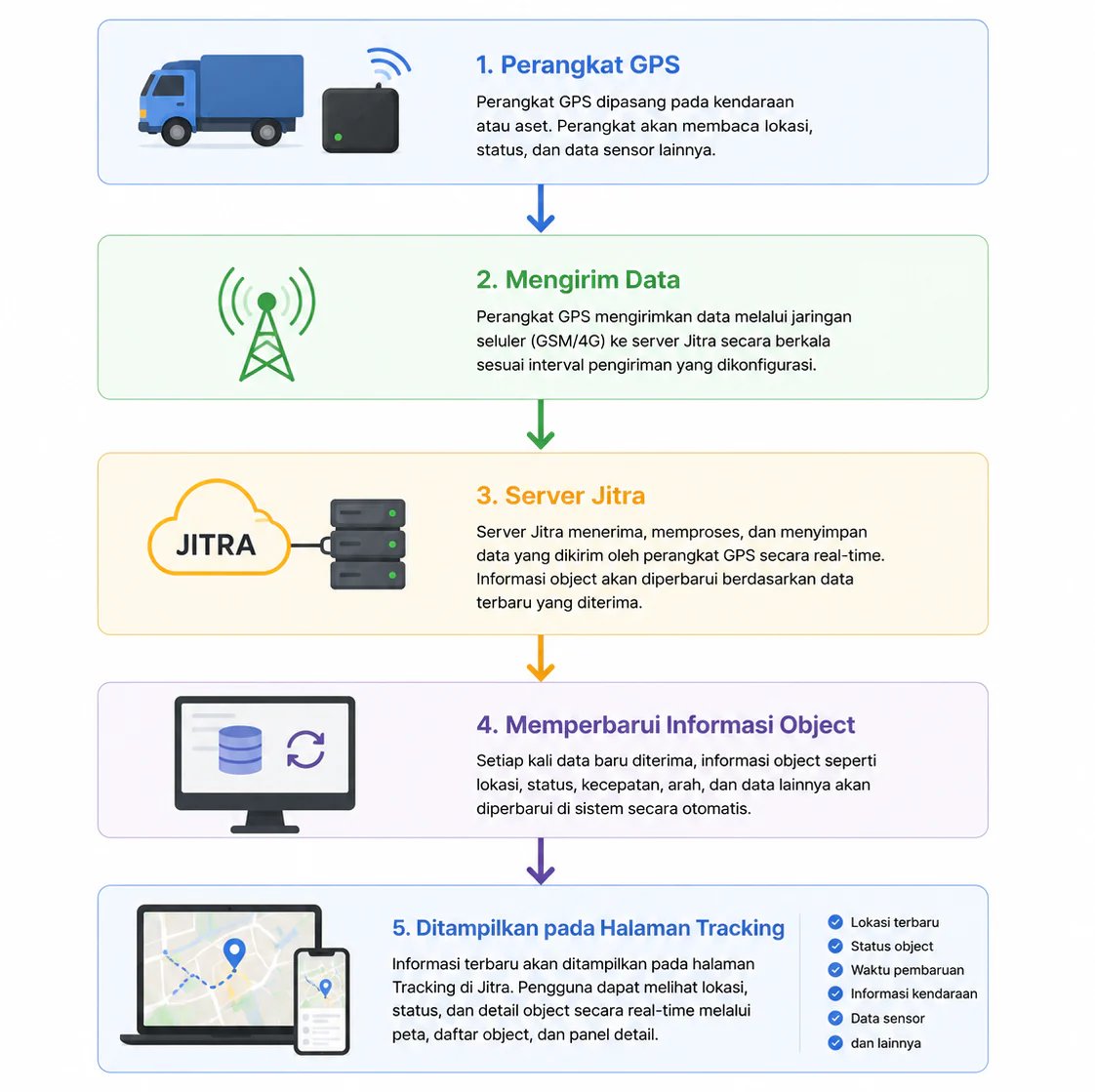
Last Known Location
An important concept to understand is that the Tracking page displays the last location received from the GPS Device. If the GPS Device has not sent new data, the displayed location remains based on the most recently available information. This ensures users can still identify the last known position of an Object even when no new updates have been received.Understanding Object Statuses
In addition to location, Real-Time Tracking helps users understand the current condition of an Object through automatically calculated statuses. Jitra currently uses four primary statuses.Moving
The Object is currently moving based on the latest GPS data received. This status indicates that the vehicle or asset is actively changing location.Idle
The Object is not moving, but the ignition remains ON. This typically occurs when a vehicle is temporarily stopped while the engine is still running.Stopped
The Object is not moving and the ignition is OFF. This status indicates that the vehicle is parked and not currently in use.Offline
The Object has not sent data to the server for more than six minutes. This may occur because the device is powered off, disconnected from the network, or experiencing communication issues. Even when an Object is Offline, its last known location remains visible on the map.Monitoring Multiple Objects Simultaneously
The Tracking page is designed to help users monitor multiple Objects from a single view. All available Objects can be displayed on the map simultaneously, providing a complete overview of ongoing operations. When necessary, users can select one or more Objects to become the focus of monitoring. The map automatically adjusts to make the selected Objects easier to track and observe. This capability is particularly useful for organizations managing multiple vehicles or assets across different locations.The Tracking Page as the Main Monitoring Center
In Jitra, the Tracking page serves as the primary monitoring center. From this page, users can:- View Object locations
- Monitor Object statuses
- Review the latest information received from devices
- Select Objects to monitor
- Understand operational conditions in real time