
Analytics Overview summarizes live fleet condition and recent operational activity without requiring a Profile selection.

Opening Overview

Open Analytics and select Overview.
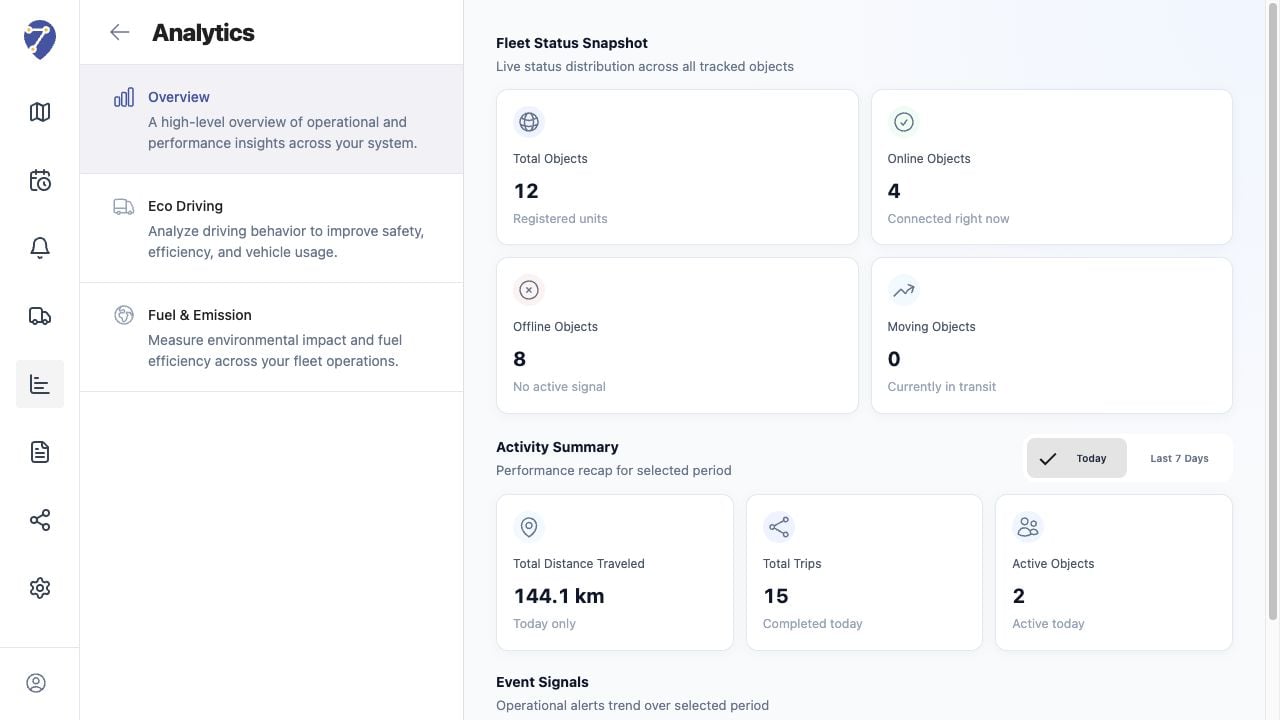
Viewing Analytics Overview in Jitra staging

Reading Fleet Status Snapshot

  • Total Objects: registered tracking units
  • Online Objects: Objects with an active connection
  • Offline Objects: Objects without an active signal
  • Moving Objects: Objects currently identified as moving

Reading Activity Summary

Choose Today or Last 7 Days. The cards show Total Distance Traveled, Total Trips, and Active Objects for the selected period.

Reading Event Signals

Event Signals visualizes Overspeed and Geofence In or Geofence Out activity. The chart and totals change with the selected period.

Interpreting the Result

Use Overview as a starting point. A high Offline count should be checked in Tracking, while unexpected activity or Event totals should be investigated in History and Events & Notifications.