
Overview
The GPS tracking process in Jitra can be summarized as follows: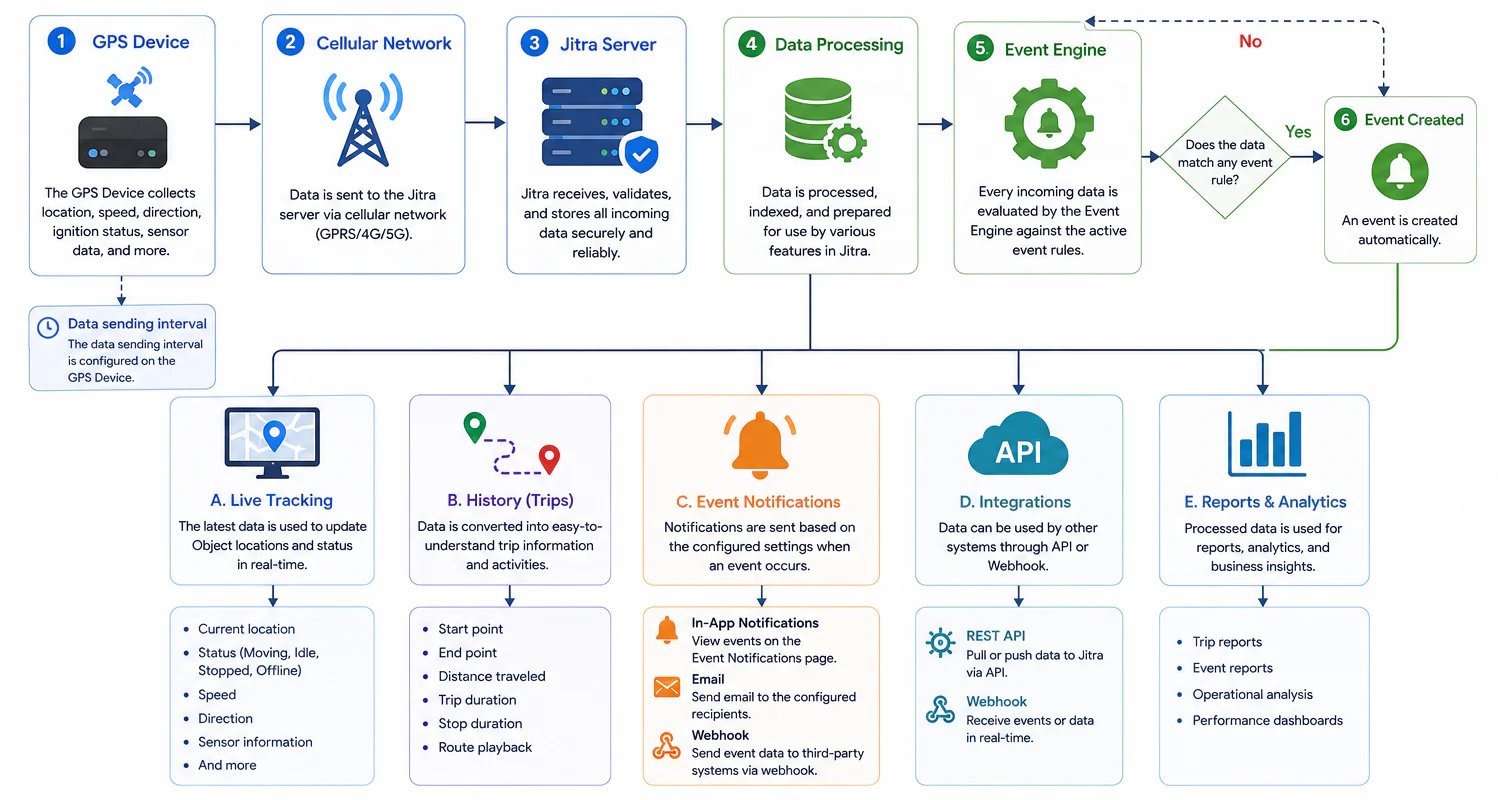
GPS Devices Collect Data
A GPS Device is the primary source of data in a GPS tracking system. The device is installed on a vehicle, asset, or other entity that needs to be monitored. A GPS Device can collect various types of information, including:- Location
- Speed
- Direction
- Ignition status
- Battery voltage
- Sensor data
- Other device-related information
Data Is Sent Through Cellular Networks
After collecting data, the GPS Device sends it to the server through a cellular network. The transmission interval is not controlled by Jitra. Instead, it is configured directly on the GPS Device. As a result, update frequencies may vary between devices depending on how they are configured. More frequent updates generally provide more detailed tracking and trip history information.Jitra Receives and Stores Data
When data arrives at Jitra, it is validated, processed, and stored. The incoming data is used to update the current state of the associated Object. At this stage, Jitra begins building the information that powers tracking, history, events, reports, and integrations.Data Powers Live Tracking
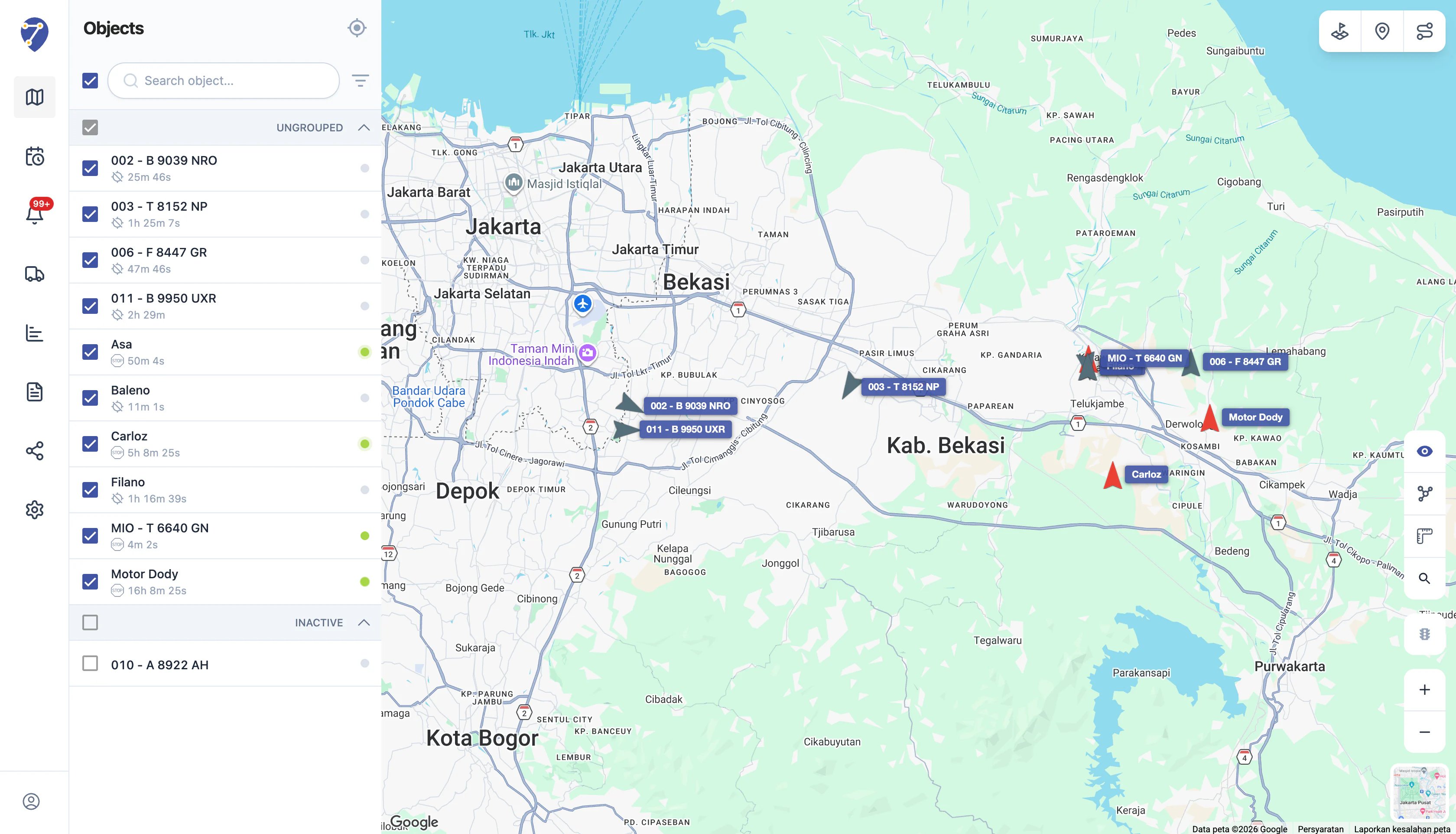
One of the primary uses of GPS data is Live Tracking. Every new data point updates information such as:- Object location
- Object status
- Sensor values
- Vehicle information
- Telemetry data
Data Is Converted into History
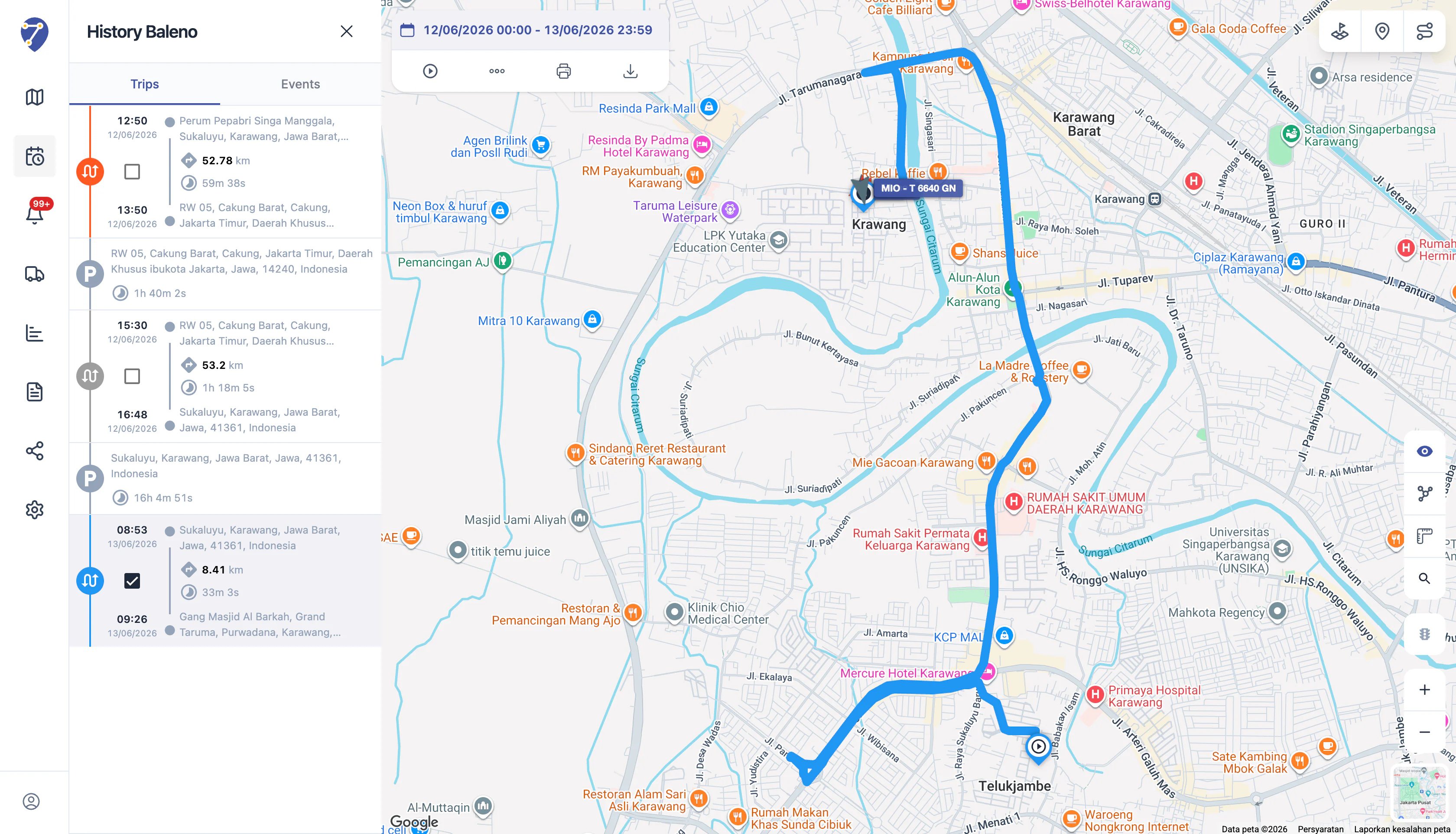
In addition to real-time monitoring, GPS data is used to build History. Jitra processes raw location data and converts it into trip information that is easier to understand, including:- Starting location
- Destination
- Distance traveled
- Trip duration
- Stop duration
- Route information
The Event Engine Evaluates Incoming Data
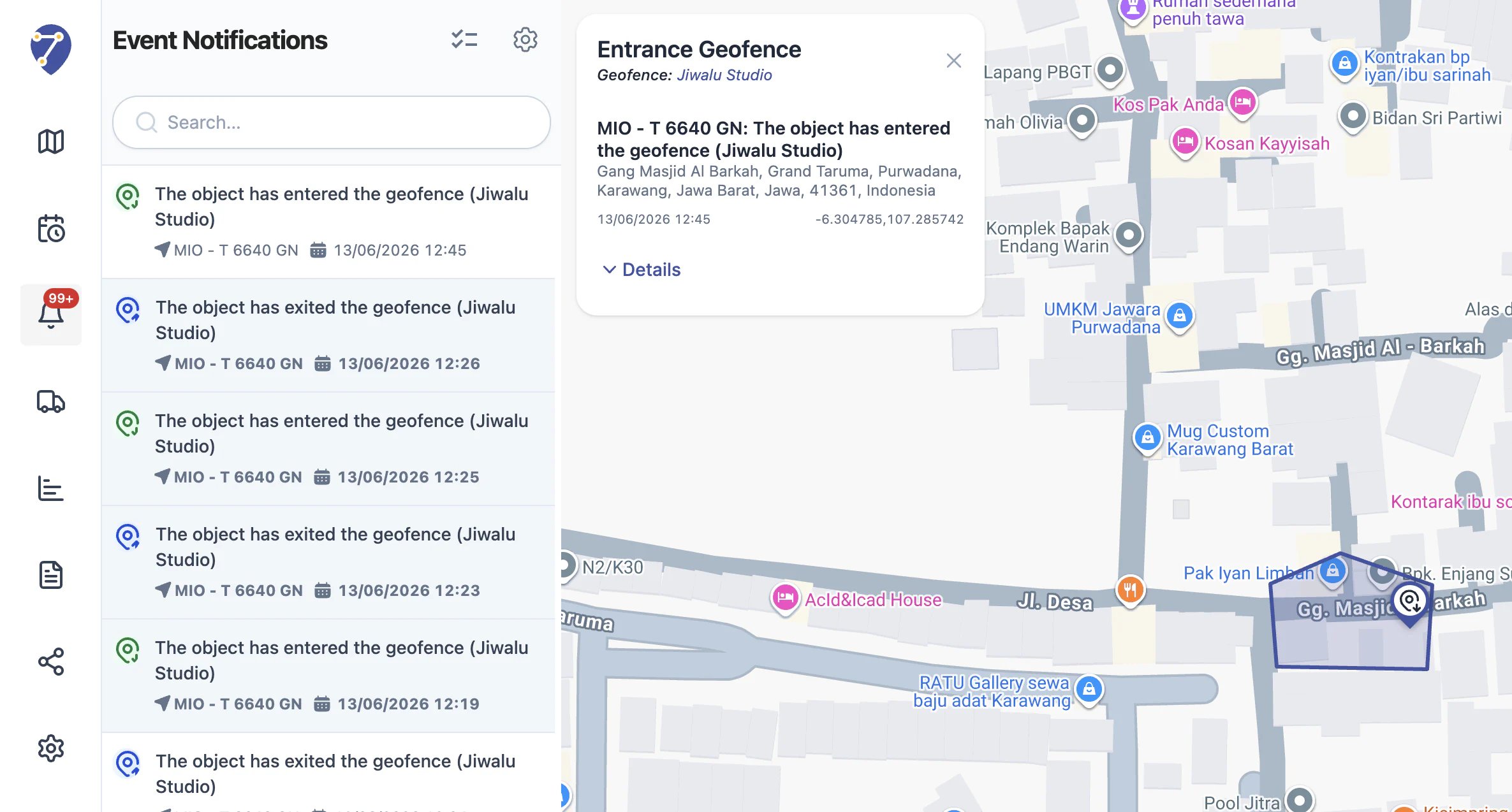
Every data point received by Jitra is evaluated by the Event Engine. The Event Engine checks whether the incoming data matches any active Event rules configured by users. Examples include:- Entering a geofence
- Exiting a geofence
- Overspeed
- Moving
- Sensor activation
- Other custom conditions
Events Can Trigger Notifications
When an Event occurs, Jitra can generate notifications based on the configured settings. Notifications help users stay informed about important activities without continuously monitoring the map or tracking page. Depending on the Event configuration, notifications can be delivered through:- Event Notifications
- Webhook
Data Can Be Used for Integrations
GPS data is not limited to Jitra itself. Through APIs and Webhooks, organizations can integrate GPS data with operational systems, internal dashboards, ERP platforms, TMS solutions, or third-party applications. This allows location and activity data to become part of broader business workflows.The Future of Data Sources in Jitra
Today, Jitra receives data directly from GPS Devices configured to send information to Jitra servers. In the future, Jitra will provide APIs that allow external systems and other data sources to send information to the platform using standardized formats. This approach will enable Jitra to receive data not only from GPS Devices but also from other systems and telemetry sources.Why Understanding GPS Tracking Matters
Understanding how GPS tracking works helps you understand the relationship between:- GPS Devices
- Objects
- Tracking
- History
- Events
- Notifications
- Integrations