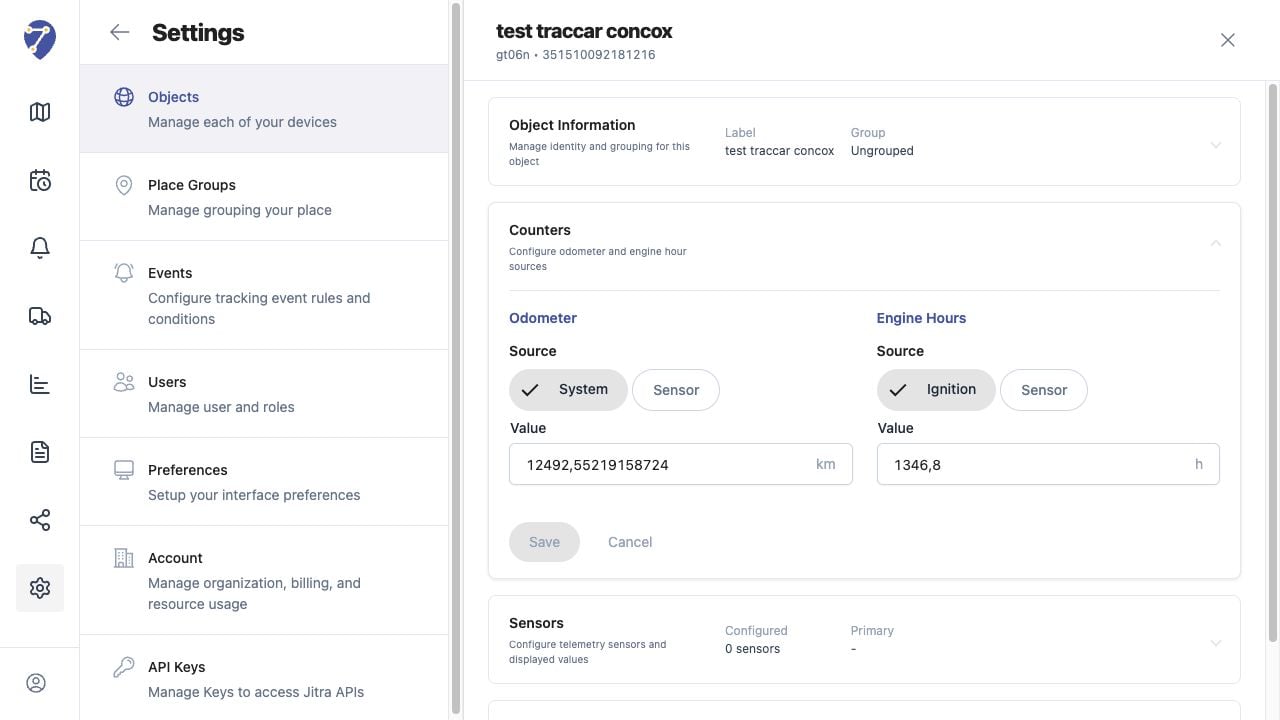
Odometer stores the accumulated distance used for Object information and workflows that depend on travelled distance.

Opening Odometer Settings

  1. Open Settings and select Objects.
  2. Edit the Object.
  3. Expand Counters and locate Odometer.
Configuring Odometer in Jitra staging

Choosing the Source

  • System: Jitra calculates accumulated distance from stored movement data.
  • Sensor: Jitra uses a compatible Odometer Sensor configured for the Object.

Setting the Value

Enter the current Value in kilometres. Use a verified reference value when aligning Jitra with an existing vehicle odometer or previous system.

Saving the Counter

Click Save in Counters after selecting a valid source and value. Review the displayed odometer after new tracking data is received.

Understanding Differences

System distance, GPS distance, and a vehicle’s physical odometer can differ because they use different data and calculation methods. Avoid frequent manual corrections without first checking the selected source.