
Object details provide a compact summary of the latest data Jitra has received for a selected Object.

Opening Object Details

Click an Object marker on the map, or point to an Object row and click its information button.
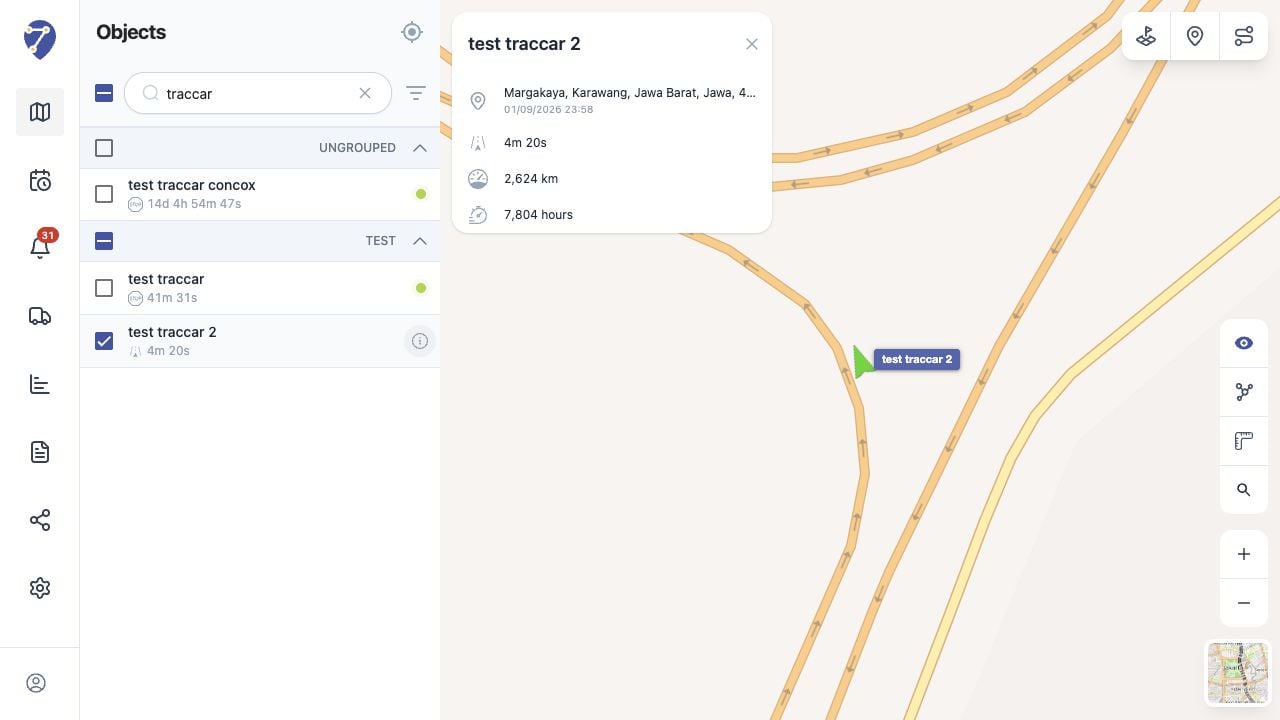
Viewing Object Details in Jitra staging

Information in the Details Panel

  • Object name
  • latest location or address
  • time of the latest received position
  • current status and its duration
  • odometer
  • engine hours
Available values depend on the GPS Device and Object configuration.

Understanding the Update Time

The timestamp identifies when Jitra received the displayed position. It is important when reviewing an Object that is Stopped or Offline.

Closing the Details Panel

Click the close button in the upper-right corner of the panel. Closing the panel does not remove the Object from the map.