
Report results provide a Summary and, when applicable, a separate tab for each selected Object.

What to Check

  • Review the Date Range and Object count at the top.
  • Use Summary for totals and comparisons.
  • Open an Object tab for detailed rows.
  • Expand or collapse result sections as needed.

Current Jitra Workflow

Select an existing Report from the left panel. The result area displays the saved period, selected Objects, Summary, totals, and detail tabs.
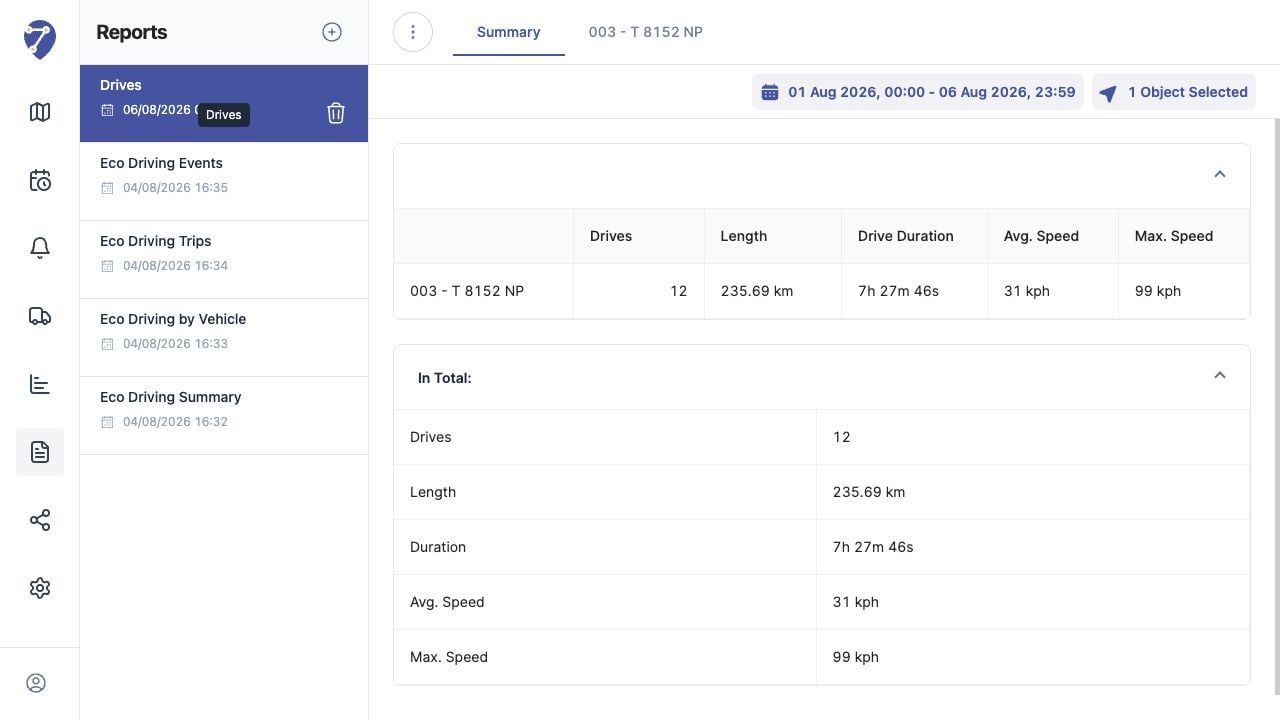
Viewing Report Results in Jitra staging

Reviewing the Result

Confirm the saved or displayed information matches the intended Object, users, period, and Organization workflow.

If the Issue Continues

Review required fields, access permissions, available data, and Organization limits. Contact an Organization administrator or Jitra support when the required control is unavailable.