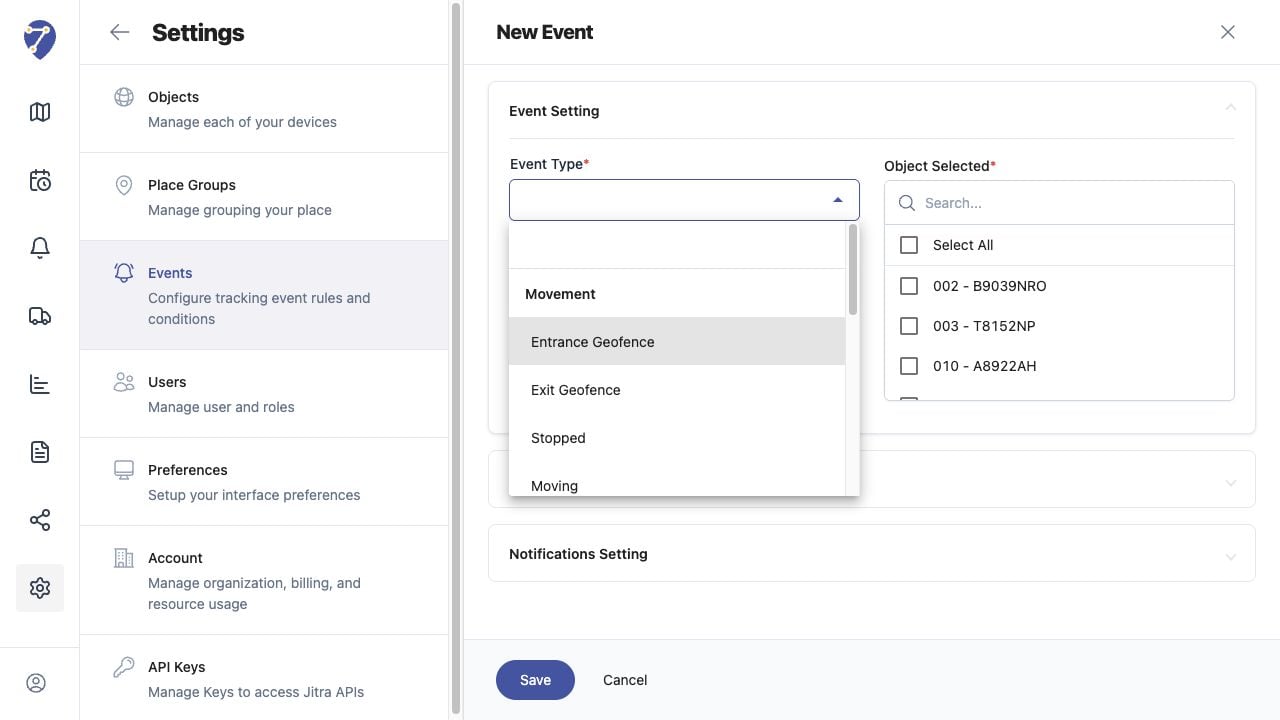
The Event Type determines which condition Jitra evaluates. Object Selected determines which tracked assets are included in the rule.

Available Event Types

  • Movement: Entrance Geofence, Exit Geofence, Stopped, Moving, Over Speed, and Under Speed
  • Fuel and Eco Driving: Excessive Idling and Harsh driving
  • Device: GPS signal lost and GPS signal recover
  • Inputs and Outputs: Sensor
Choosing Event Types and Assigning Objects in Jitra staging

Choosing a Type

Select the type that matches the condition you need to monitor. Triggers Setting changes according to the selected type, so confirm the available fields before continuing.

Assigning Objects

Use Object Selected to choose one or more Objects, or use Select All when the same rule should apply to every listed Object. Search can help locate a specific Object.

Reviewing the Assignment

Only selected Objects are evaluated by the rule. Update the assignment when Objects are added, replaced, or no longer require the same monitoring condition.