
Official Configuration Tool
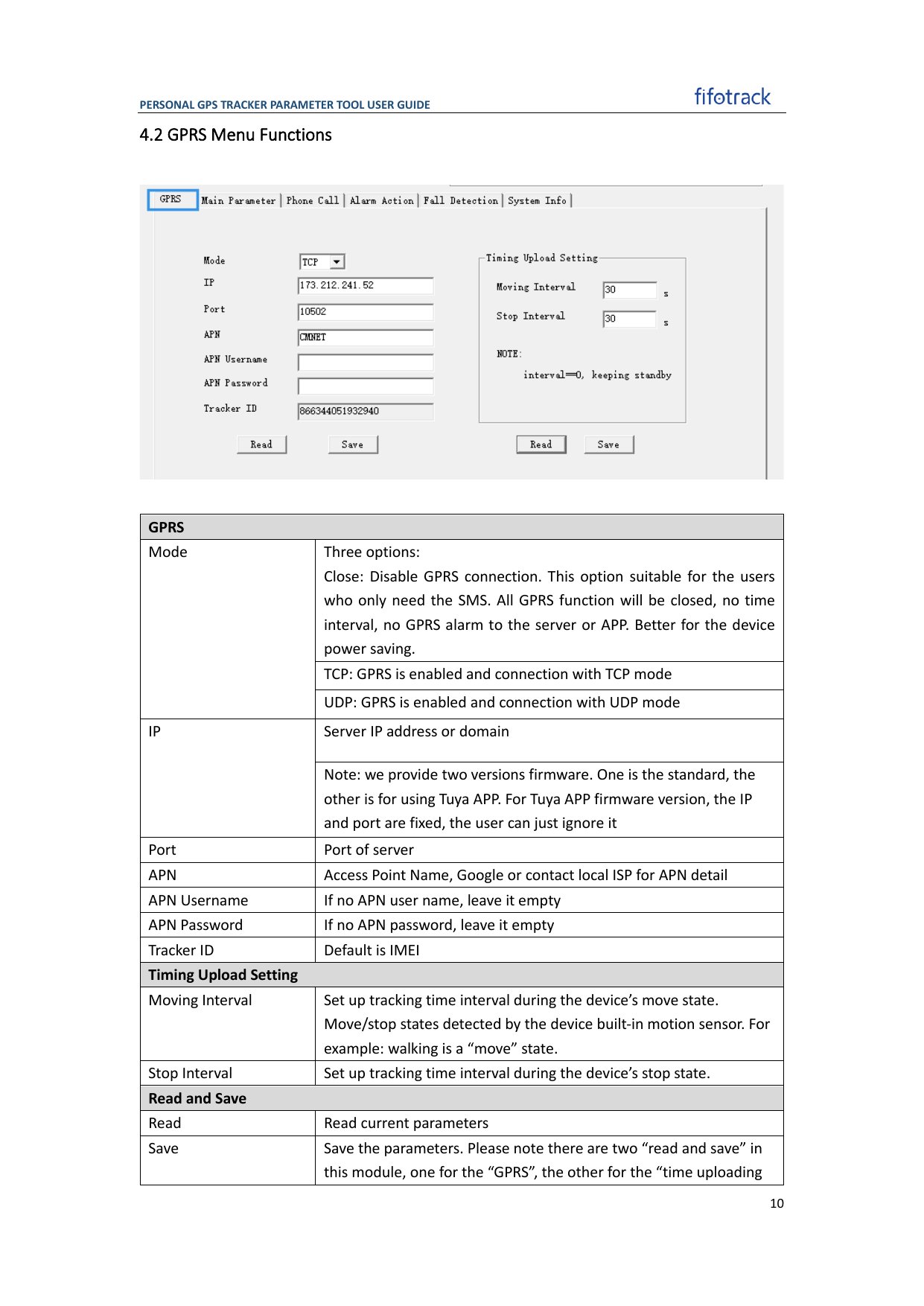
Fifotrack parameter tool example from the official Fifotrack configuration guide.
Recommended Configuration
Configure with the Parameter Tool
- Connect the device with its supported data cable and open the parameter tool for the exact model.
- Read and save the existing parameters.
- Under GPRS, enter the SIM APN and credentials, enable GPRS mode, and configure
gw.jitra.appwith port24121over TCP. - Under the main or reporting parameters, select UTC / GMT+0 and configure the reporting intervals.
- Save the parameters, restart the device, and read the settings again.
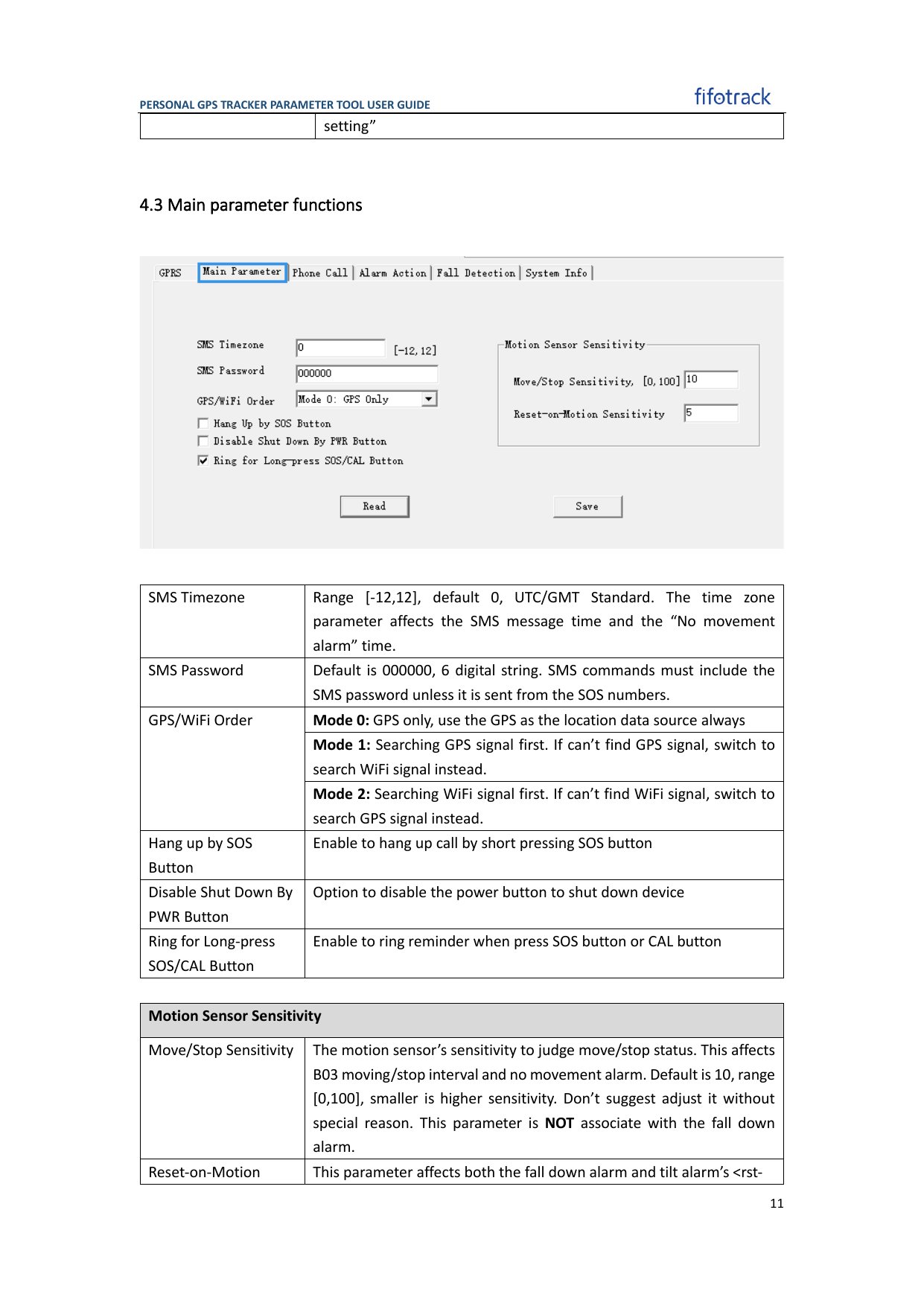
The official Fifotrack guide uses SMS Timezone 0 for UTC/GMT standard time.
Configure by SMS
Some models use a six-digit password and B-series commands. With the common factory password000000, representative commands are: