
0000.
Official Configuration Example
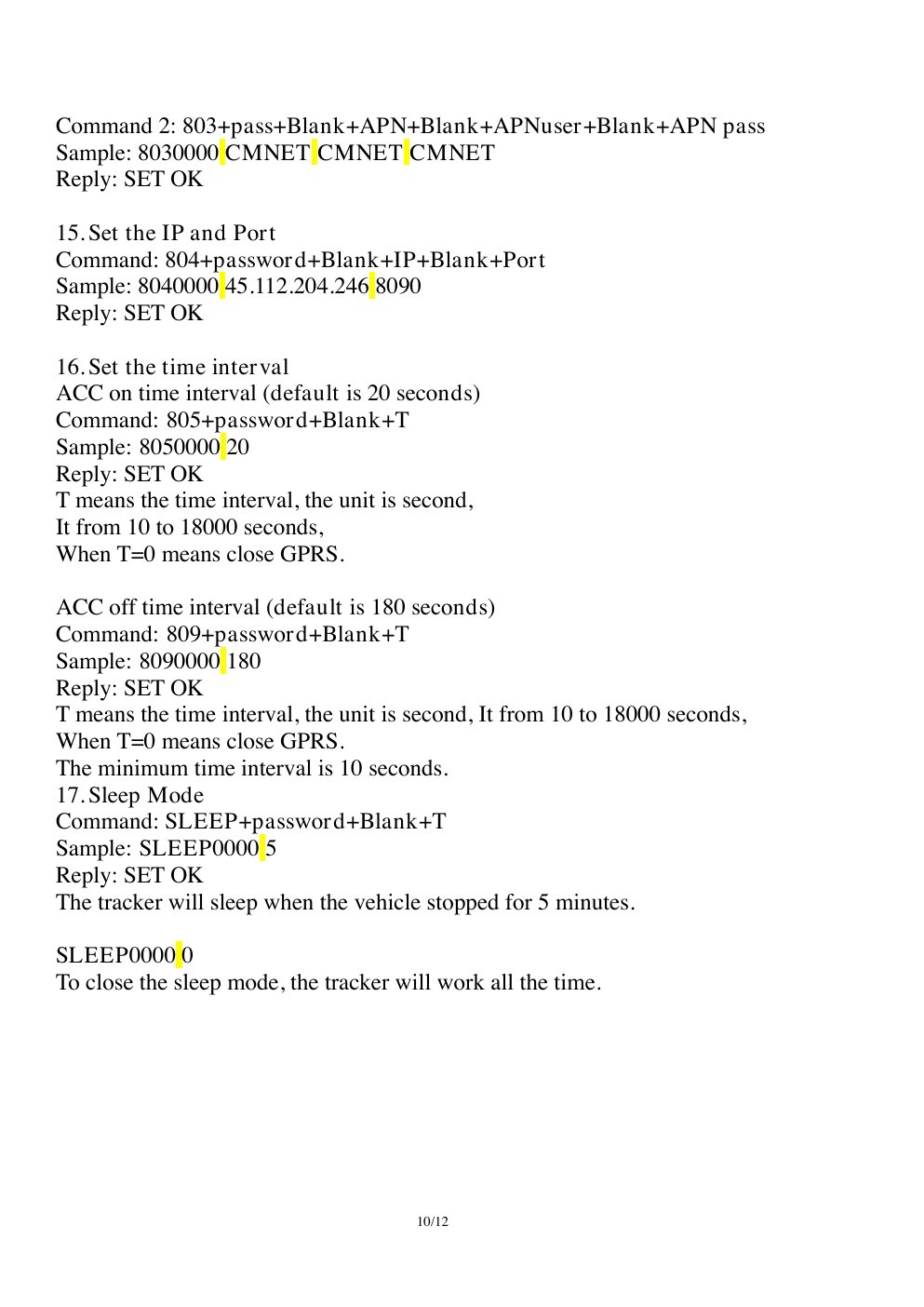
APN, server, reporting interval, and sleep commands from the official SinoTrack ST-901M user manual.
Recommended Configuration
Configure by SMS
Replace<APN> with the SIM operator APN. Send one command at a time and wait for the device reply.
7100000 enables GPRS mode. 8960000E00 sets UTC. If the APN requires a username and password, use the extended 803 syntax documented for the model.
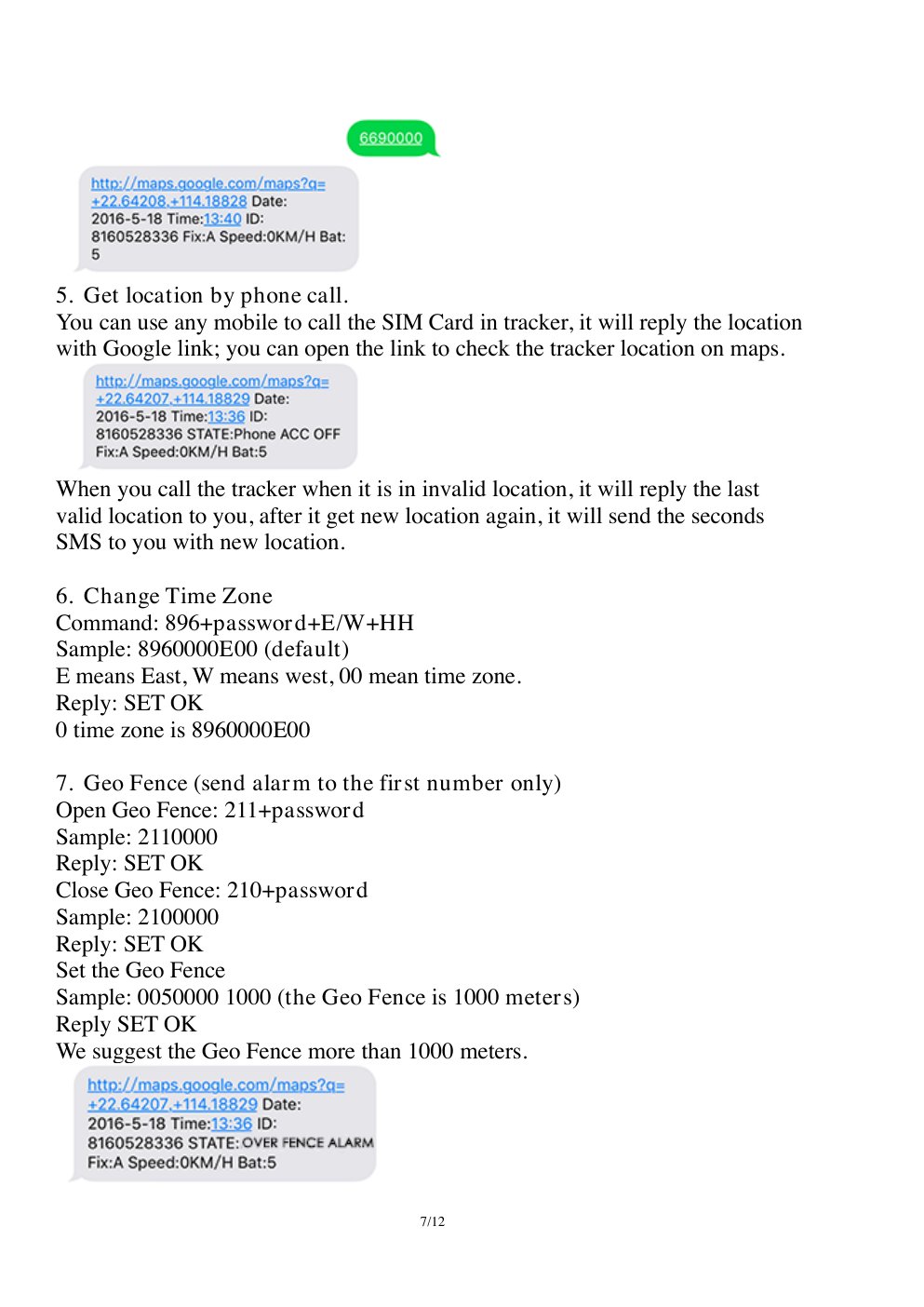
Time-zone command format from the official SinoTrack ST-901M user manual. Use E00 for UTC.
Read Back the Configuration
SendRCONF to supported models. Check that GPRS mode, APN, server, port, intervals, and time zone match the intended values before restarting the device.