
Object Information contains the identity and grouping fields used to recognize an Object throughout Jitra.

Opening Object Information

  1. Open Settings and select Objects.
  2. Open the action menu for the Object.
  3. Select Edit, then expand Object Information.
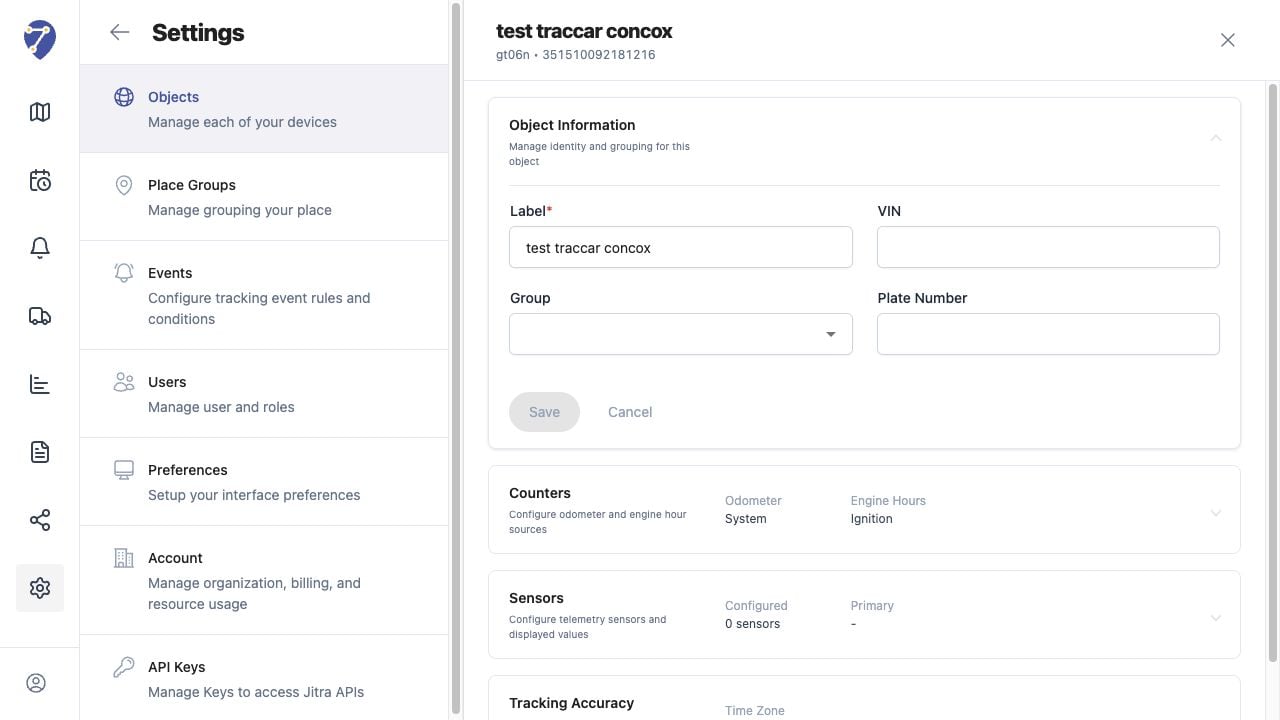
Managing Object Information in Jitra staging

Editable Fields

  • Label: the name shown in Tracking and other Jitra features
  • Group: the Object Group used to organize the Object
  • VIN: the vehicle identification number when applicable
  • Plate Number: the registration or fleet plate identifier

Saving Changes

Update the required fields, then click Save in Object Information. The button becomes available after Jitra detects a valid change.

Effect of Renaming an Object

Changing the Label updates how the Object is identified in the interface. It does not change the Device ID or the GPS Device model shown in the Object header.

Keeping Information Consistent

Use naming and plate formats that are consistent across the Organization. This makes Objects easier to find in Tracking, History, Events, Reports, and sharing workflows.