
Create a Report by choosing the calculation that matches the operational question, then supply its required scope.

What to Check

  1. Open Reports and click the plus button.
  2. Select a Report type.
  3. Select one or more Objects.
  4. Enter Report Name and Date Range.
  5. Click Create.

Current Jitra Workflow

The creation view shows report types, Object selection, Report Name, and Date Range together. Required options can vary by type.
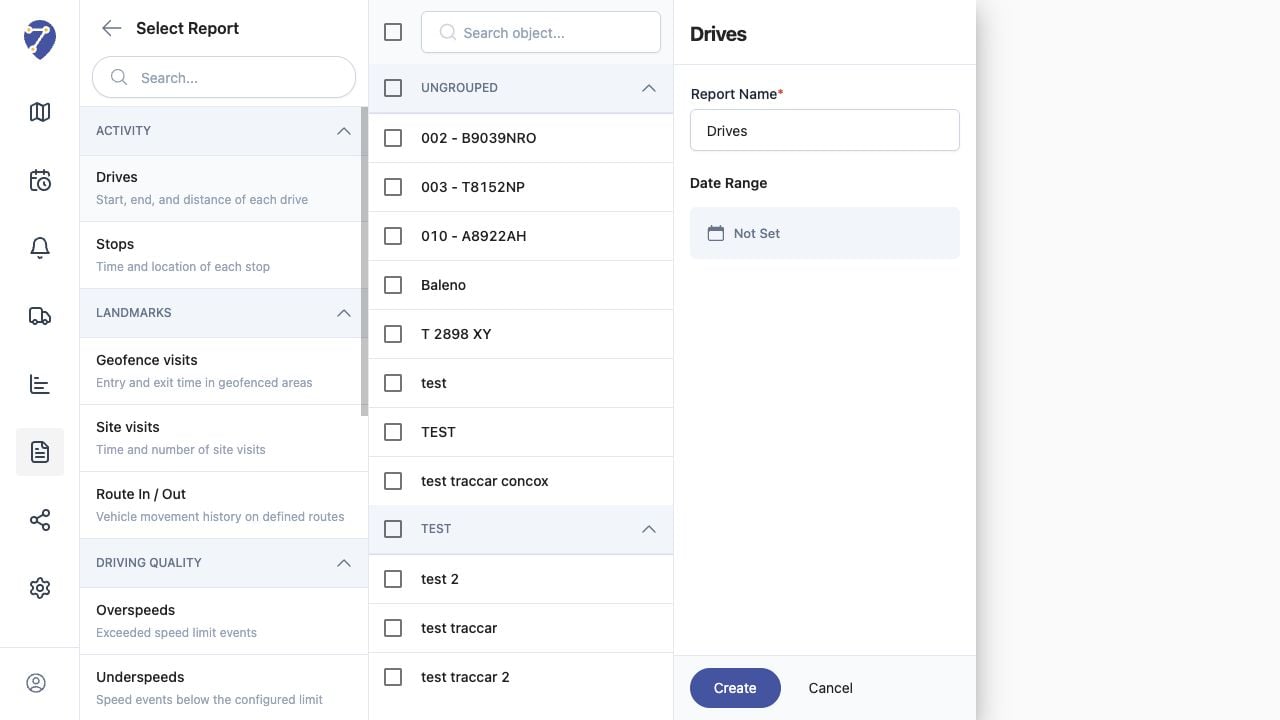
Creating a Report in Jitra staging

Reviewing the Result

Confirm the saved or displayed information matches the intended Object, users, period, and Organization workflow.

If the Issue Continues

Review required fields, access permissions, available data, and Organization limits. Contact an Organization administrator or Jitra support when the required control is unavailable.