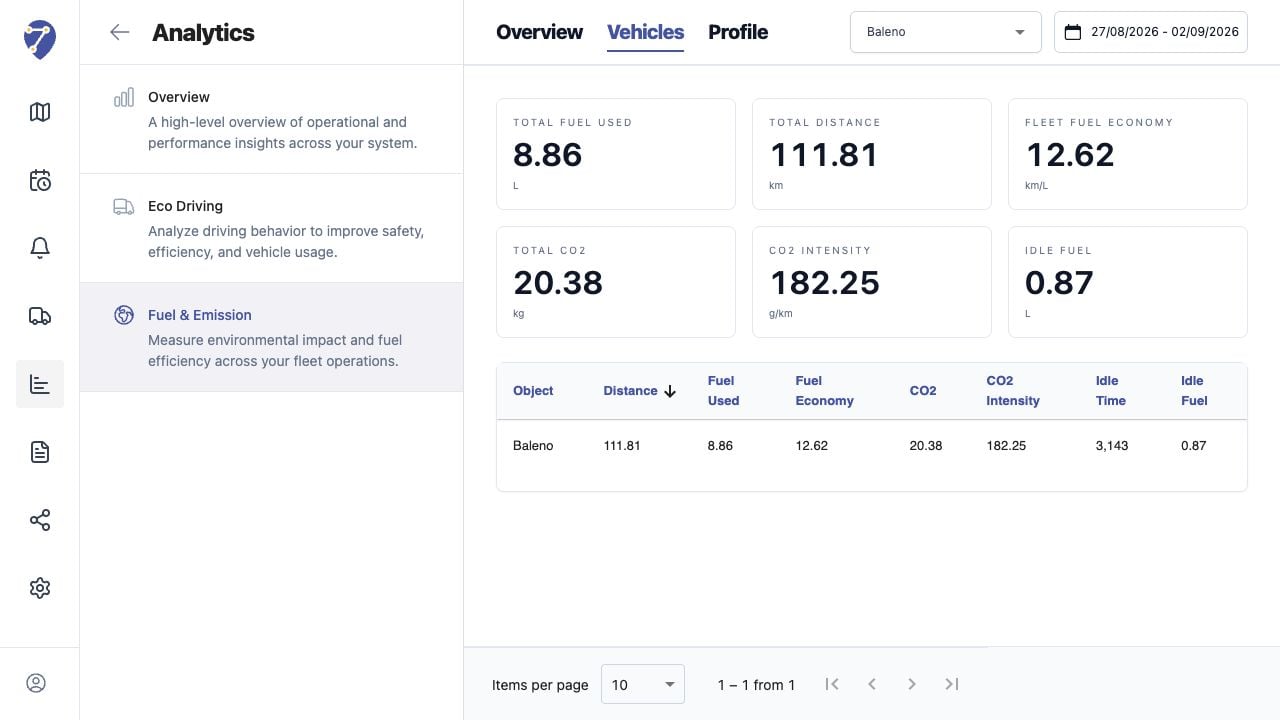
Vehicles shows calculated Fuel & Emission values for each assigned Object in the selected Profile and period.

Loading Vehicle Results

  1. Open Analytics > Fuel & Emission > Vehicles.
  2. Select a Profile.
  3. Select the date range.
Reviewing Fuel & Emission by Vehicle in Jitra staging

Reading Summary Metrics

  • Total Fuel Used
  • Total Distance
  • Fleet Fuel Economy
  • Total CO2
  • CO2 Intensity
  • Idle Fuel

Reading the Table

Each Object row shows Distance, Fuel Used, Fuel Economy, CO2, CO2 Intensity, Idle Time, and Idle Fuel.

Sorting and Paging

Click a column heading to compare Objects by the selected metric. Use Items per page and page controls for larger fleets.

Investigating Differences

A high absolute fuel value may reflect longer distance, while high CO2 Intensity may indicate low economy or excessive idle time. Compare the row with History and the Profile settings.

Using Calculated Data

Treat the table as an operational estimate. Record the Profile and period when using values in an external analysis so the assumptions remain traceable.