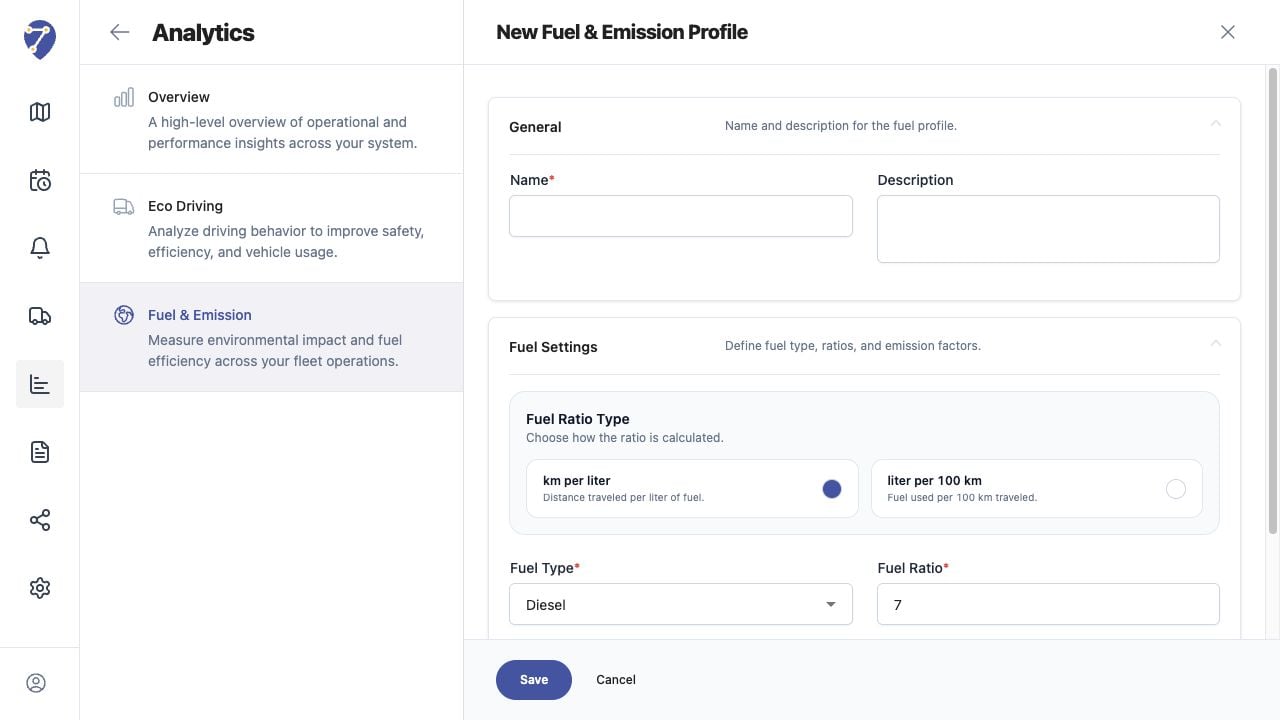
A Fuel & Emission Profile stores the assumptions used to calculate fuel and emissions for assigned Objects.

Opening the Profile Form

  1. Open Analytics > Fuel & Emission.
  2. Select Profile.
  3. Click New.
Creating a Fuel & Emission Profile in Jitra staging

Completing General Settings

Enter a clear Name and optional Description that identify the vehicle class or calculation method.

Completing Fuel Settings

Choose Fuel Ratio Type and Fuel Type, then enter CO2 Factor, Fuel Ratio, and Idle Fuel (L/h). Click Save after reviewing all units.

Editing a Profile

Open the Profile row action menu and select Edit. Profile changes alter subsequent calculations shown with that Profile.

Deleting a Profile

Open the action menu and select Delete. Review its assigned Object count and confirm that the calculation method is no longer required.