
Calculation quality depends on using Profile values that match the assigned vehicle and unit convention.

Choosing Fuel Ratio Type

Choose km per liter when Fuel Ratio means distance travelled per liter. Choose liter per 100 km when it means fuel used for each 100 km.
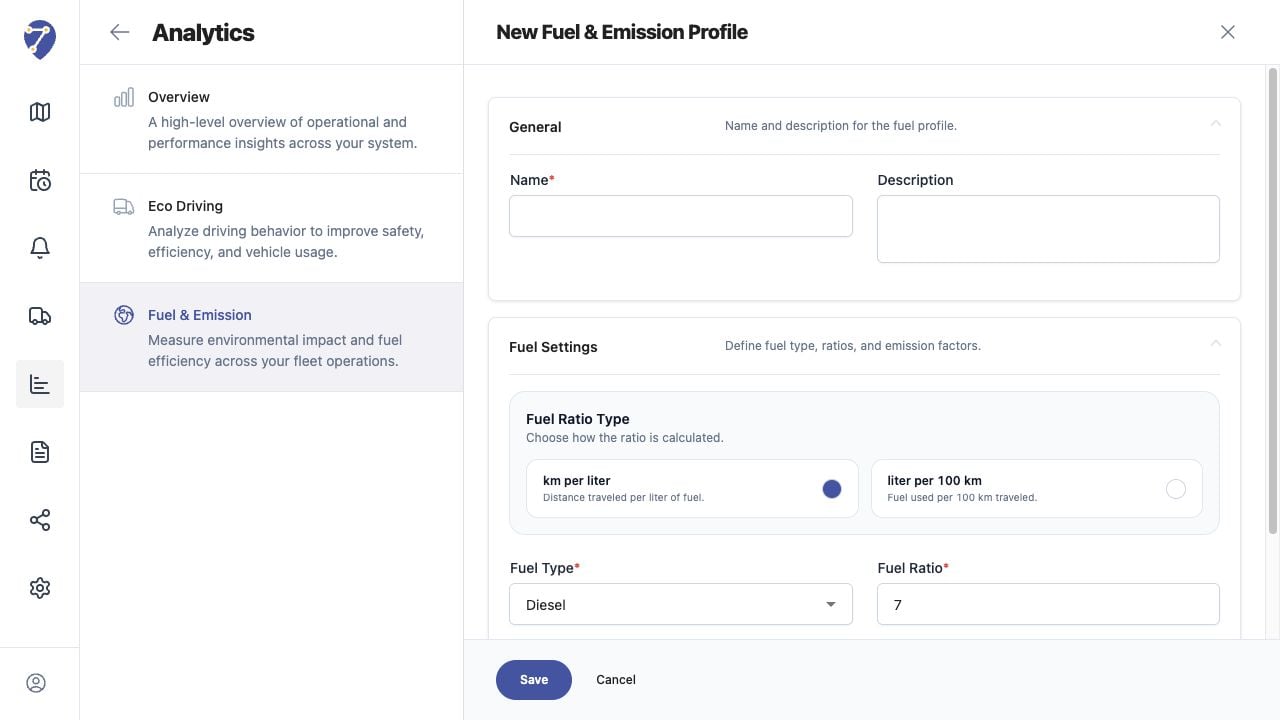
Configuring Fuel and Emission Calculations in Jitra staging

Selecting Fuel Type

Select Diesel or Petrol. Fuel Type provides context for the calculation and should match the vehicle.

Setting CO2 Factor

CO2 Factor is expressed in kg/L. Use an approved factor appropriate to the fuel and reporting method.

Setting Fuel Ratio

Enter the expected economy in the unit selected by Fuel Ratio Type. Reversing km/L and L/100 km produces incorrect fuel estimates.

Setting Idle Fuel

Idle Fuel (L/h) estimates fuel used during idle time. Validate it against vehicle specifications or an approved operational baseline.

Validating Results

Test the Profile on a known Object and period. Compare Total Distance, calculated Fuel Used, and CO2 results with an approved reference before broader use.