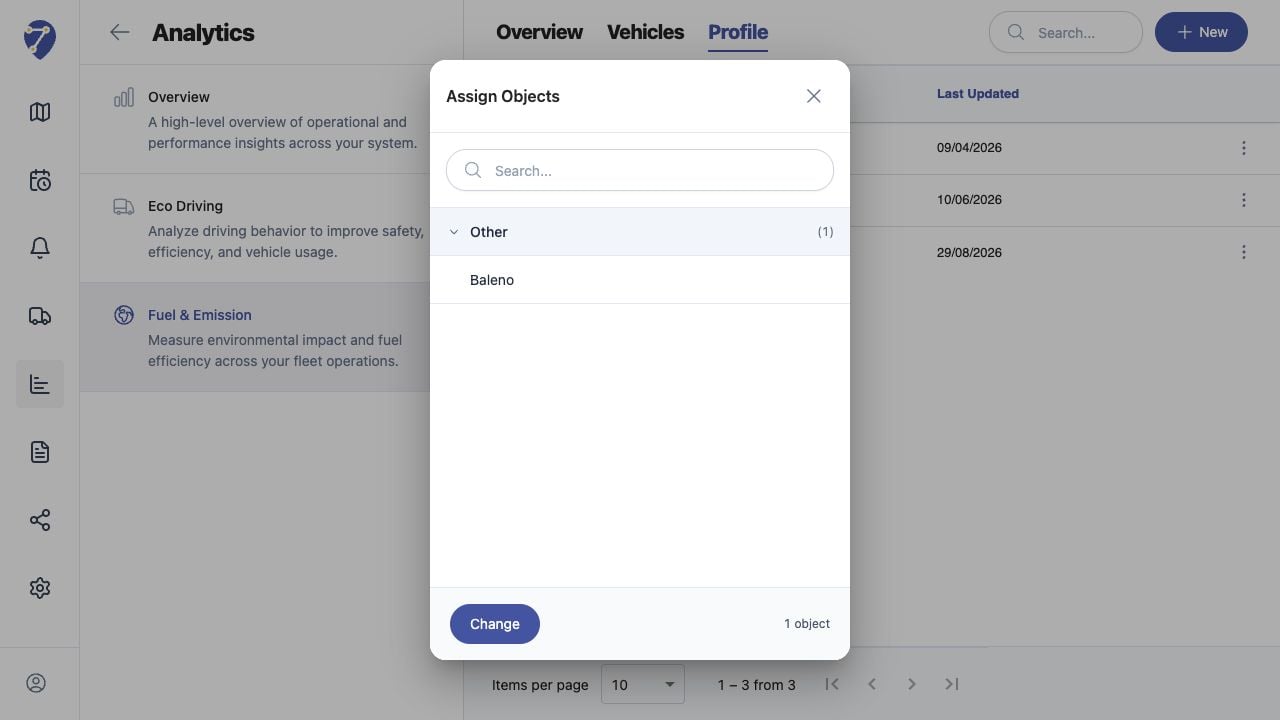
Object assignment determines which Fuel & Emission calculation settings are applied to each tracked unit.

Opening Assigned Objects

  1. Open Analytics > Fuel & Emission > Profile.
  2. Click the Total Object count for the Profile.
Assigning Objects to a Fuel & Emission Profile in Jitra staging

Reviewing the Assignment

The Assign Objects dialog shows the currently assigned Object group and Objects. Use Search to locate a specific Object.

Changing Assigned Objects

Click Change, update the Object selection, review it, and save using the available assignment action.

Choosing the Correct Profile

Assign Objects only when their Fuel Type, Fuel Ratio, CO2 Factor, and Idle Fuel assumptions match the Profile. Use separate Profiles for materially different vehicle classes.

Checking the Result

Confirm the Total Object count, then select the Profile in Overview or Vehicles and load a period with tracking data.