
A Maintenance Record documents service work for one Vehicle from draft through completion.

What to Check

  • Vehicle, Type, Service Date, and Status
  • Garage or Vendor Name
  • Odometer and Engine Hour
  • Description and Total Cost
  • Started At, Completed At, and Notes

Current Jitra Workflow

Open Fleet > Maintenance Record, click New, complete Service Information and Work Details, then Save.
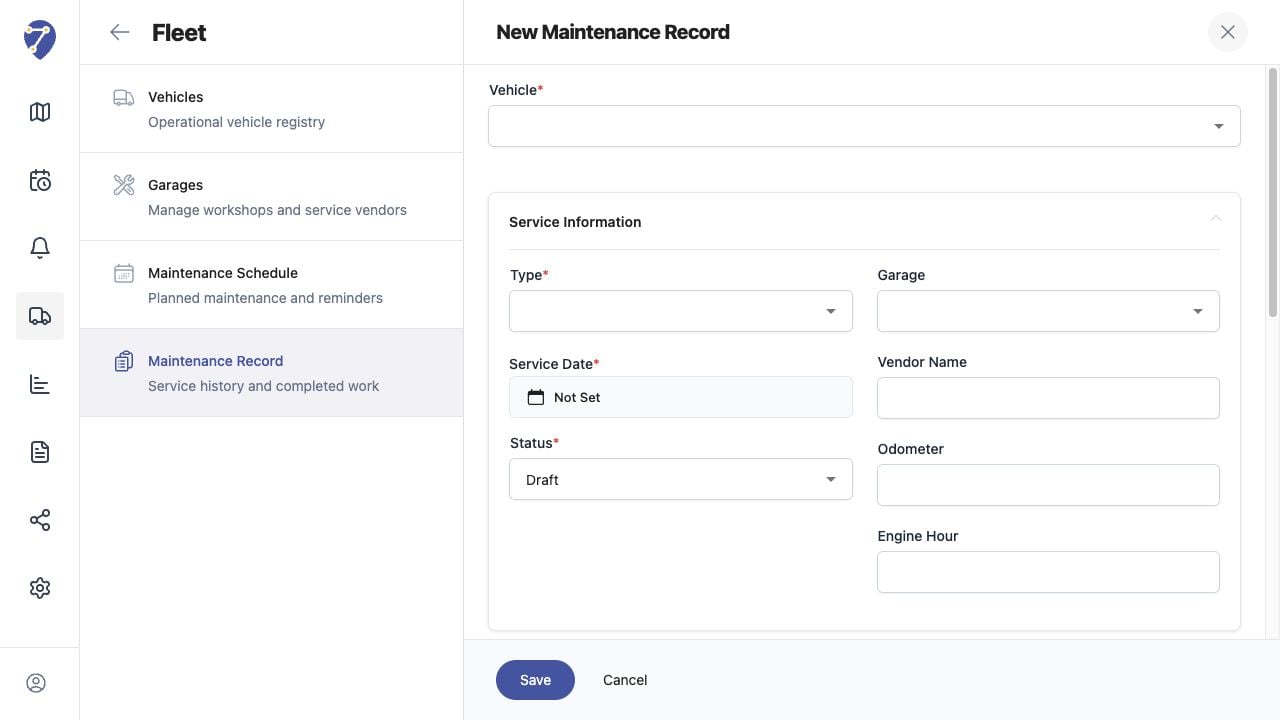
Recording Maintenance screen on Jitra staging

Reviewing the Result

Confirm the saved or displayed information matches the intended Object, users, period, and Organization workflow.

If the Issue Continues

Review required fields, access permissions, available data, and Organization limits. Contact an Organization administrator or Jitra support when the required control is unavailable.