
A Fleet Vehicle stores operational identity and can be linked to a Tracking Object and Garage.

What to Check

  • Tracking Object and Garage
  • Name, Plate Number, Type, and Status
  • Brand, Model, Year, and Color
  • VIN, Engine Number, Fuel Type, Ownership Status, and Notes

Current Jitra Workflow

Open Fleet > Vehicles and use New or the row action menu. Linking does not replace the Object’s GPS configuration.
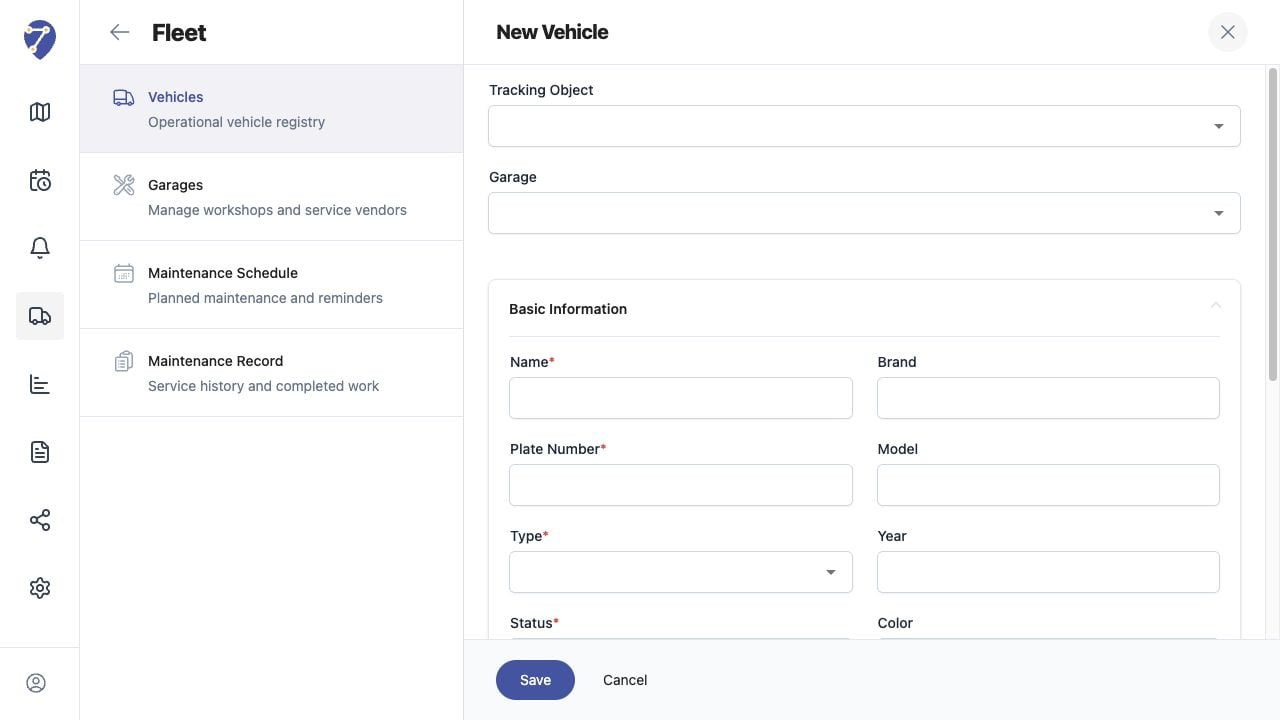
Managing Vehicles screen on Jitra staging

Reviewing the Result

Confirm the saved or displayed information matches the intended Object, users, period, and Organization workflow.

If the Issue Continues

Review required fields, access permissions, available data, and Organization limits. Contact an Organization administrator or Jitra support when the required control is unavailable.