
Grace-period and suspension behavior depends on the subscription and payment state shown for the Organization; the current UI does not publish a fixed duration on this page.

What to Check

  • Check Plan status on Billing Overview.
  • Review invoice Status and Due Date.
  • Update Billing Email and payment details.
  • Resolve overdue payments through the available action.
  • Contact Jitra support for the exact account timeline.

Current Jitra Workflow

Do not rely on an assumed number of grace days. Use the live Billing and Invoices status as the authoritative account state.
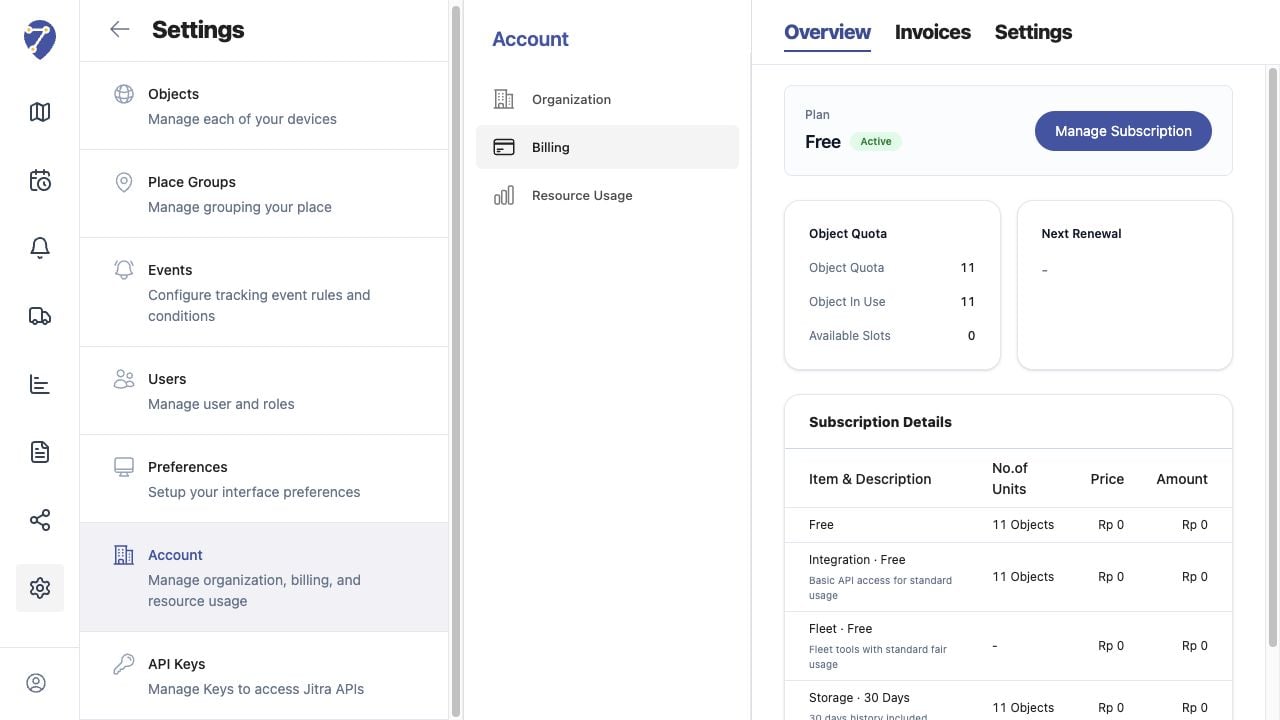
Understanding Grace Period and Suspension screen on Jitra staging

Reviewing the Result

Confirm the saved or displayed information matches the intended Object, users, period, and Organization workflow.

If the Issue Continues

Review required fields, access permissions, available data, and Organization limits. Contact an Organization administrator or Jitra support when the required control is unavailable.