
Regional Settings control how timezone, language, and dates are displayed across the Organization interface.

What to Check

  • Timezone affects displayed timestamps.
  • Language changes supported interface text.
  • Date Format controls date presentation.
  • Changes should match the Organization’s operating region.

Current Jitra Workflow

Open Settings > Preferences > Regional Settings and click Edit beside the setting that needs to change.
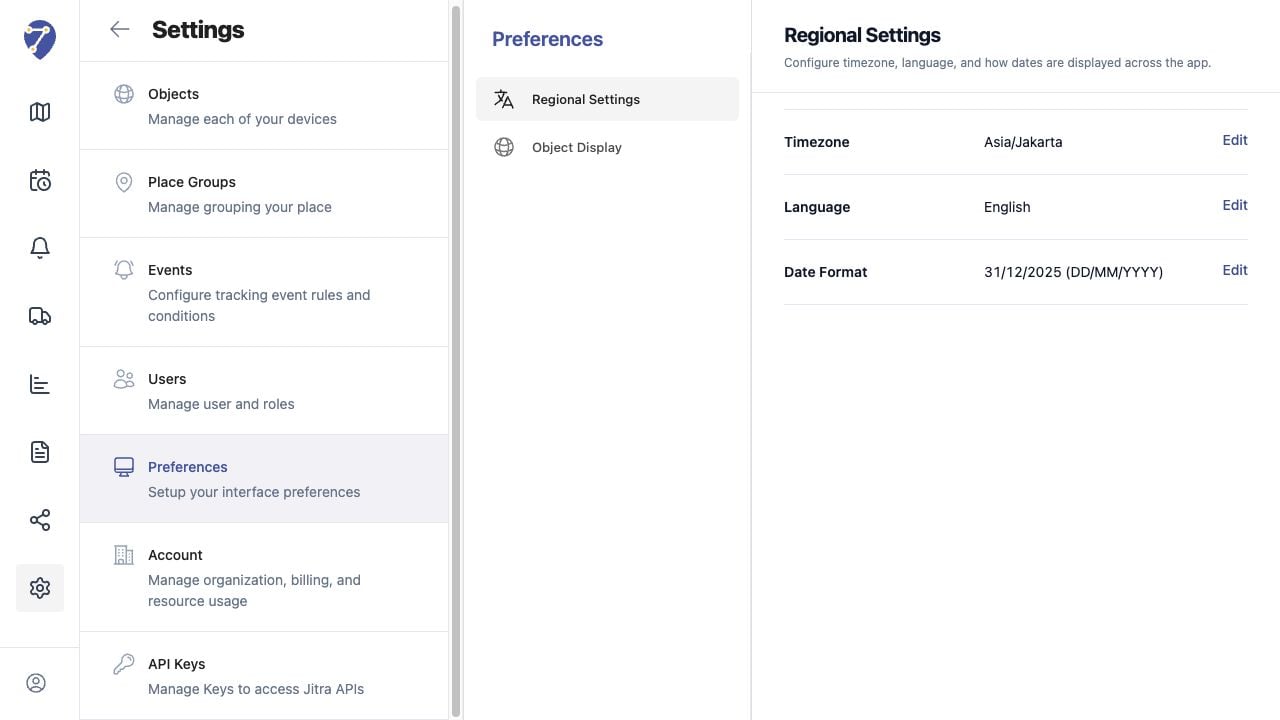
Managing Organization Preferences screen on Jitra staging

Reviewing the Result

Confirm the saved or displayed information matches the intended Object, users, period, and Organization workflow.

If the Issue Continues

Review required fields, access permissions, available data, and Organization limits. Contact an Organization administrator or Jitra support when the required control is unavailable.