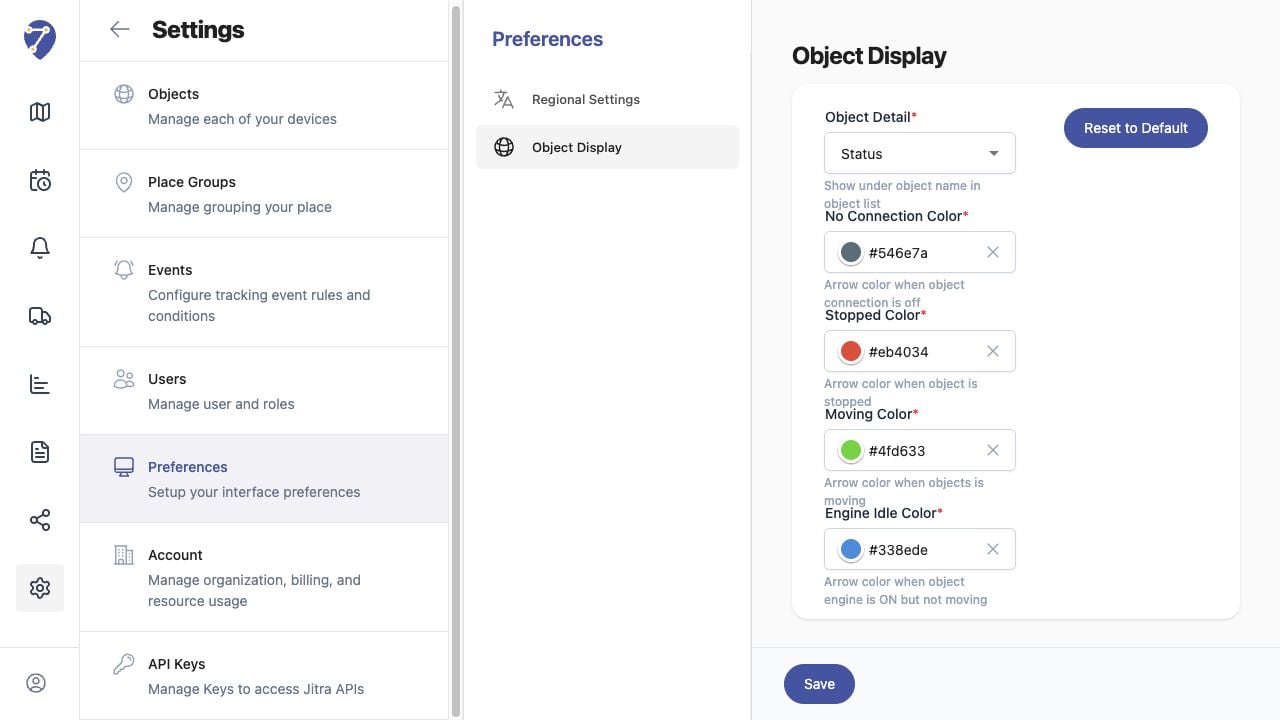
What to Check
- Object Detail shown in the Object list
- No Connection Color
- Stopped Color
- Moving Color
- Engine Idle Color
Current Jitra Workflow
Open Settings > Preferences > Object Display, choose the detail and colors, then click Save. Reset to Default restores the standard values.