
Users are individual Jitra accounts that access an Organization through assigned Roles and resources.

What to Check

  • Name and email identify the user.
  • Roles determine feature permissions.
  • Status controls whether the account can access the Organization.
  • Object, Geofence, Site, and Route assignments limit resources.

Current Jitra Workflow

Open Settings > Users. The table shows Roles, Status, assignment counts, and the action menu.
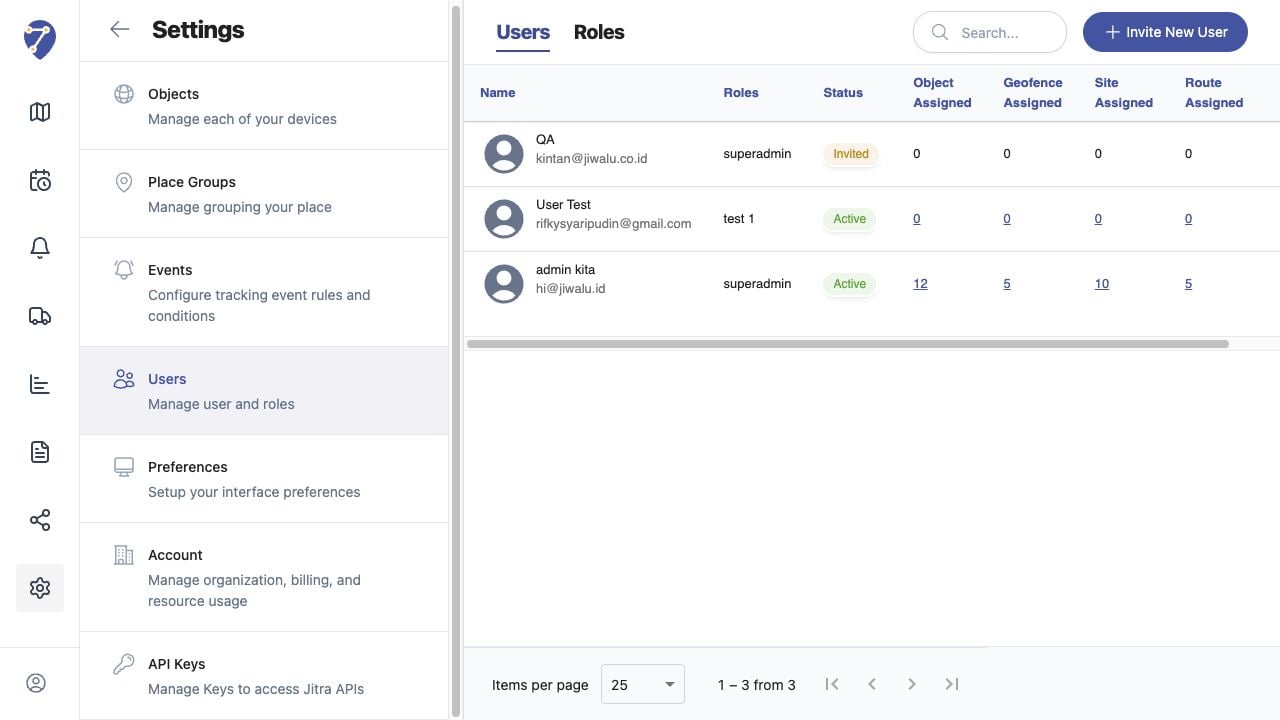
Managing Users screen on Jitra staging

Reviewing the Result

Confirm the saved or displayed information matches the intended Object, users, period, and Organization workflow.

If the Issue Continues

Review required fields, access permissions, available data, and Organization limits. Contact an Organization administrator or Jitra support when the required control is unavailable.