
Create a Site when a reusable place or path needs to be displayed and managed in Jitra.

Creating the Site

  1. Open Tracking and click Show Sites.
  2. Click the plus button.
  3. Select the center point on the map.
  4. Enter Name and adjust Radius.
  5. Review Group and Description, then click Save.
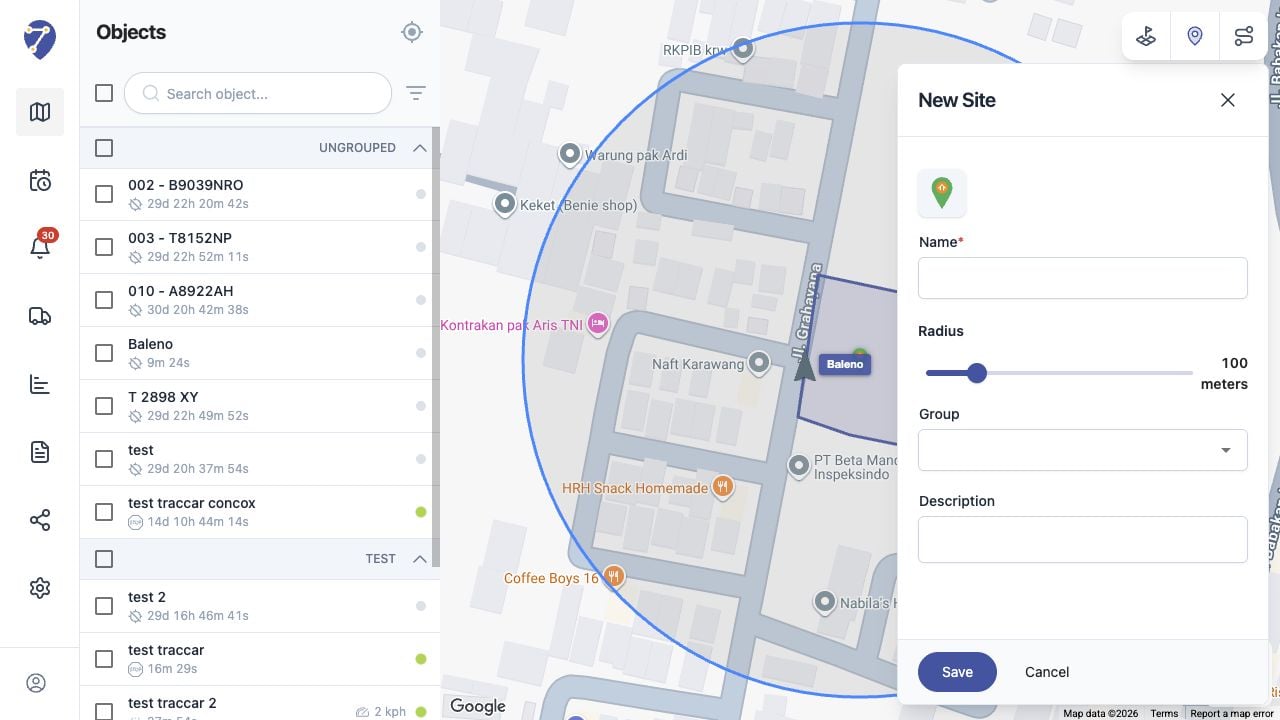
Creating a Site in Jitra staging

Required Information

Name is required. Complete the location or shape controls shown for the Site, then review optional Group and Description fields.

Reviewing the Map Preview

Confirm the preview is positioned correctly and covers the intended area or path before clicking Save.

After Saving

The Site appears in the Sites panel. Select its checkbox to display it on the map.