
The Sites panel controls which saved Sites are visible on the Tracking map.

Opening the Sites Panel

Open Tracking and click Show Sites. Use Search site… to find an item by name.

Showing a Site

Select the checkbox beside a Site to display its circular boundary on the map. The selected Site is focused so its coverage can be inspected.
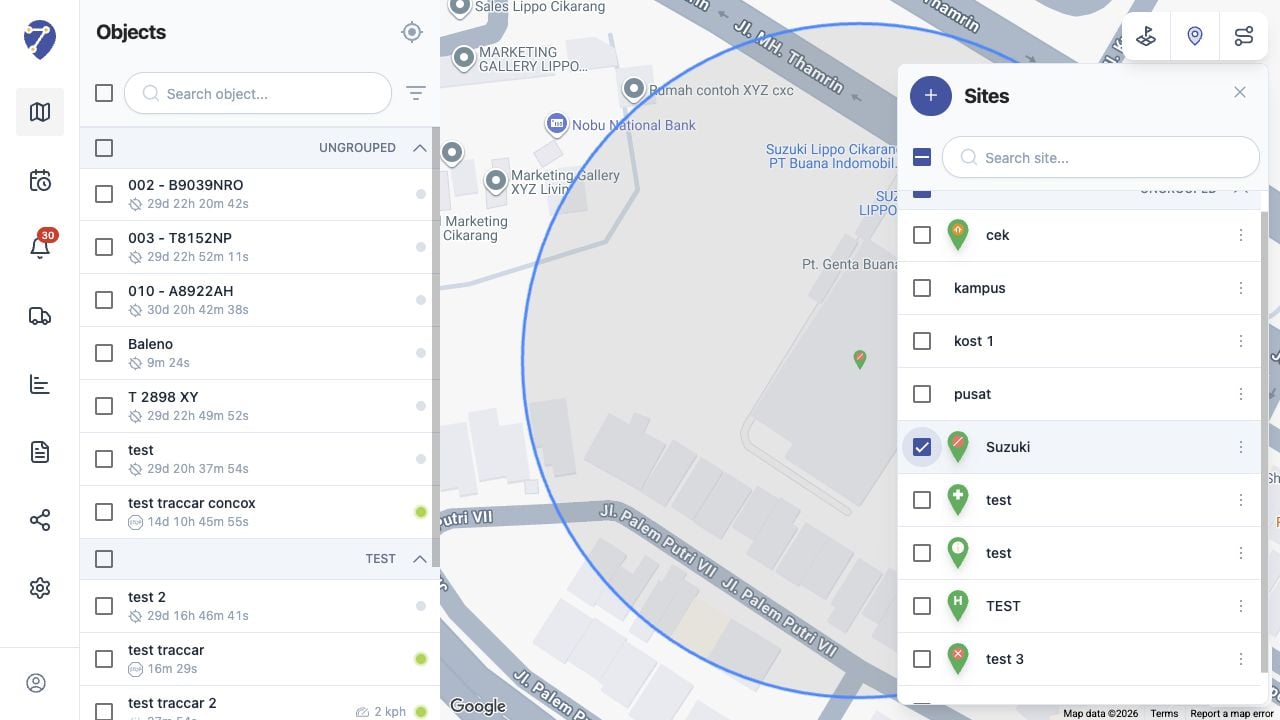
Showing Sites on the Tracking Map in Jitra staging

Showing Multiple Sites

Select several item checkboxes or use a group checkbox. The main checkbox indicates whether all, some, or none of the available Sites are selected.

Hiding Sites

Clear an item checkbox to hide it, or clear the main checkbox to hide every selected Site. This changes the current map display and does not delete saved data.