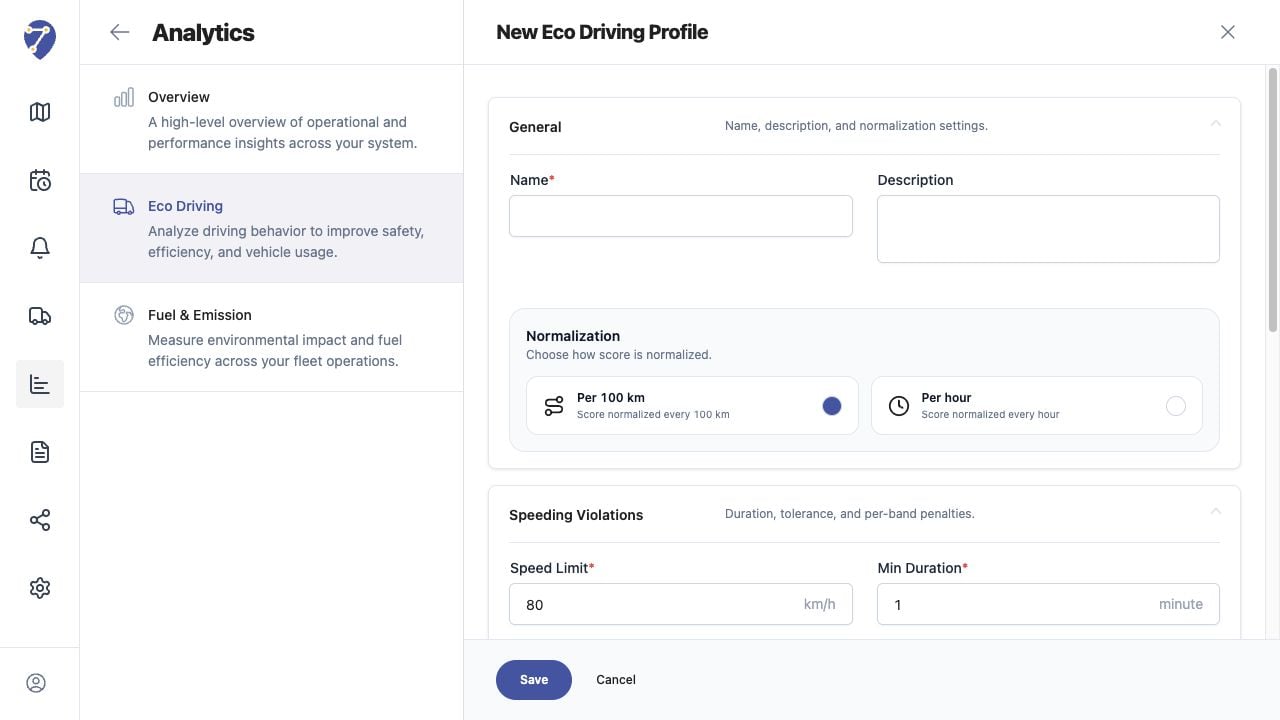
An Eco Driving Profile stores one scoring method that can be assigned to compatible Objects.

Opening the Profile Form

  1. Open Analytics > Eco Driving.
  2. Select Profile.
  3. Click New.
Creating an Eco Driving Profile in Jitra staging

Completing General Settings

Enter a Name and optional Description, then choose normalization Per 100 km or Per hour.

Completing Behavior Settings

Configure Speeding Violations, Harsh Driving, and Excessive Idling. Review every required threshold and penalty before clicking Save.

Editing a Profile

From Profile, open the row action menu and select Edit. Changes affect future calculations shown with that Profile and should be documented before saving.

Deleting a Profile

Open the row action menu and select Delete. Confirm that the Profile is no longer required and review assigned Objects before deleting it.